How to use StarkNet bridge StarkGate
The original source: StarkNet | Chinese
StarkNet last week; Alpha beta version of mainnet is available. StarkGate bridge can be used on mainnet. How to use StarkGate &NBSP is shown below. :
1.
首先准备 StarkGate 主网:
StarkGate Goerli
https://goerli.starkgate.starknet.io
L1 Goerli faucet
L2 Goerli faucet
https://faucet.goerli.starknet.io
Ethereum L1 wallet uses MetaMask (hereafter referred to as MM), StarkNet uses Argent X or Braavos;
Argent X 需要手动添加 ETH 合约地址:
0x049d36570d4e46f48e99674bd3fcc84644ddd6b96f7c741b1562b82f9e004dc7
Download: & have spent
Argent X:
https://chrome.google.com/webstore/detail/argent-x/dlcobpjiigpikoobohmabehhmhfoodbb...
Braavos:
https://chrome.google.com/webstore/detail/braavos-wallet/jnlgamecbpmbajjfhmmmlhejkemejdma
Note:
Currently, only Chrome is available;
Do not close the window until the transfer is complete;
Privacy mode is not currently supported. ;
2,
Let's start with:
Install the Argent X wallet and save the mnemonic.
StarkNet uses a smart contract wallet. New addresses require the deployment of a wallet, which can be completed with a little waiting.
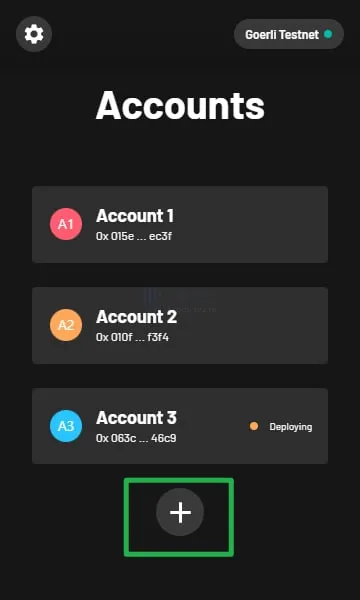
Both MetaMask and Argent X chose the same network, and this demo uses the Goerli test network & NBSP;
After Argent X selects the network, it needs to select the wallet address again to enter.
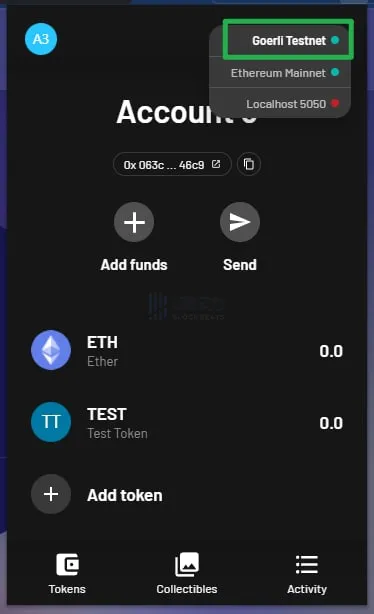
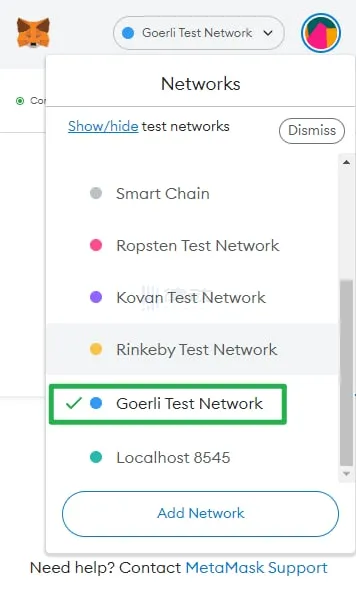
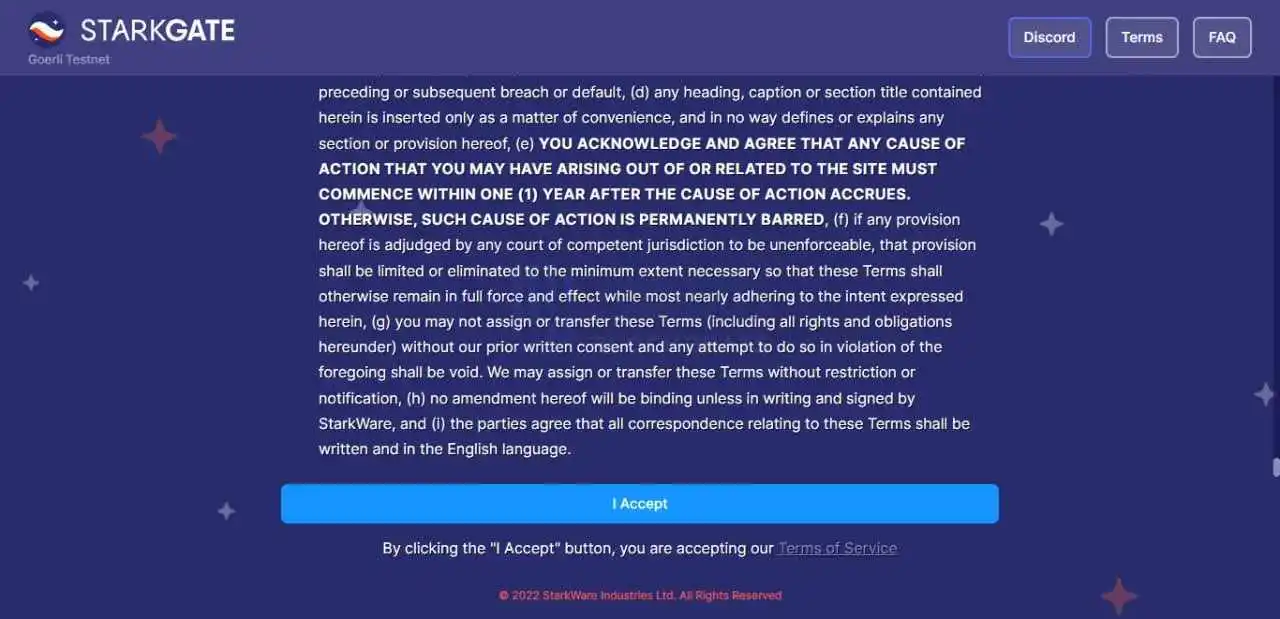
Enter the home page, click "Terms of Service", click "I Accept"
L1 < - & gt; L2 across chain & have spent
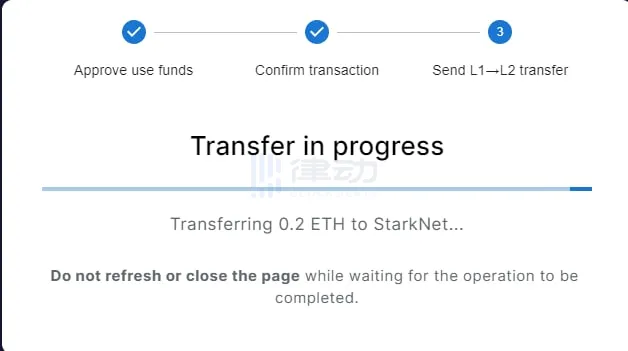
Choose to go from Ethereum to StarkNet -- >; Enter the transfer amount -- > Click on the Transfer - & gt; MM confirm transaction (0.025 ETH per transfer to L2 for main network, no quota for test network) & NBSP;
Close the window when Argent X receives ETH.
L2 < - & gt; L1 cross chain takes two steps.
Step 1, switch the network to StarkNet -- >; Ethereum (currently the main network and test network wallet address is different, switching network need to click to confirm the wallet address), enter the amount -- > Click on the Transfer - & gt; Argent X window click Sign (note: this step may take a long time on the main network, depending on network conditions) & NBSP;
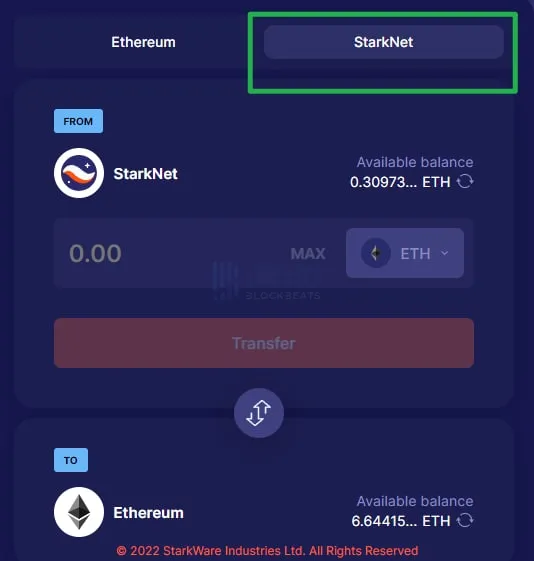
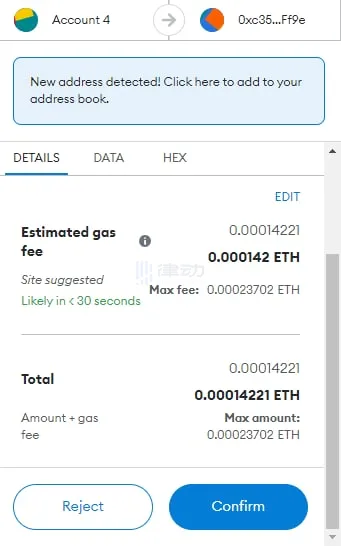
Step 2, then wait for transaction L2 to confirm. Select "Complete Transfer" as prompted; Confirm in L1 MM, complete L2 < - & gt; Transfer to L1, the final amount received by L1 will be deducted from MM's gas charge & NBSP;
FAQ:
1. Why is StarkNet not compatible with MetaMask wallets?
• StarkNet is zK-rollup Layer2 network, using smart contract wallet, currently not compatible with MM;
2. Why are the wallet addresses of StarkNet main network and test network inconsistent?
• StarkNet is currently in beta. Due to the smart contract wallet, the account model is still under discussion. The wallet experience will be improved gradually in the future. The improvement of the final wallet model has no effect on the current tested user wallet.
3. Which currencies are supported across the chain?
• Currently only ETH is supported across the chain, more currencies will be added in the future;
4. Why is the main network cross chain slow?
• At present, the main network is in internal testing stage. L1 < - & gt; L2 immediate receipt, L2 < - & gt; L1 transaction shall be confirmed by L1 MetaMask after L2 confirmation.
You can view the transaction in the browser:https://voyager.online
5. Why can't the main network complete? - & gt; L2 across the chain?
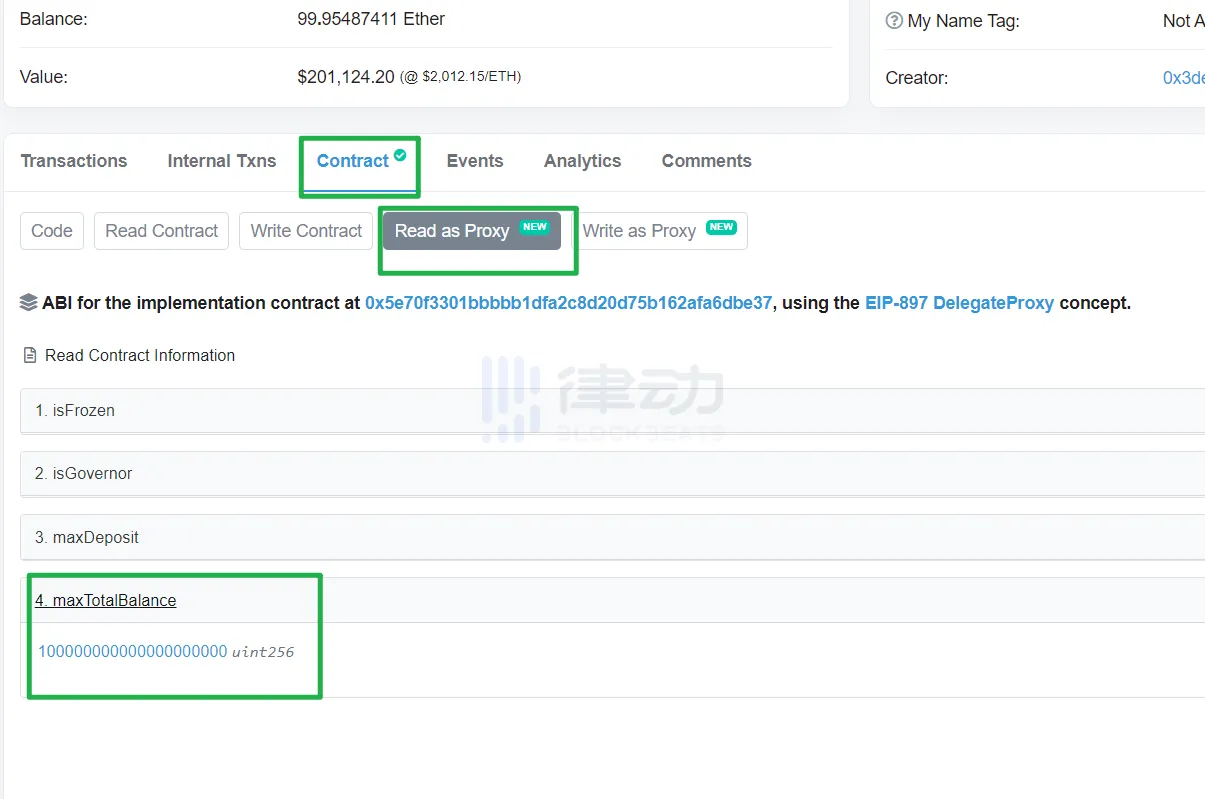
• Currently there will be a quota for cross-chain Bridges. The amount is gradually increased until it is withdrawn;
Cross-chain Bridge quotas can be viewed in the Dune panel:
https://dune.com/fennec/Stark-Gate...
Or view the contract:
https://etherscan.io/address/0xae0ee0a63a2ce6baeeffe56e7714fb4efe48d419
The original link
Welcome to join the official BlockBeats community:
Telegram Subscription Group: https://t.me/theblockbeats
Telegram Discussion Group: https://t.me/BlockBeats_App
Official Twitter Account: https://twitter.com/BlockBeatsAsia
 Related Articles