Tutorial: How to donate GitCoins using zkSync Network
Gitcoin Donation Tutorial (Recommended zkSync Online Payment)
Original author: @ New knowledge of good things @ Su Bai on art, know hu
Donation, is to get airdrop, a few U to fight, bike to motorcycle. Of course, the probability of running is also very large, not 100% of the airdrop, so do what one can, is the best, not when the block chain construction.
The donation time is half a month (December 1 - December 16), there is no amount limit, so don't worry, find out after the donation is not too late.
This tutorial uses zkSync as an example of how to make a payment through another network.
Go to the official website and click Open Wallet.
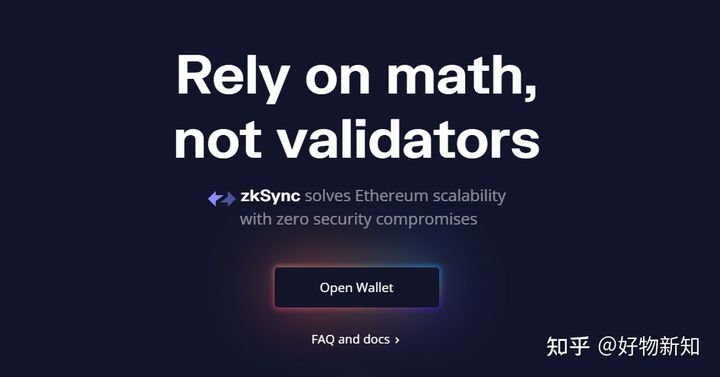
Select the little Fox wallet and click sign in the pop-up box to complete the authorization
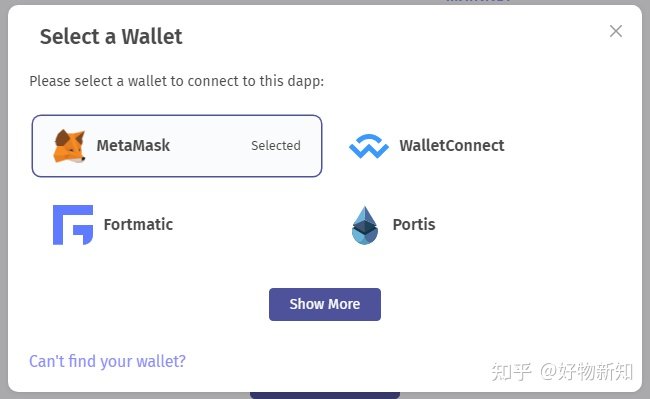
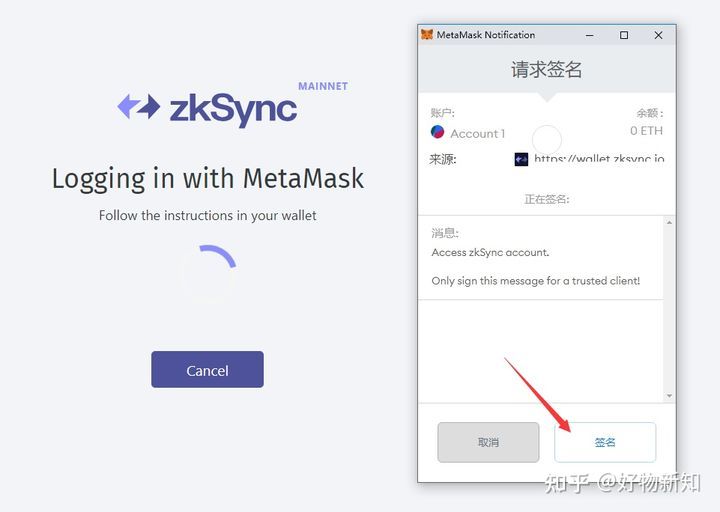
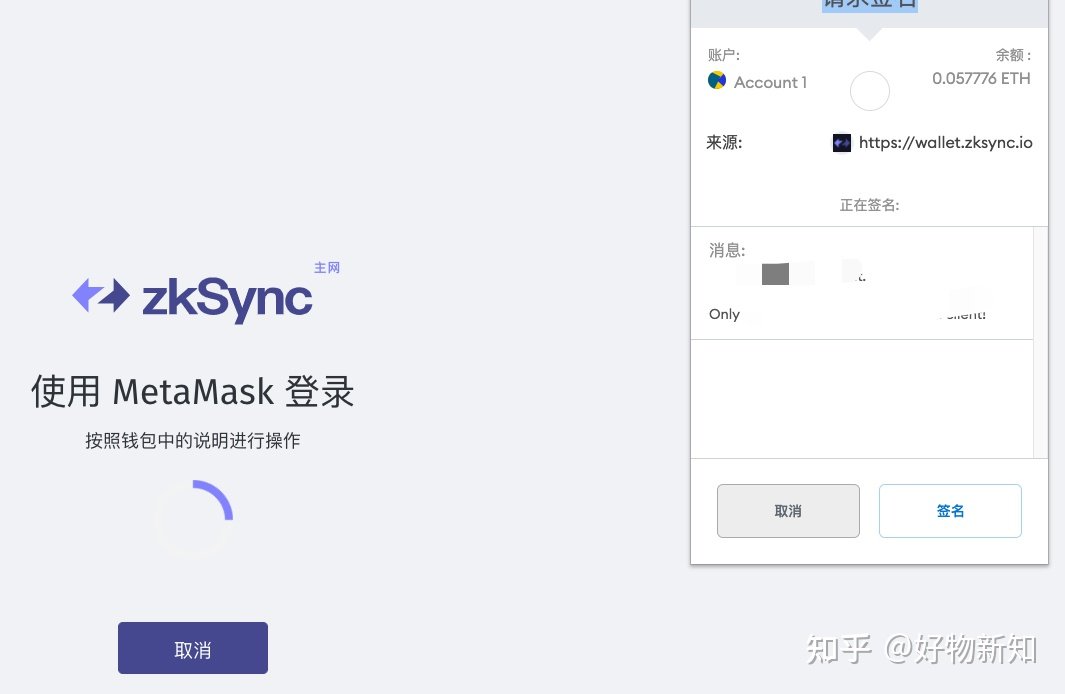
After the connection is completed, we have no coins in the layer 2 network zkSync, so we click deposit and save the prepared ETH into the layer 2 network. This process takes about a few minutes.
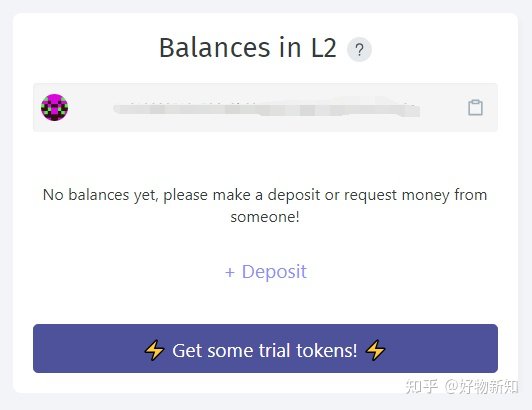
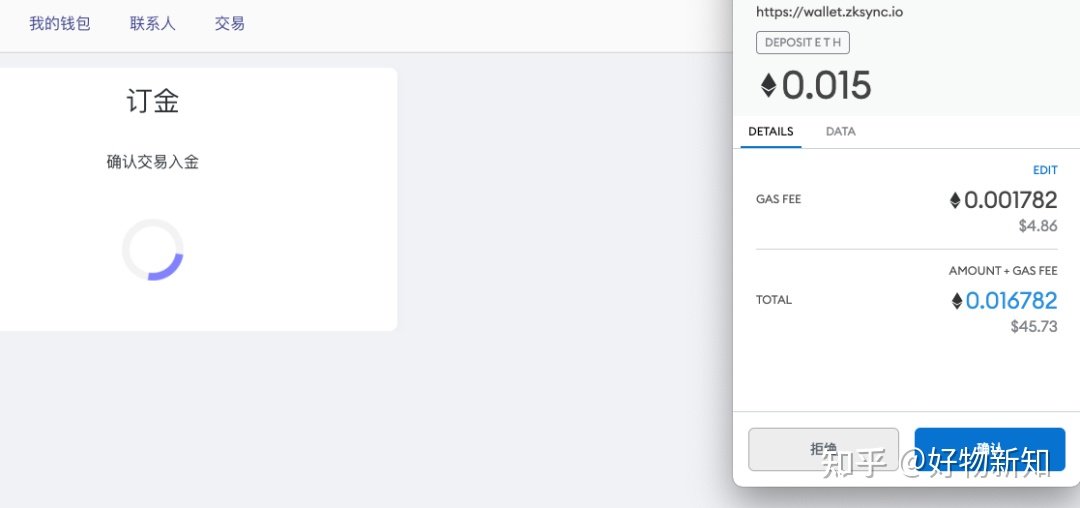
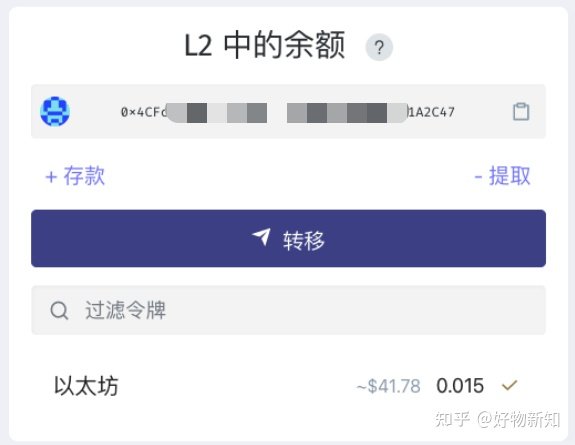
Ok, layer 1 network ETH has reached Layer 2.
Gitcoin donation
Step 1: Open Gitcoin's official website & NBSP;https://gitcoin.co (Can't open with ladder) register with email, then link to fox wallet
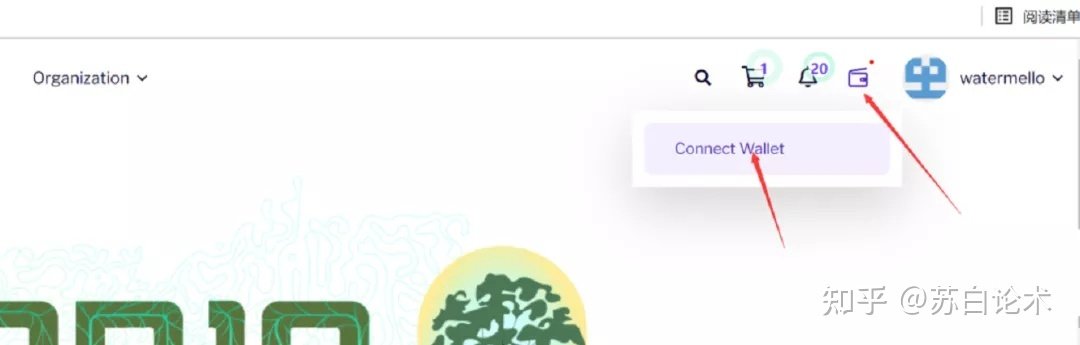
Step 2: Verify brightid, ENS, POPA, Google account by clicking on your profile picture in the upper right corner and clicking on My Account-profile-Trust BONUS.twitter(100 followers required, no unrelated), Facebook, etc., as long as the authentication score reaches 150%. Try to improve all the information after login, so that the account is more real and active,dropThere's a better chance of that happening.
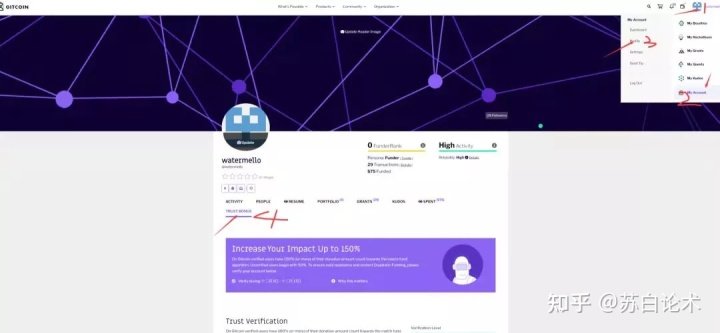
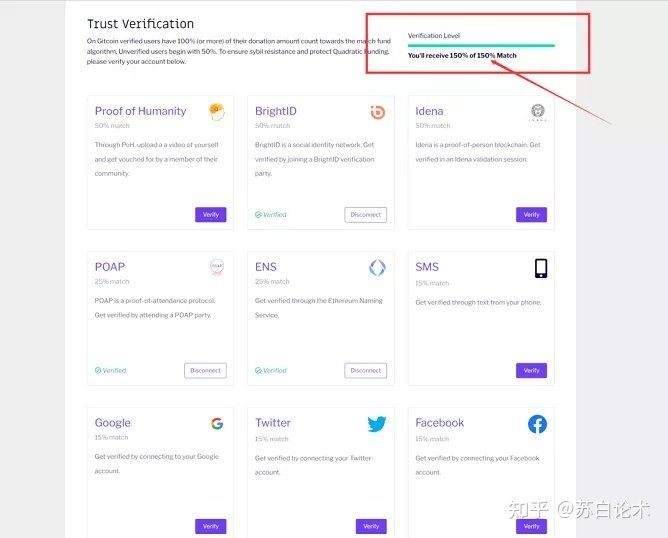
Step 3: Do itBrightID certificationBrightID is the equivalent of a Web3.0 identity card, rather than an id card issued by a centralized organization such as the public security administrationBlock chainSuch a decentralized world is entirely up to users to apply. For the BrightID certification tutorial, you can look it up online. There are a few steps here, but it's easy.
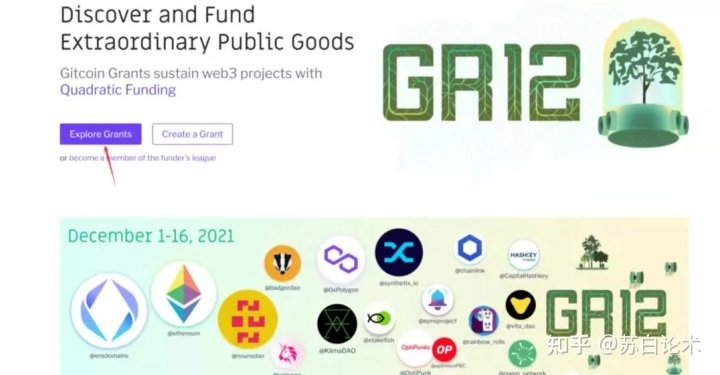
Step 4: Find a project on Gitcoin, and scroll down to the bottom of the site to find grants and click on. Skip to the Explore Grants page and click on grants.
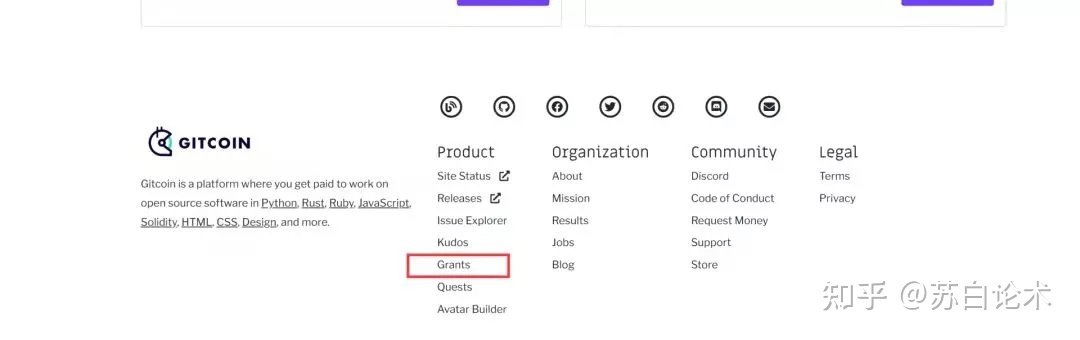
Enter the project list, there are many categories, if you want to donate, just add to cart, you can add more, generally donate more than $1 per project, promising projects can be appropriately donated a little more.
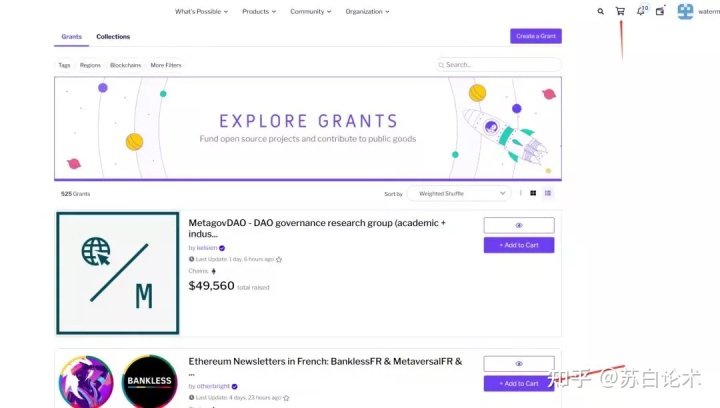
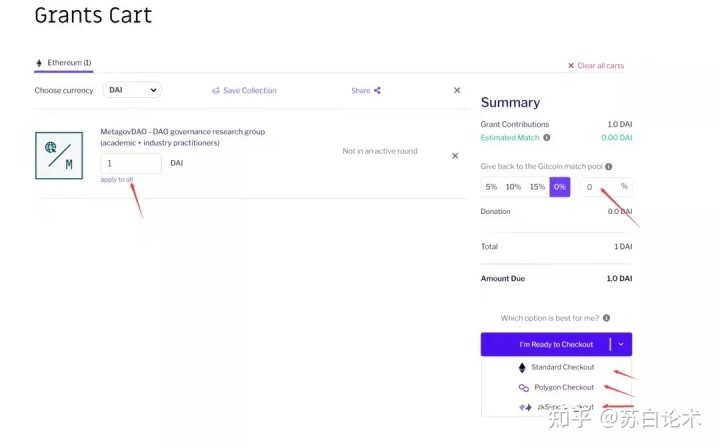
Step 5: Click the shopping cart in the upper right corner, click Checkout, and jump to the checkout page. You can fill in the amount you want to donate to the foundation, and click "I" m ready to checkout. There are three payment methods: ETH network, Polygon network and ZKsync network. Here, we recommend zksync network to pay, and by the way, we can do the airdrop task of ZKsync.

After payment, it is OK to appear on this page, indicating successful donation.
You are advised to store the name of your donation for future reference.
Last but not least, it does not mean that this donation will be worth a lot of money even though the previous donation has brought a good return. There is also the possibility that your donation will be wasted.
The original link
Welcome to join the official BlockBeats community:
Telegram Subscription Group: https://t.me/theblockbeats
Telegram Discussion Group: https://t.me/BlockBeats_App
Official Twitter Account: https://twitter.com/BlockBeatsAsia