How to deploy a contract in Base Test Network and get official NFT rewards in 5 minutes
Original title: 5 Minutes to deploy the contract on the base test network to get the NFT from the base official
原文作者: @big_rango
BASE officially issued a task. After successfully deploying the contract on the test network, you could get NFT reward on the test network. After the base went online, you could get NFT on the main network for the second time.
Such attention must be of some use. Be sure to pay attention!
Preparations: Install the base clientExtended wallet. (Fox can't get the test net token)
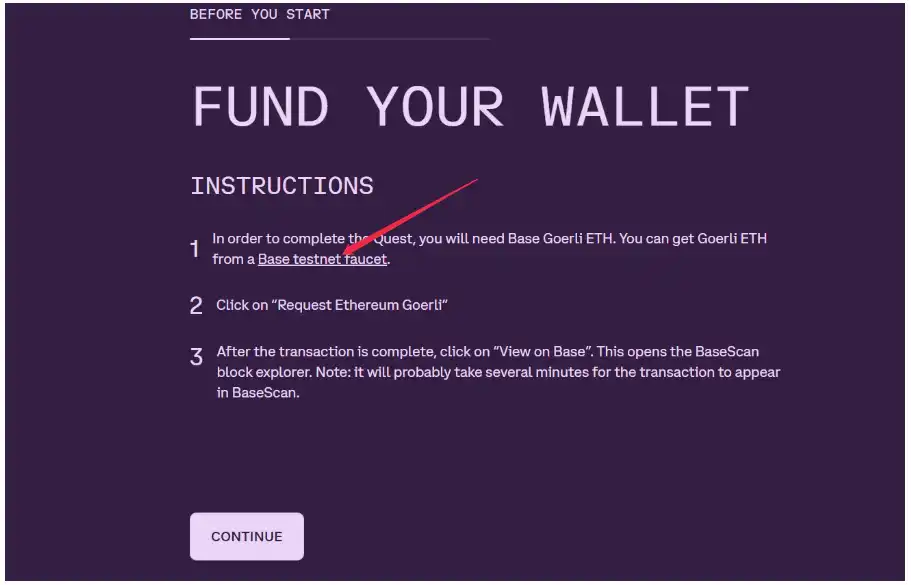
First open the official mission website of base:
After entering the official website, click start quest link to base goerli network, and then follow the steps to get eth test network.
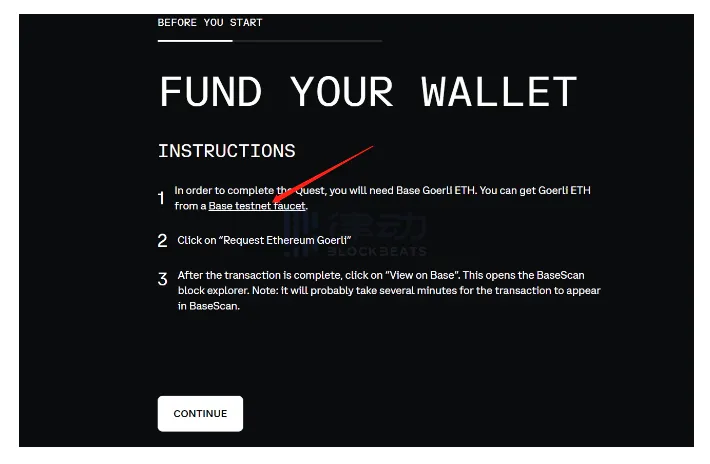
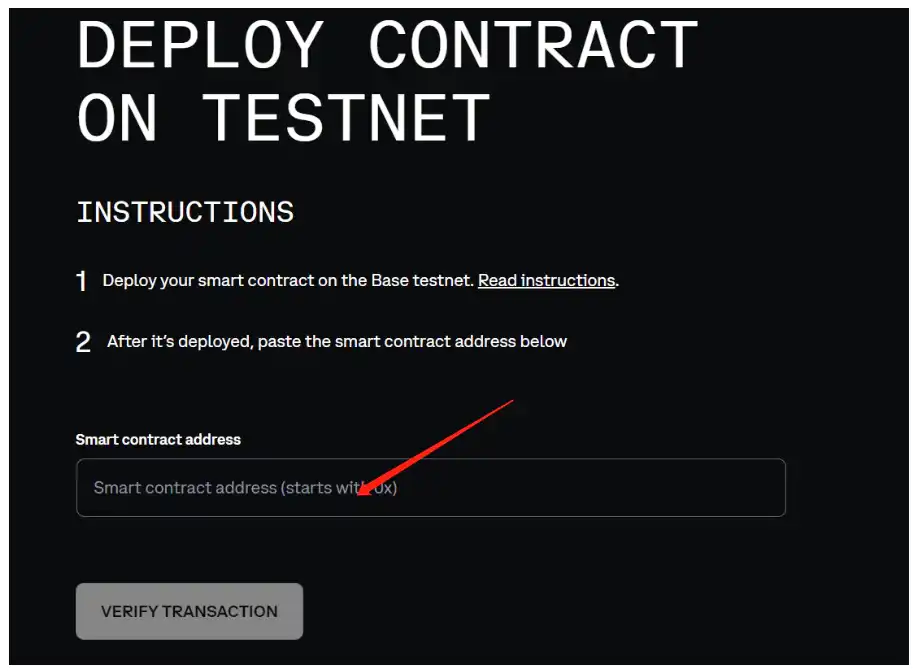
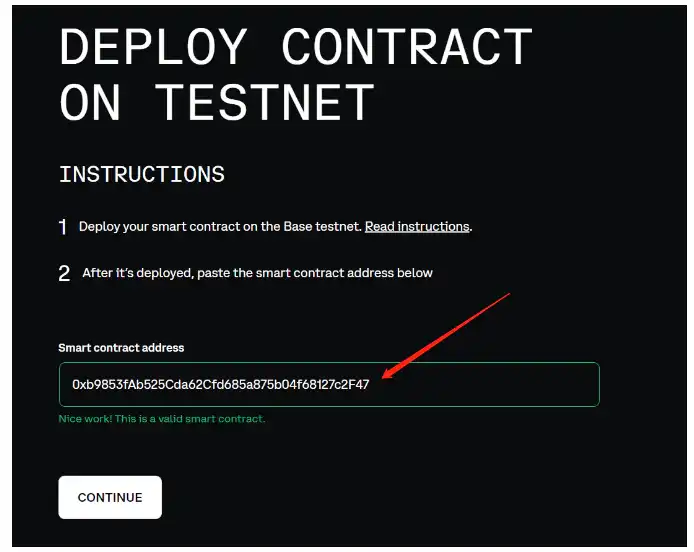
After receiving the test network token, click Continue to enter the interface of submitting the deployed contract, paste the deployed contract over and submit it! The next step is the NFT collection. Currently, it is collected on the test network. After the main network is online, it will be collected on the main network again!
Here you go to another site: @thirdweb_, a very useful site for deploying contracts, which officially raised over $20 million (I don't bother to look up the numbers), and the cat game everyone played on day one of the base Beta Web was built on thirdweb. thirdweb's official contract with base is supposed to be deep.
thirdweb makes it easy to deploy NFTS, token contracts, chain deployment, and more. There's the test net and there's the main net. You can do your own research.
thirdweb: The complete web3 development framework
Go to thirdweb and link to the wallet. On the home screen, click on view contracts... Once the deployment contract screen is displayed, click on Deploy contract.
Once you enter the deploy screen, there are a number of official contract templates. So let's pick the NFT contract, the red arrow. Since this is the NFT in the form of ERC1155, there is no need to prepare many pictures. One will do.

After entering, click Deploy now to enter the basic data setting screen. Specific data can be set according to their preferences.
The difficulty here is that first time users cannot find the base goerli network when setting up the network in the last step. Click on configure networks where the red arrow points. Once inside, you can search for base goerli in the search bar and select Add!
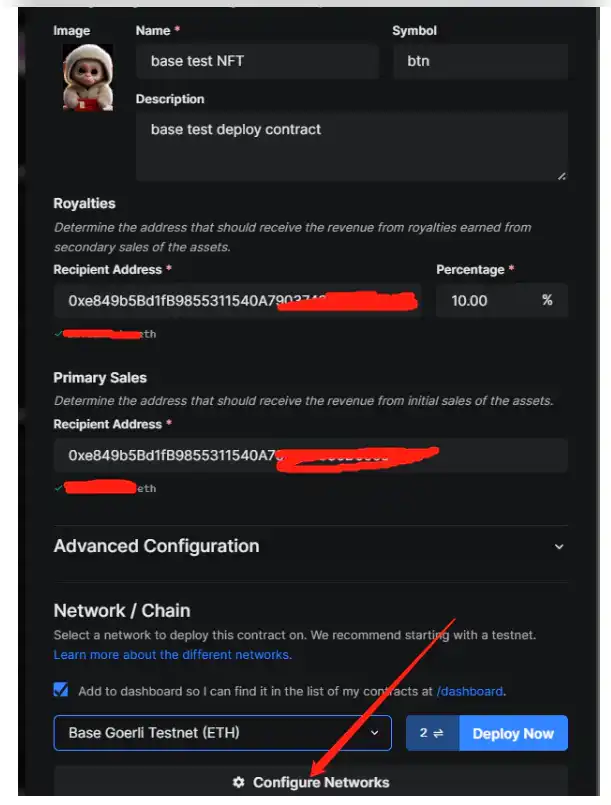
After adding the base goerli network, click Deploy now
After two steps, a new screen is displayed. Click NFTs and then SINGLE UPLODA. Since it is the ERC1155 protocol chosen, only one picture is needed.
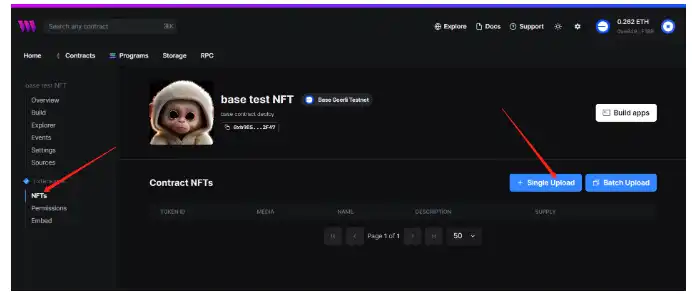
After clicking single upload, the following interface appears.
This is where the nft is set. The last NFT image you wanted to publish is fine. If it is batch last time, you need to build a folder and excel sheet in advance. I won't introduce it here.
After setting it up, click lazy mintNFT. It takes about 1 minute to wait and the wallet confirmation screen appears.
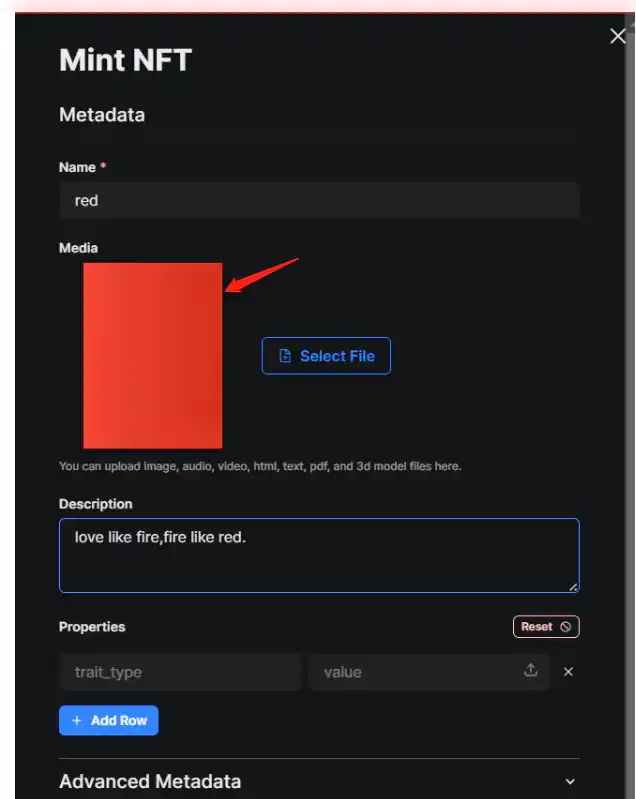
After confirmation, the following interface is displayed.
This is where the contract is actually deployed. If you just want mint's official nft, you can simply copy and paste the contract that the arrow points to into the past
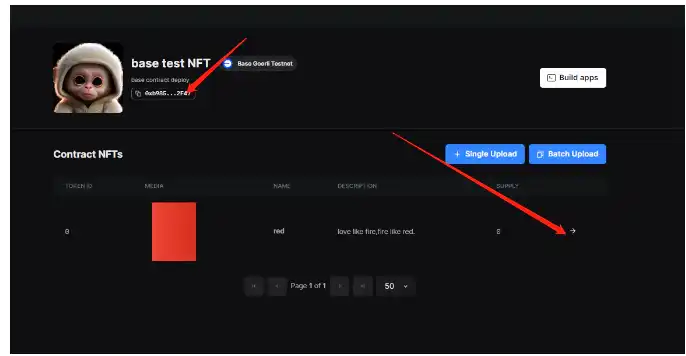
Paste the contract above, verify, pass, you can receive the official deployment contract in the test network NFT award!
If you want to continue, select the second arrow in the above picture to enter the Settings screen
Set the mint condition
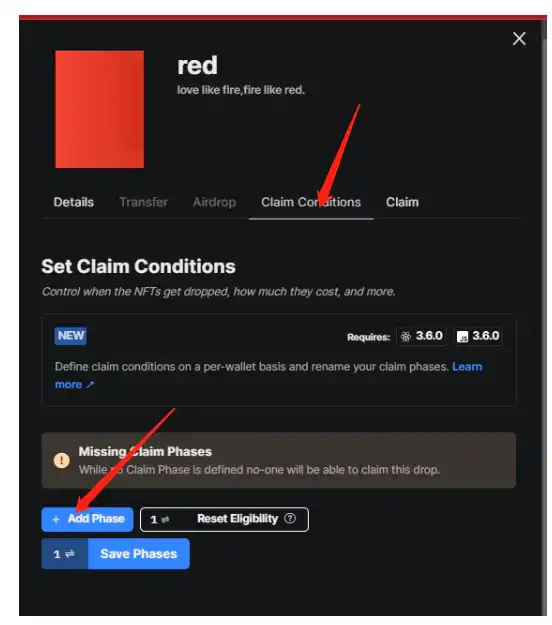
On the Settings screen, you can set the number of MinTs, the start and end times of MinTs, the maximum number of Mints per wallet, and even submit whitelists. I'm not going to introduce you here. Save last!
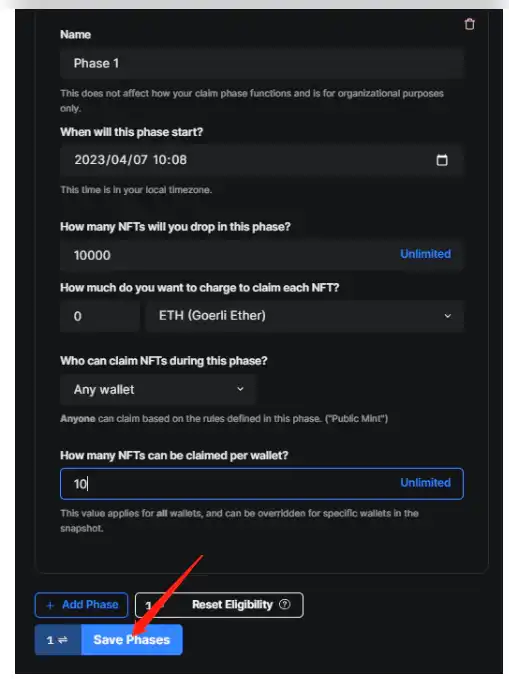
Once saved, go back to the home screen, click Embed, and the mint site for deploying nft is displayed in the second arrow.
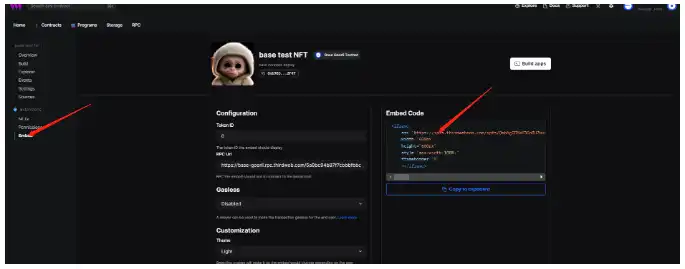
After copying the URL, open it in a new interface. As shown below
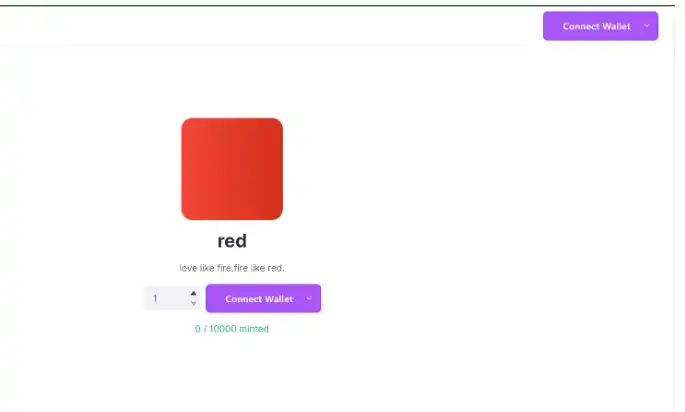
At this point, a complete contract is deployed.
I hope you enjoyed it.
Original link
Welcome to join the official BlockBeats community:
Telegram Subscription Group: https://t.me/theblockbeats
Telegram Discussion Group: https://t.me/BlockBeats_App
Official Twitter Account: https://twitter.com/BlockBeatsAsia