Detailed Interactive Tutorial of Golden Protocol, Knowledge Graph Protocol on Chain
Original title: "Golden Protocol: The most detailed Chinese interactive tutorial on the whole network"
Original author: syskey< p>
Project Introduction
There is no official word about COPY here, let me talk about my personal understanding. Golden Protocol is a "special edition" Wikipedia, but it is fundamentally different from Wikipedia. The analogy of Wikipedia here is mainly to facilitate readers to understand what Golden Protocol is doing. If you want to know more about the project, you can read official blog. The original intention to the mission and the comparison with Wikipedia are introduced.
Project Financing
A round of financing is 1450W USD, B round of financing is 4000W USD. And the two rounds of financing are led by A16z, and other investment institutions are also extremely strong. Through the airdrop of Aptos, I believe everyone knows the potential of the projects invested by A16z.
Airdrop condition
Submit entity or triple
Developer Contribution
Dataset Contribution
Security Bug Bounty
/p>
Protocol, Governance and Pattern Contribution
This interactive tutorial focuses on submitting entities or triples and verifying triples Ways to get airdrops.
Interactive Tutorial
Before the tutorial starts, give an early warning, the tutorial will be longer, and A lot of pictures will be involved to help explain. And it is a test of hands-on and thinking skills, and the difficulty is still somewhat.
Step 1: Obtain permission to access the testnet
1.1 Open the Golden Protocol official website, Register an account.


1.2 Enter name, email, password. It is best to use gmail mailbox to reduce unnecessary trouble.

1.3 After clicking the registration button, go to the mailbox to check the verification code received, and fill in the verification code.

1.4 After filling in the verification code, you will come to the personal profile page settings. For the settings here, please refer to the picture below for details.

< /p>
1.5 Then we will come to the personal account plan page, we choose free directly.

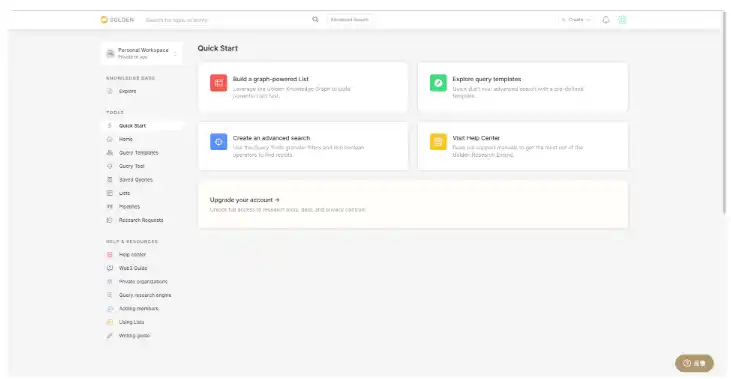
1.6 Finally, the picture below is what it looks like after successfully registering an account
1.7 Next, I will introduce some conceptual things. After understanding these concepts, there will be help to complete the following tasks.
1.8 What are Triples? Simply put, it is a sentence composed of three elements, and can be judged to be true or false based on semantics. It may be abstract to say this. Let me illustrate with an example: "Apple was founded in 1976." This sentence is composed of three elements: Apple, founded in, and 1976. We can also use search engines to judge the truth of this sentence.
1.8.1 The concept is introduced, and then how to add the correct triplet to the Golden protocol. Why do we have to add triples? Because currently, if you want to participate, you must first add at least one correct triplet to the Golden protocol to gain access.
1.8.2 Come to the homepage of the website in step 1.6. **I mainly use the Web3 project as an example to demonstrate. When you actually operate You can operate according to the ability/item you are good at. **Operation case (please choose according to your personal situation for actual operation): Search for the keyword "subspace" to enter the subspace theme page. (If your search doesn't find anything specific, you can also create the subject yourself).

1.8.3 After entering the subspace main page, first click the Structured Data label, and then click the Edit button.

1.8.4 After clicking the Edit button, a warning will pop up, which roughly means that the edited content must meet the specifications, otherwise the account will be banned or the airdrop will not be available. We click the OK, I understand button.

1.8.5 Then the following picture will appear, which is to choose what type of data you want to edit, the first one is structured data, and you can get airdrops, the second one is prose, There is no airdrop reward, we must choose the first one.

1.8.6 After selecting, we will come to the editing page of the main body of subspace. The following figure briefly introduces the specific content of this page. Because they are all in English, if you don’t understand, you can directly translate them in your browser.

< /p>
1.8.7 So how do we add triples? That calls for our knowledge and what we are personally good at. For example, the subspace project is now running an incentive test network and launching a new blockchain browser, so I will see if there is a URL for this new blockchain browser in this topic.
1.8.8 First search for explorer in Add a new field to the entity to see if this sub-option has been added, here it has been added, if not There will be no tick in front. Then enter explorer in the search box on the right page to locate the specific location.

< /p>
1.8.9 Then click the add value button to add an item. **Note that the new content must be the correct content! ! ! ** After confirming that there is no problem with the newly added content, you can click the publish button in the upper right corner to publish.

Before 1.8.10 is released, it will display what has been modified and the description of the modification.

< /p>
1.8.11 Here we have completed the addition of a triple. Looking back at the above, do you know what the added triplet is? In fact, it is "subspace's blockchain browser is subspace.subscan.io?" Finally, let me explain again, please don't follow my operation steps completely in the whole process of adding triples, because I have already added this entry, it is useless to add it repeatedly. The only thing you can do is to refer to this example and find other projects or content you are good at to add.
1.9 To view our contributions, click on the avatar---Profile to view the content just edited.

1.10 At this point, the application for access to the entire test network is over. In order to ensure access to the test network, you can submit a few more triples, which can be multiple projects. After submitting at least one correct triplet, you will receive an official email reminder within a week that the testnet is already accessible. Then you can follow the tutorial to do the following task of verifying triplets.
Step 2: Verify triplet to get airdrop
Because I haven’t got it yet I have no access to the testnet permission, so there is no way to complete the tutorial on verifying triplets for the time being. After I get the permission, I will update the following tutorial in time.
Original link
Welcome to join the official BlockBeats community:
Telegram Subscription Group: https://t.me/theblockbeats
Telegram Discussion Group: https://t.me/BlockBeats_App
Official Twitter Account: https://twitter.com/BlockBeatsAsia
 Related Articles