We tried trading NFTs on Bitcoin, how different is the experience from OpenSea?
Author: Cookie, BlockBeats
Over a month ago, to explore the world of Bitcoin NFTs, one needed to download and install Bitcoin Core, which could take several days to sync all the block data since the birth of Bitcoin, and then install Ord Wallet through the command line... After solving these problems, one also needed to learn how to use Sparrow to manage UTXO to prevent Bitcoin NFTs from being lost during transfer...
头大,实在难顶。
translates toFeeling overwhelmed and stressed.
However, it has only been just over a month, and the infrastructure for Bitcoin NFT has rapidly developed. Now, trading Bitcoin NFT is no longer so hardcore, and mainstream Bitcoin NFT trading markets have implemented "PSBT" technology to achieve "trustless" transactions. (Detailed explanation of "PSBT" technology: "Ordinals founder refutes Yuga Labs auction, why PSBT is the solution for Bitcoin NFT transactions?") The only difference is that some markets (Ordinals Wallet/Ordswap) provide a "one-stop service" experience through built-in wallets, while others (Gamma/Magic Eden/Openordex) require the installation of external browser wallet plugins such as Xverse/Hiro Wallet/UniSat to complete the signature.
Next, we will use Ordinals Wallet and Magic Eden as examples to demonstrate Bitcoin NFT transactions.
Ordinals Wallet
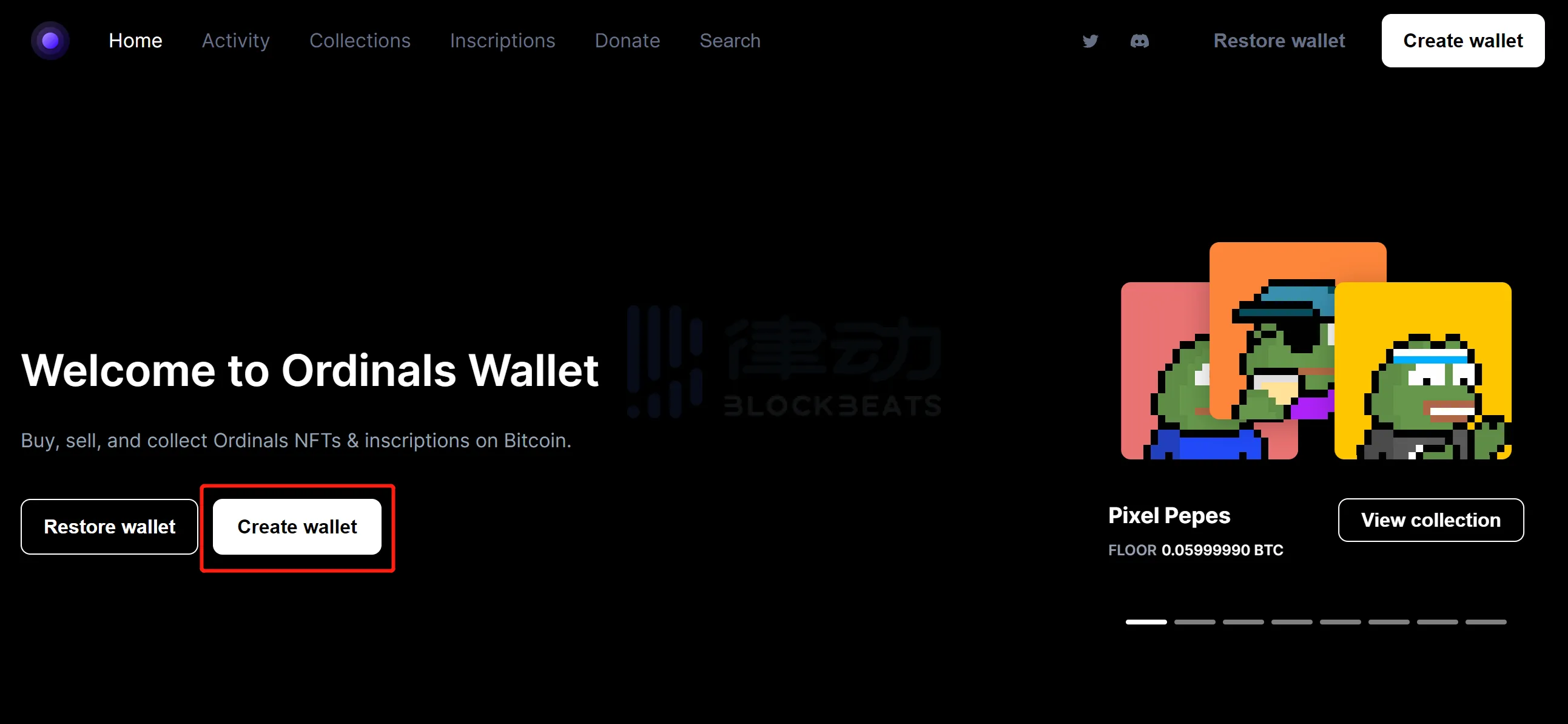
Ordinals Wallet does not have a browser plugin and belongs to the category of "website embedded wallets". After entering the official website, click on "Create Wallet":
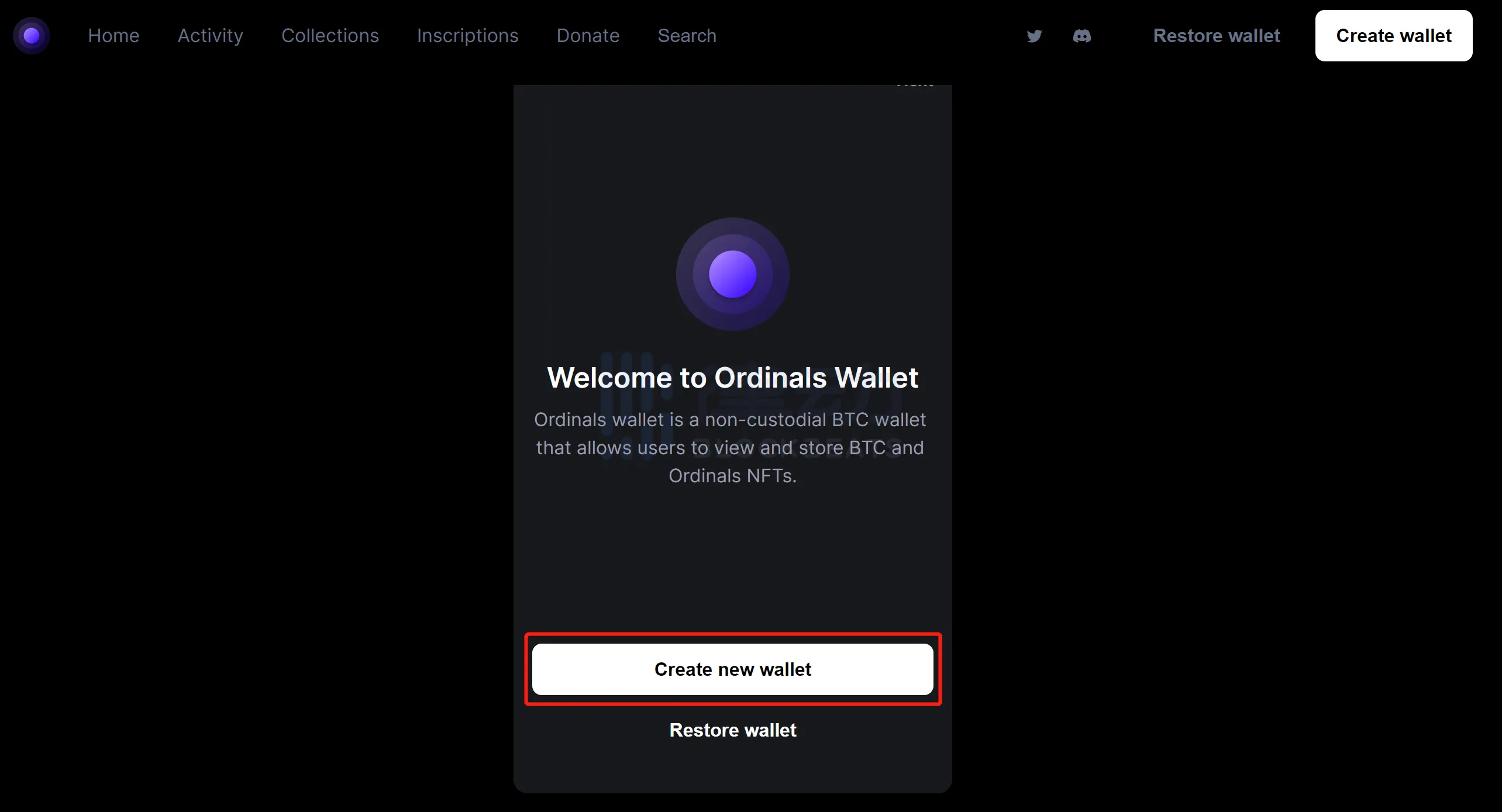
Clicking on it will take you to the following page. Click "Create New Wallet" to generate a wallet:
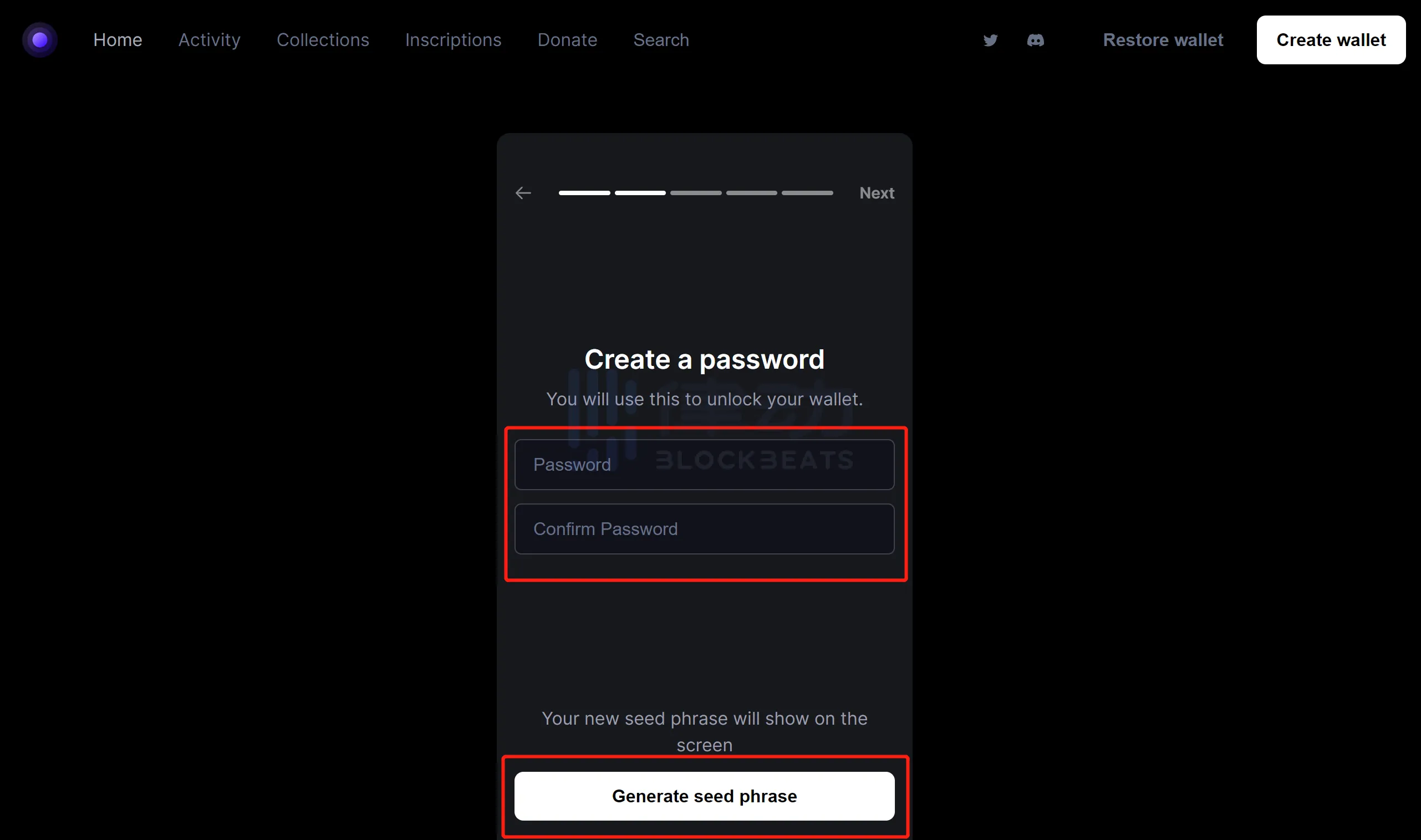
Enter the new password in the "Password" field, re-enter the newly set password in the "Confirm Password" field for confirmation, and then click "Generate seed phrase".
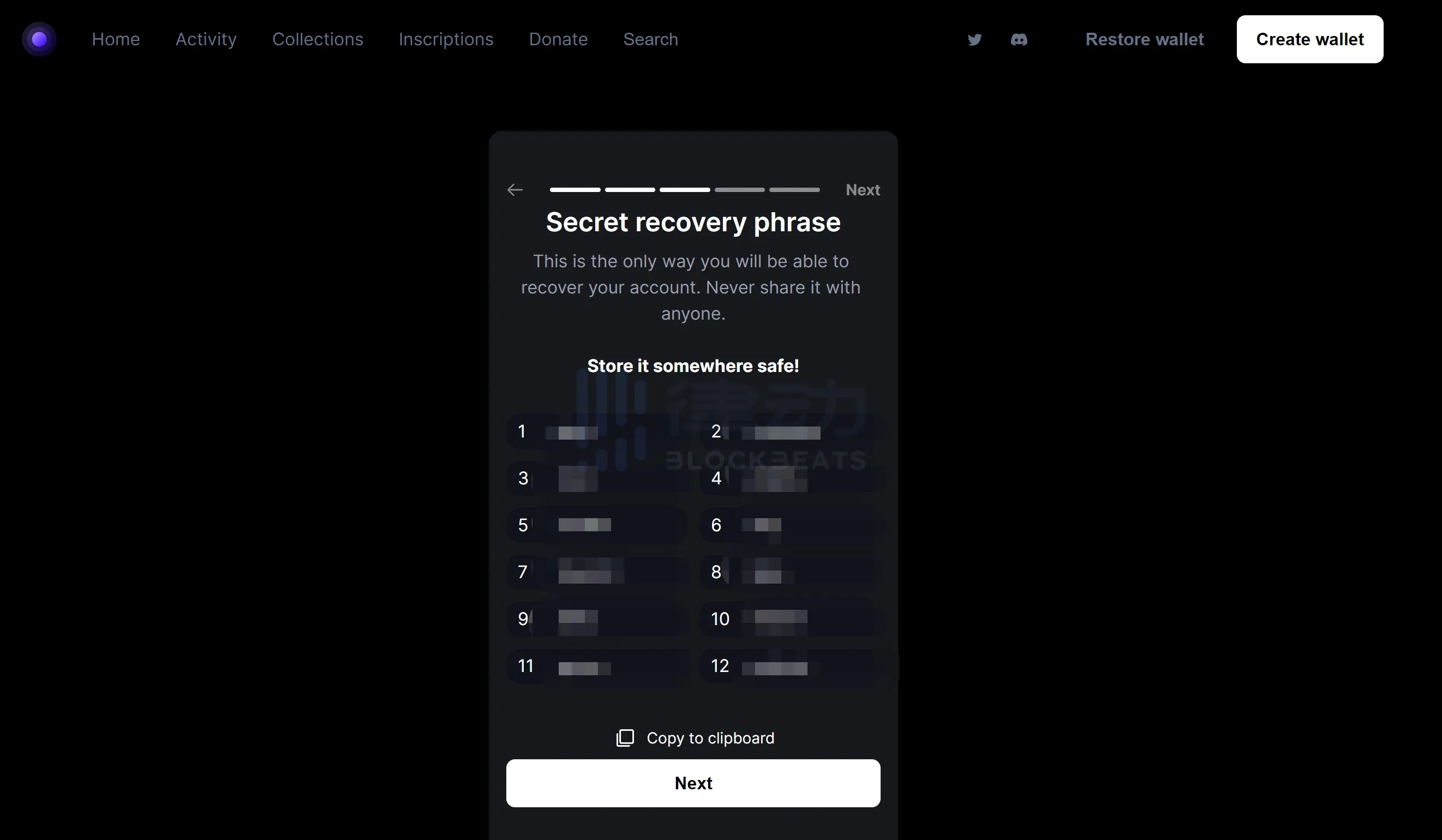
Please save the generated mnemonic phrase properly (otherwise you cannot proceed to the next step and cannot recover the wallet):
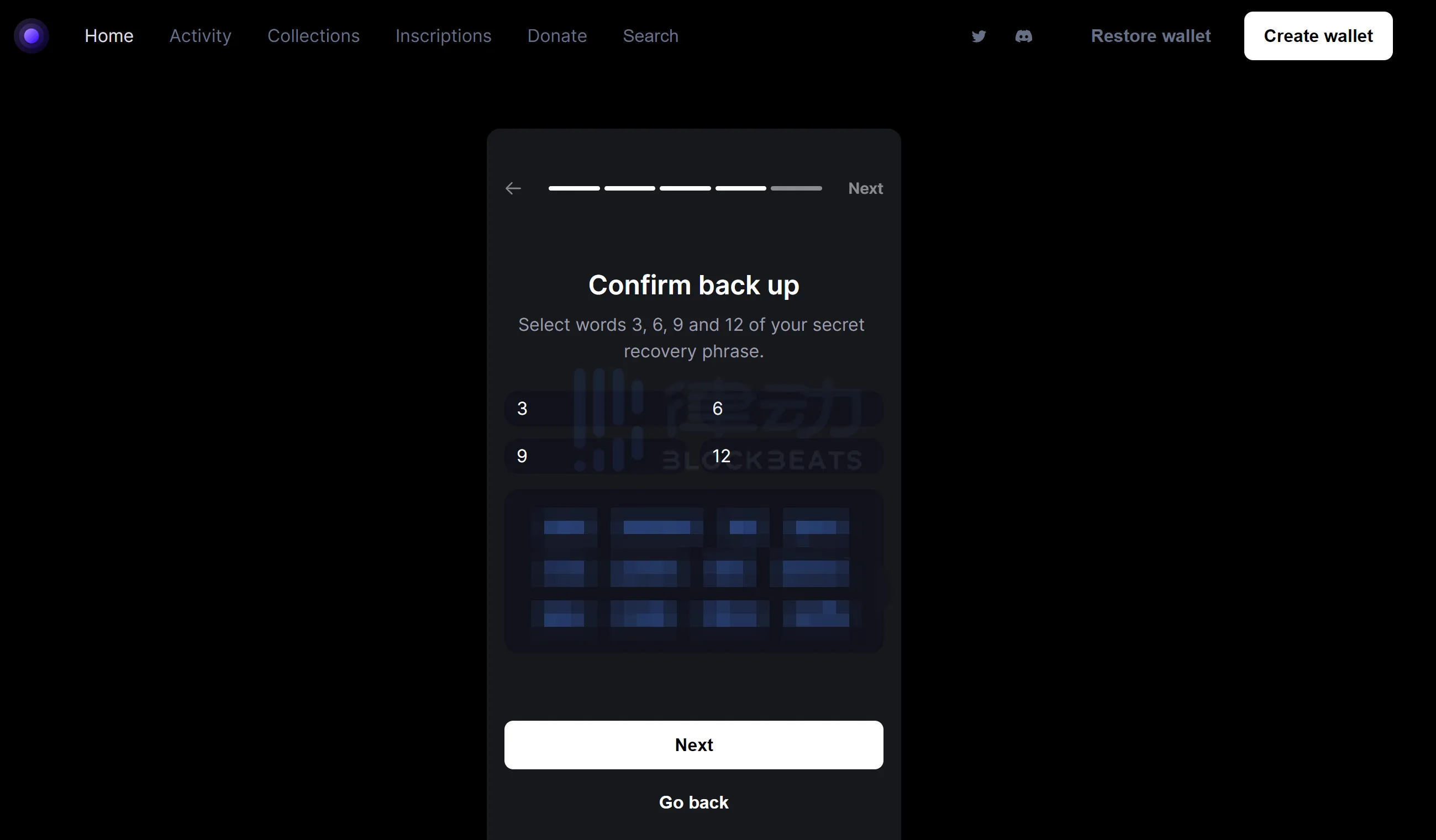
According to the previously saved mnemonic words, select the corresponding number and fill in the mnemonic words.
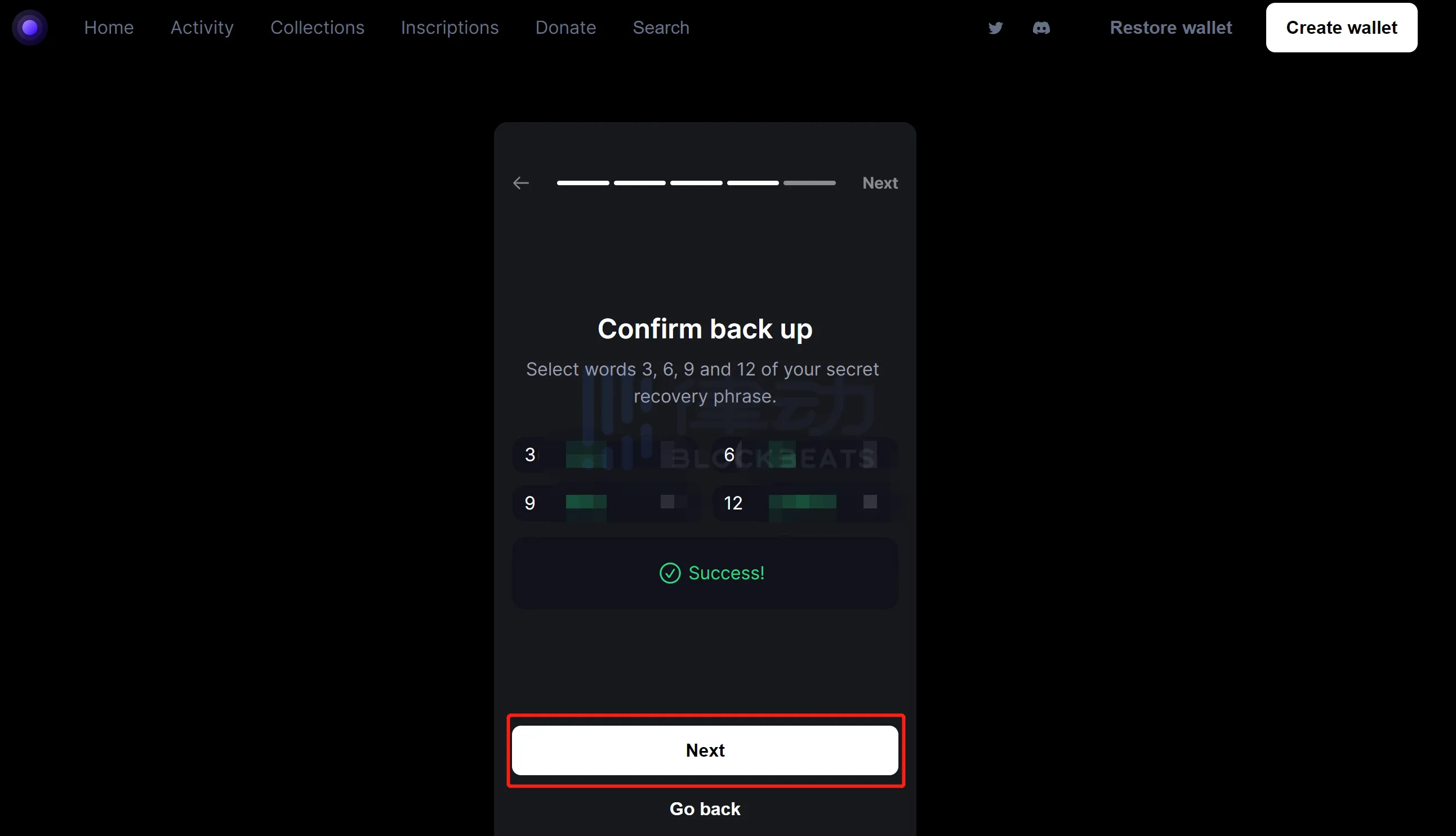
After correctly filling in the information, "Success" will be displayed, and then click "Next":
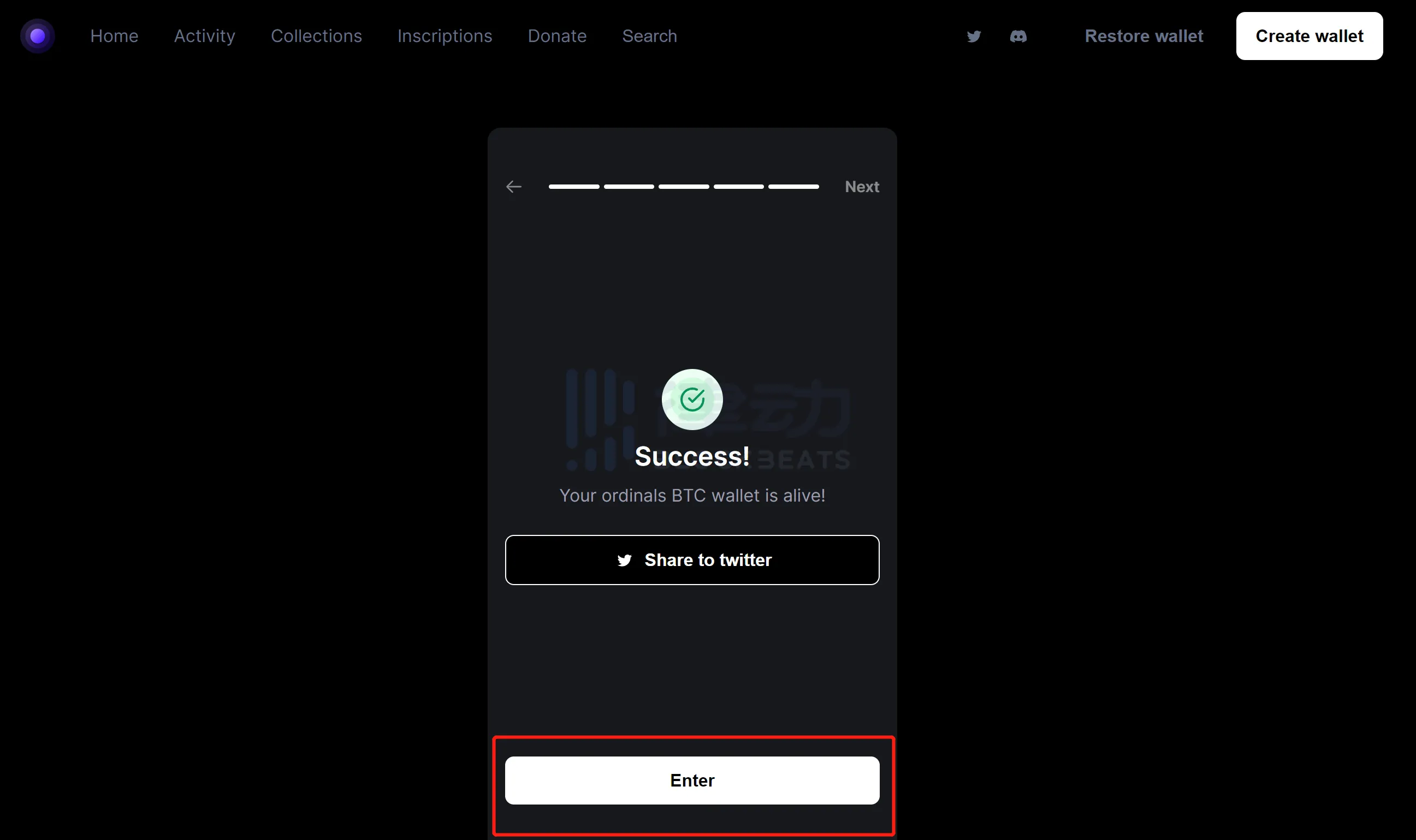
The creation of the new wallet is officially completed here. After that, as long as you do not clear the cookies and browser cache, the login status will be maintained. If cleared, you will need to enter the mnemonic phrase to restore the wallet. Click "Enter" and we will be redirected to our wallet management page:
The part highlighted in red in the following picture are some key functions that need to be mastered:
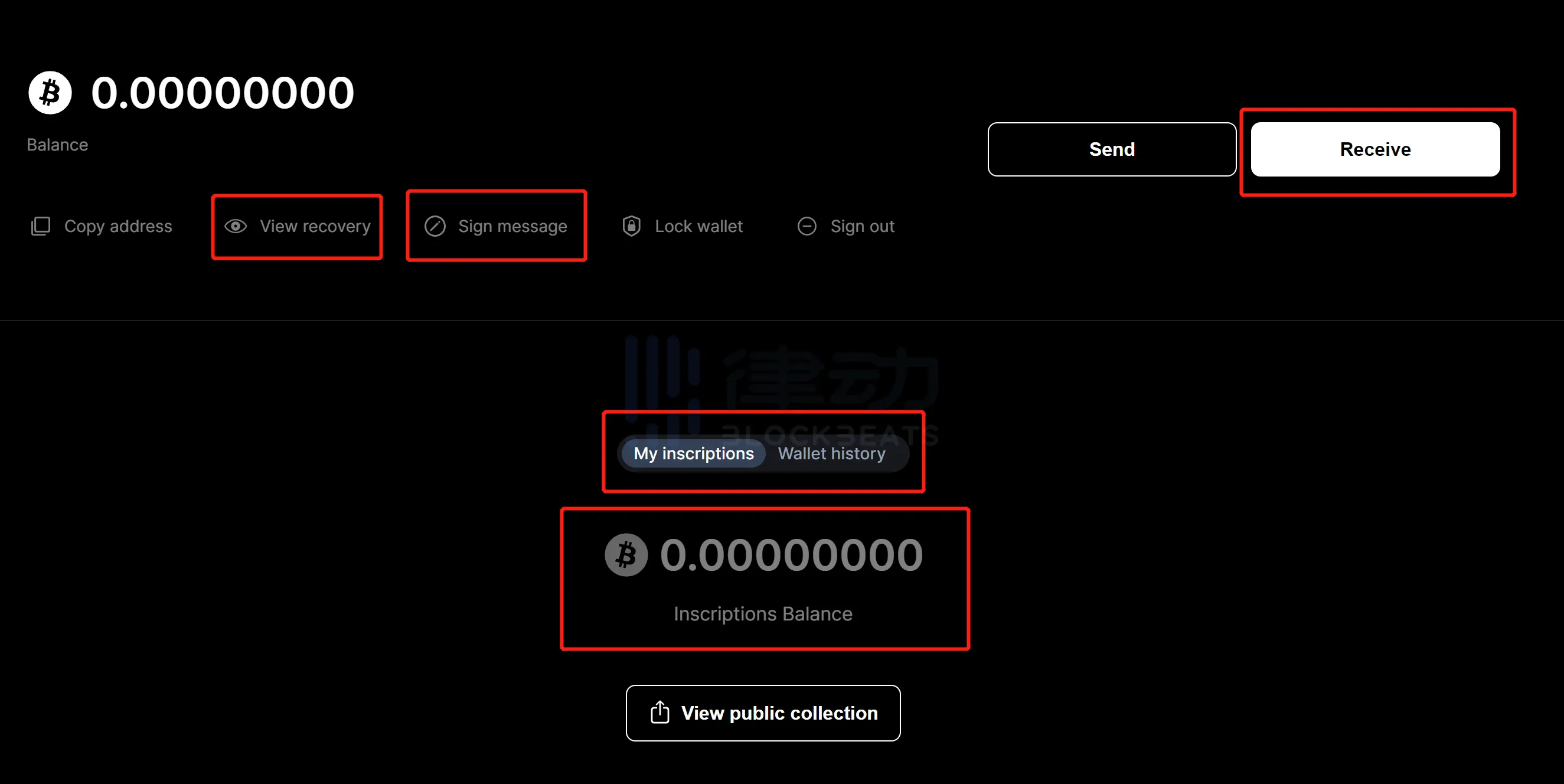
- "Receive": Clicking on "Receive" will give you the recharge address. To buy Bitcoin NFT in Ordinals Wallet, you need to transfer Bitcoin to the recharge address. If you are using CEX to withdraw directly, select the Bitcoin network.
- "View recovery": View wallet mnemonic.- "Sign message": Used for specific Bitcoin NFT project holders to sign and obtain the specific holder identity of Ordinals Wallet Discord.- "My inscriptions/Inscriptions Balance": Displays the total value of Bitcoin corresponding to the held Bitcoin NFT/Bitcoin NFTs. Sometimes, after depositing Bitcoin, the available Bitcoin balance may be locked in the Inscriptions Balance. If it does not return to normal for a long time, please report the issue to Ordinals Wallet Discord.
- "Wallet History": Bitcoin balance change record.
After completing the Bitcoin recharge, we can start buying Bitcoin NFTs. Here we take Bitcoin Frog as an example. Find Bitcoin Frog in "Collections" and click "Buy Now" under the desired image:
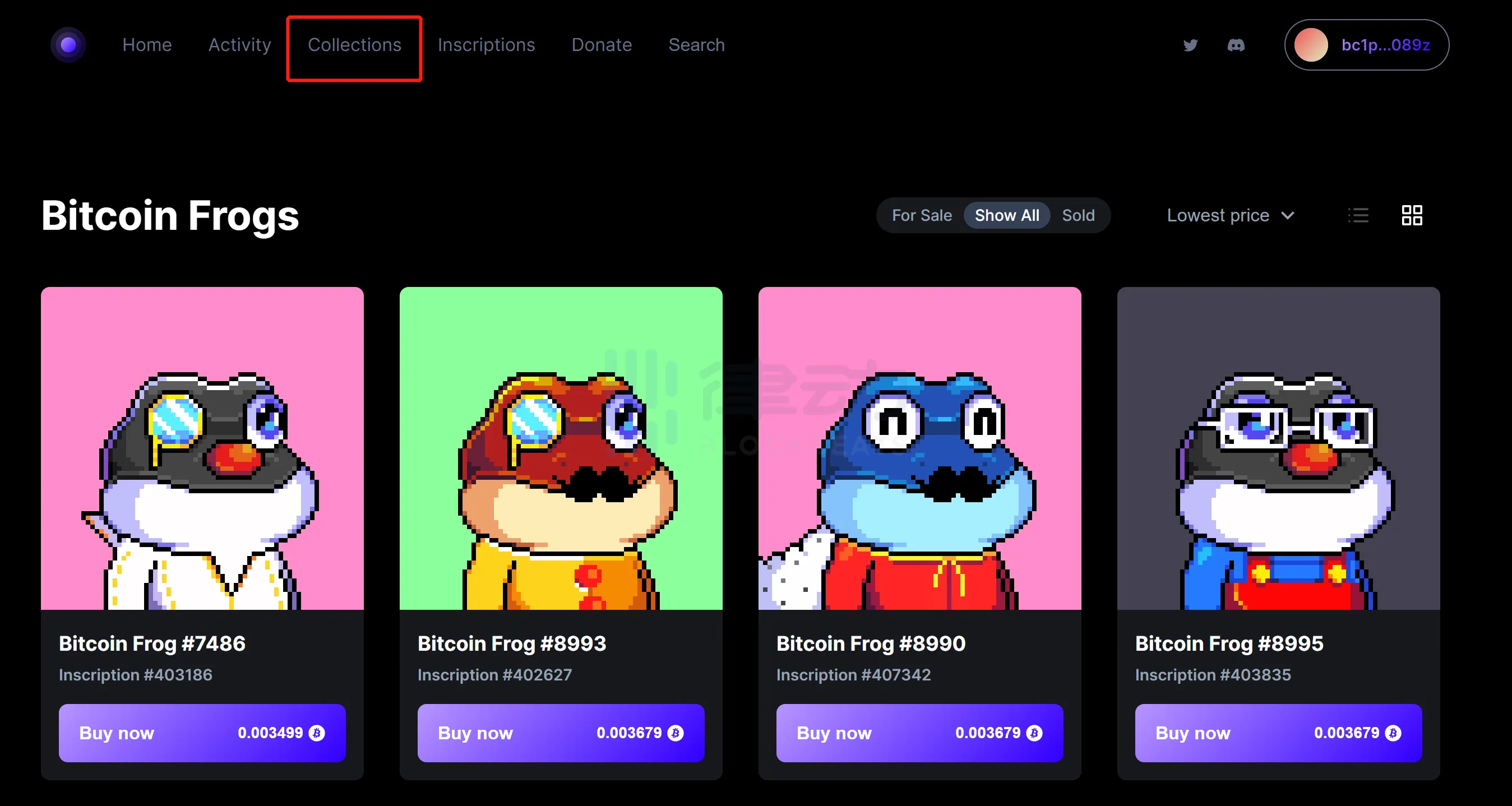
If there is no operation for a long time, clicking "Buy Now" will require entering a password. If the password is entered correctly and the wallet balance is sufficient, the transaction can be confirmed.
Return to the wallet details page and see the Bitcoin NFT that you have purchased:
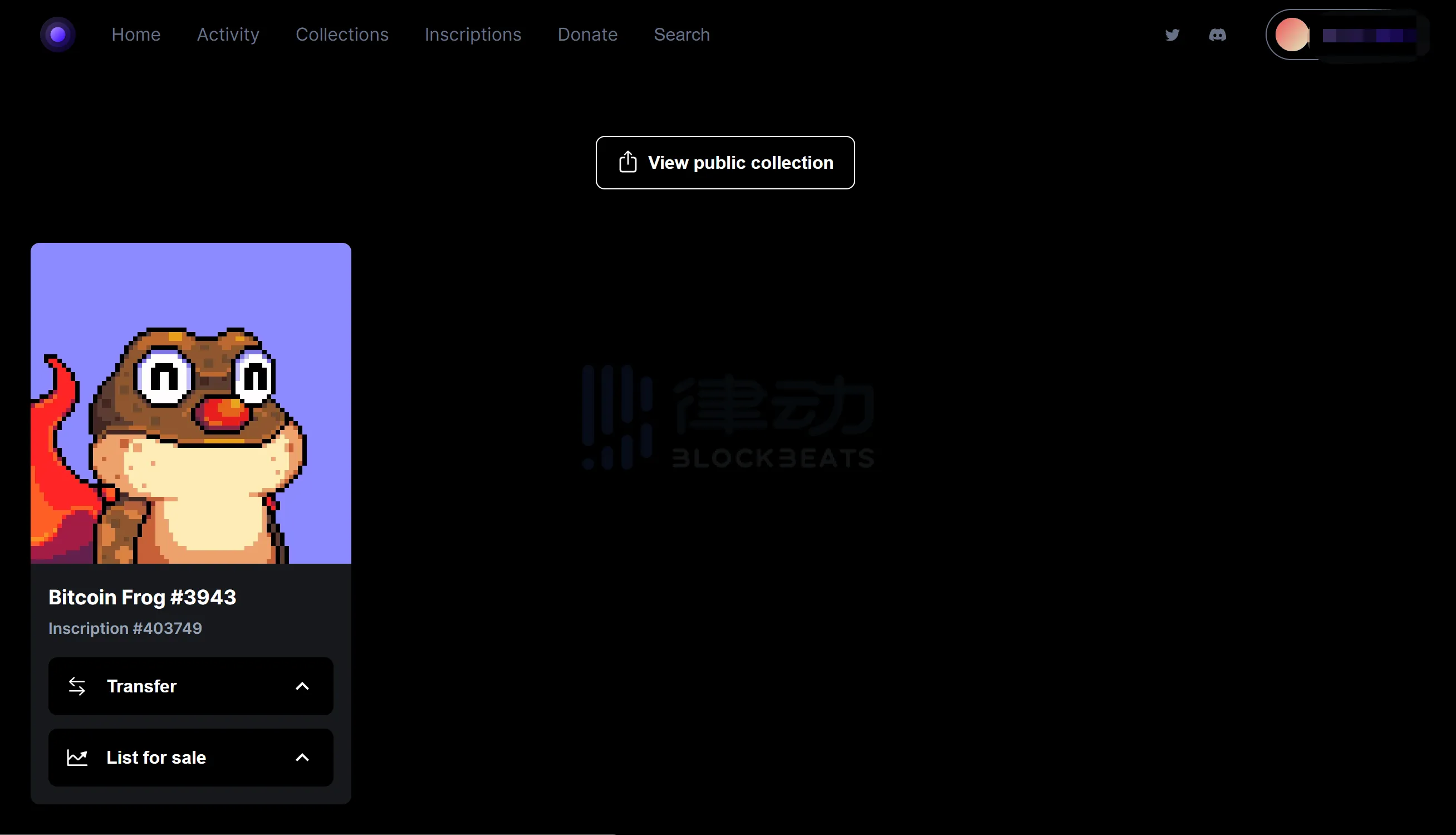
If you want to list your item for sale, click on "List for sale" and enter the selling price.
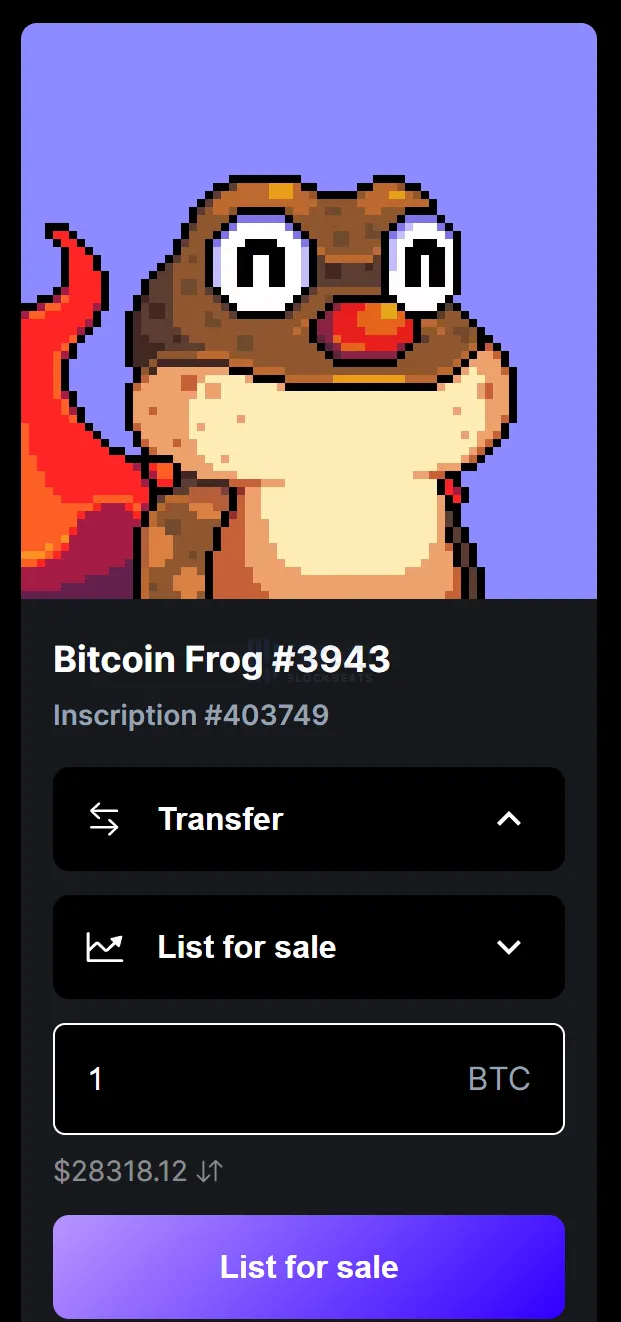
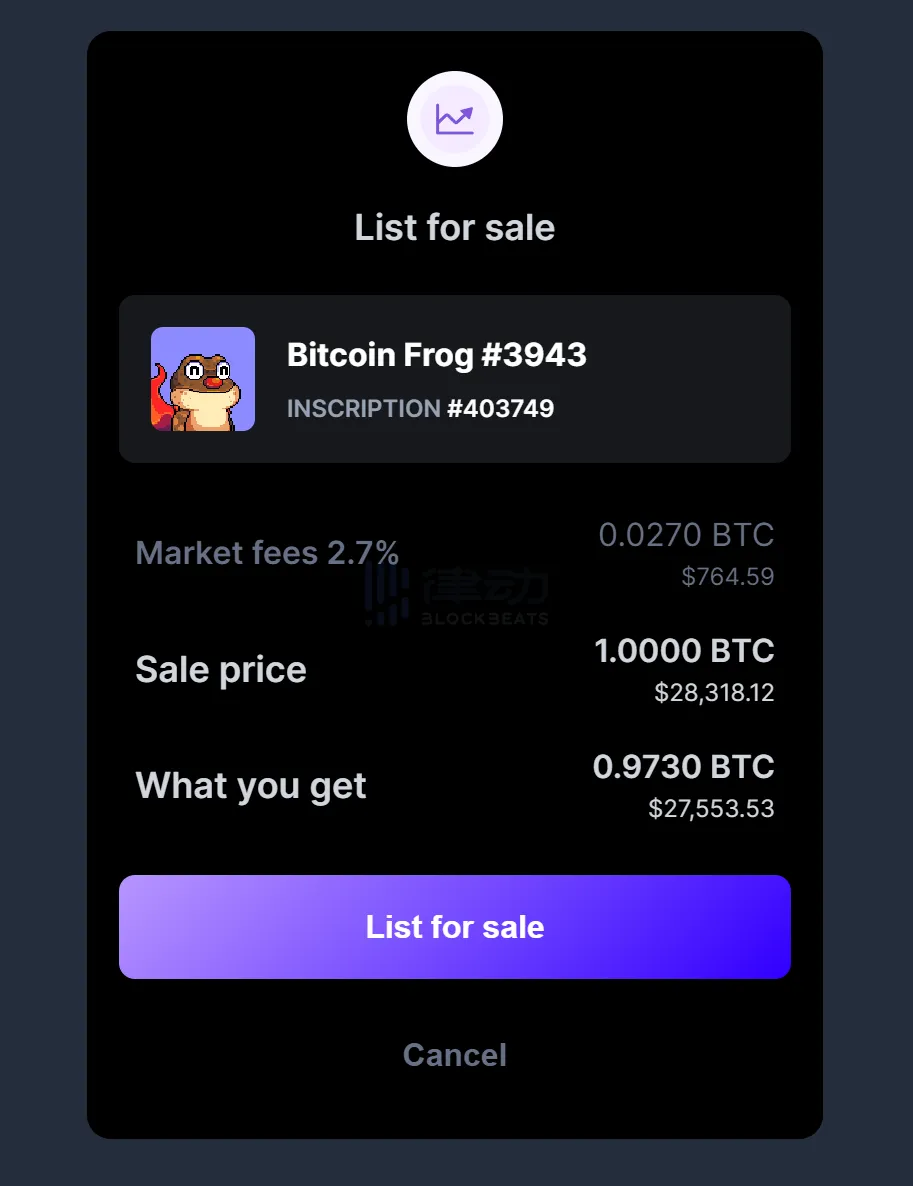
After confirming that everything is correct, click "List for sale" to complete the listing:
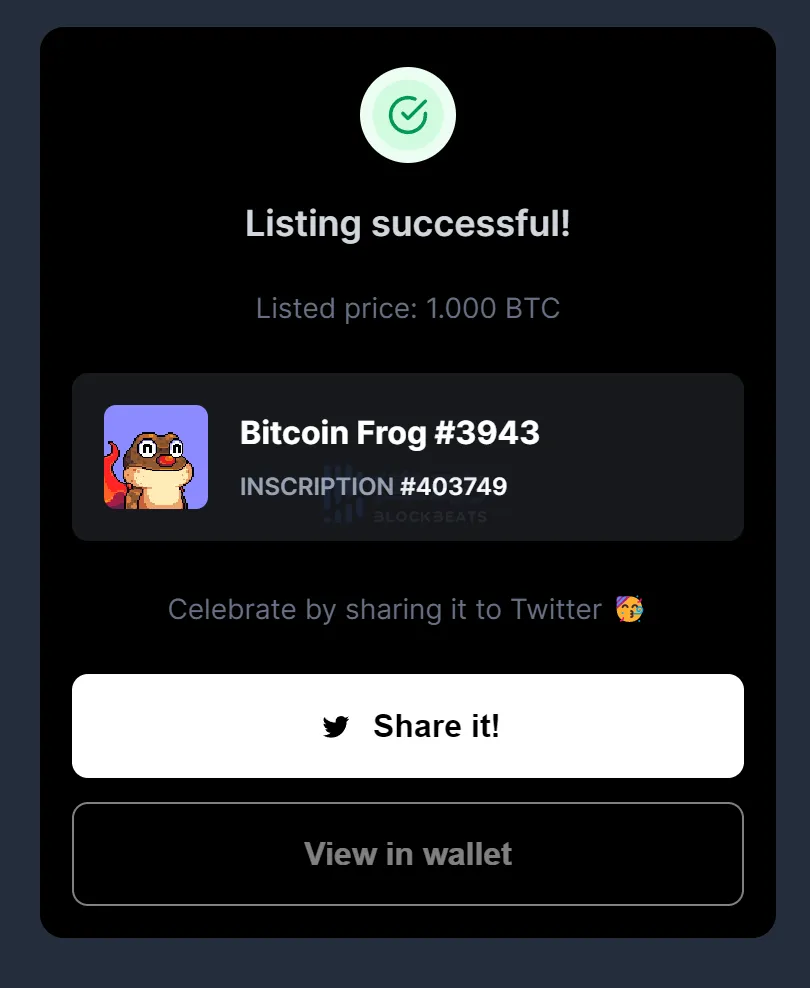
Successful listing prompt:
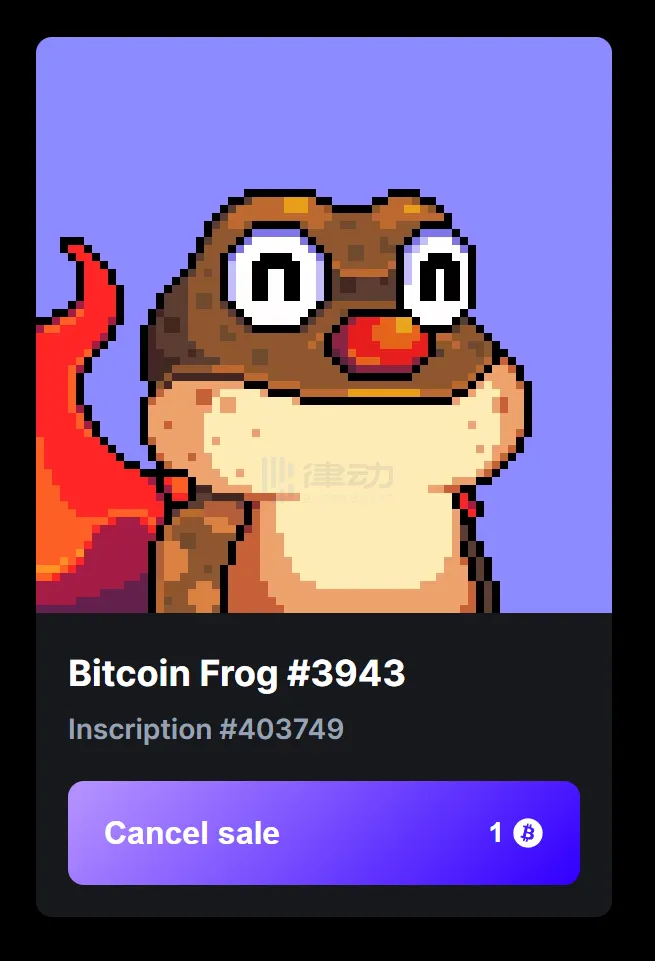
To cancel the listing, simply click "Cancel sale":
Magic Eden
In the transaction process of Ordinals Wallet, there is no need for signature because the "built-in wallet" of the website has already taken care of the necessary work for signature. However, when using Magic Eden, an external wallet needs to be installed. We will use Hiro Wallet as an example for demonstration.
Visit the official website of Hiro Wallet and install the browser plugin.
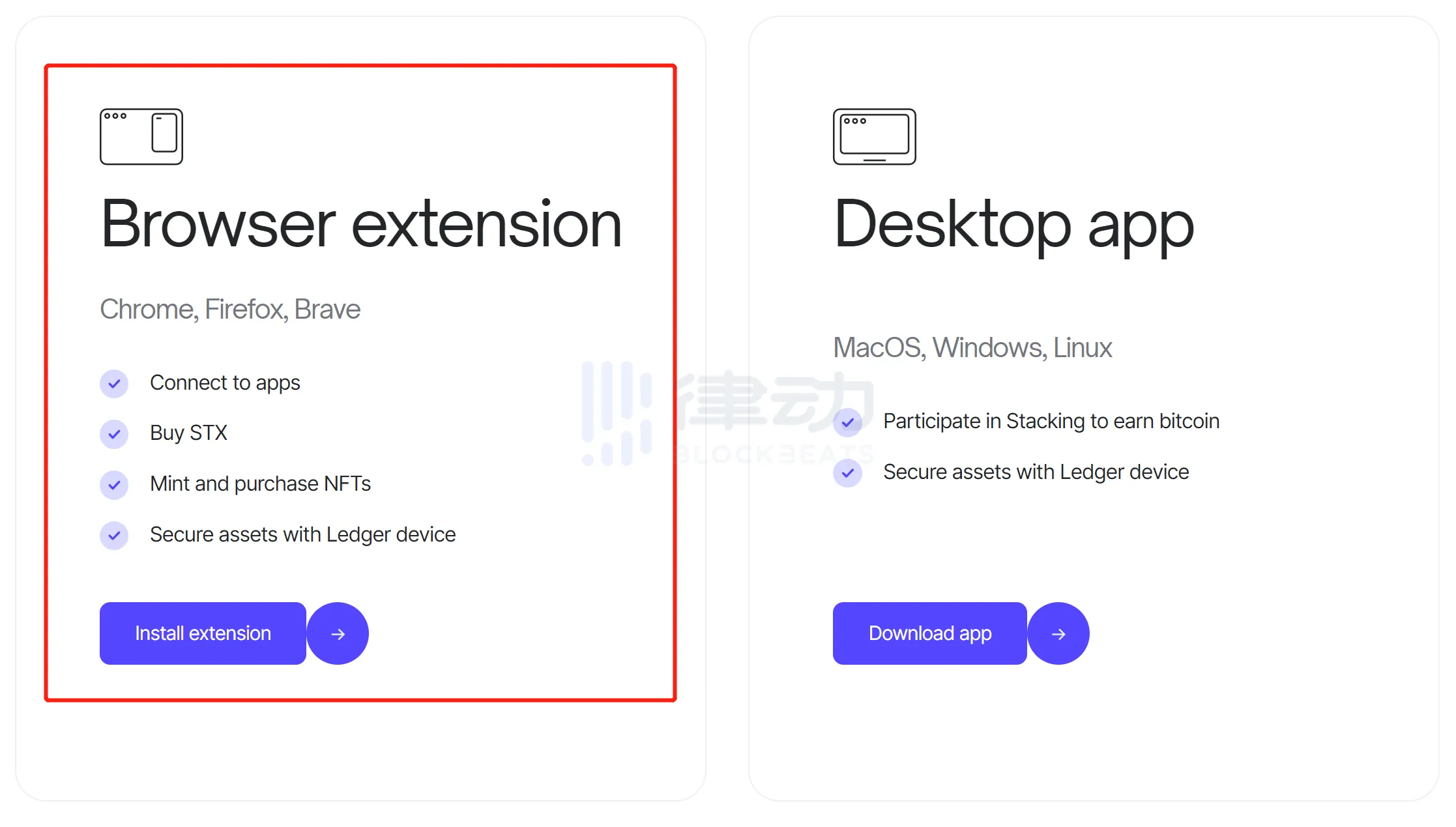
After installing and creating your wallet, transfer Bitcoin to Hiro Wallet for purchasing NFTs:
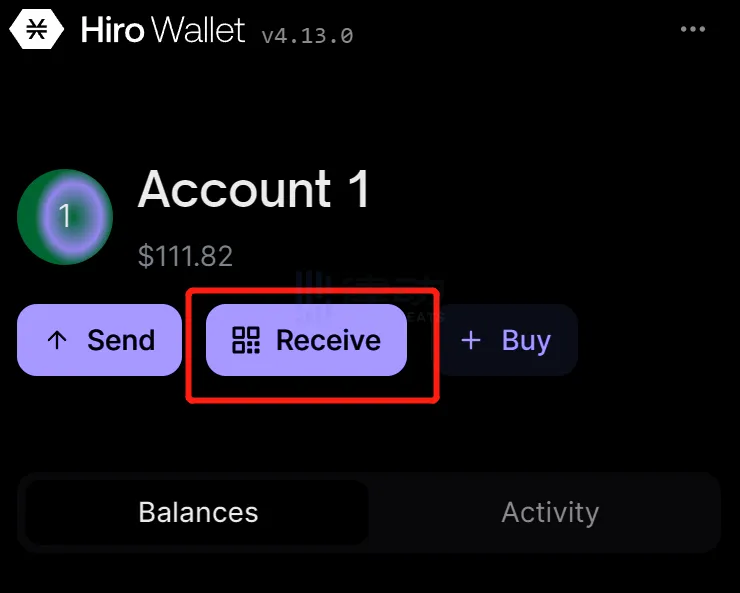
Click "Receive"
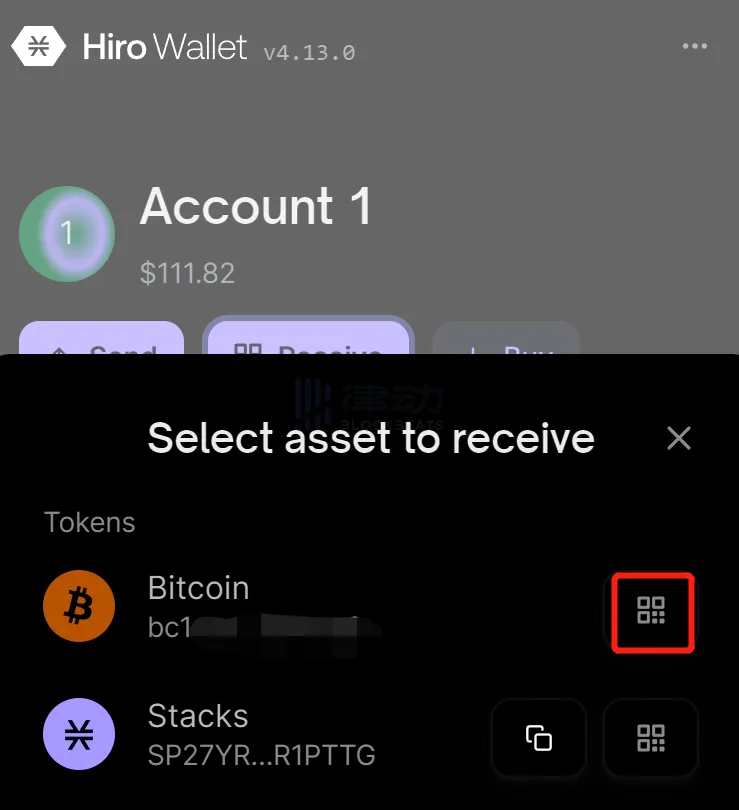
Click the QR code icon on the right side of the "Bitcoin" column, save the address or the corresponding QR code of the address, and then transfer Bitcoin from other Bitcoin wallets or CEX to this address.
Then we open Magic Eden and connect our wallet in the top right corner:
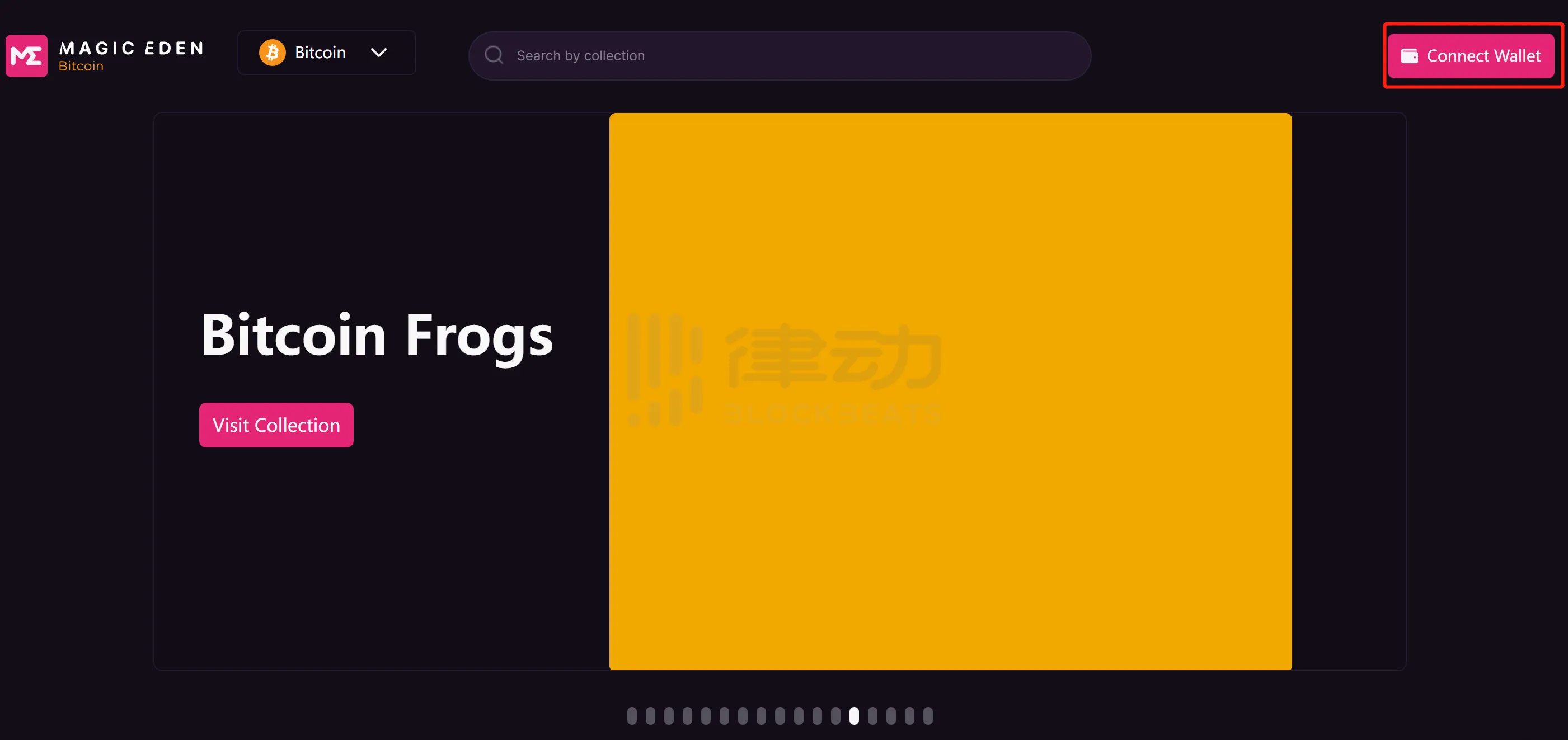
Click on the "Connect Wallet" button in the upper right corner.
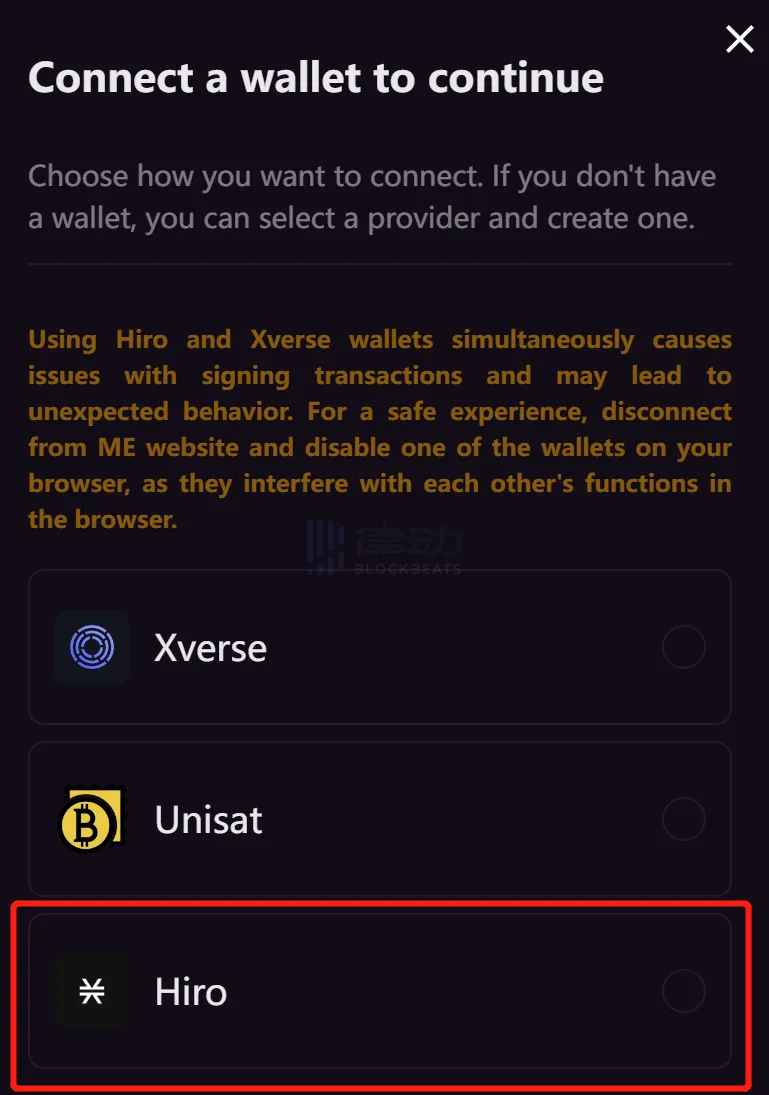
Choose "Hiro"
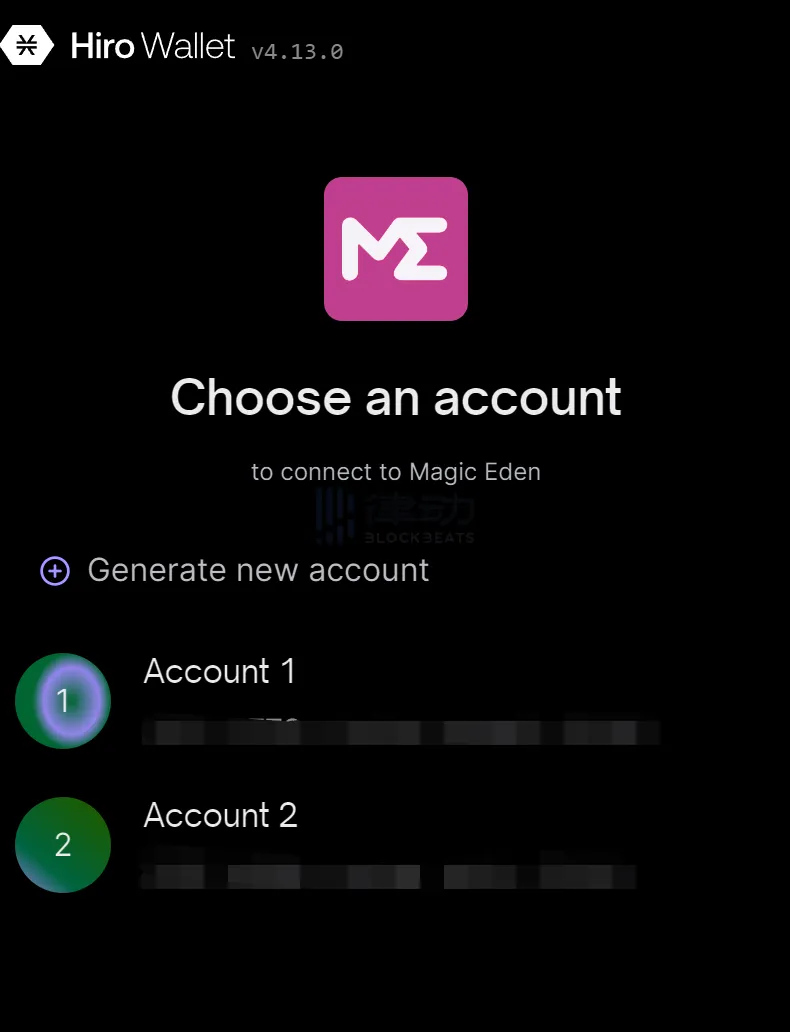
Hiro Wallet will pop up a window to confirm the selection of the address connected to Magic Eden.
After successfully connecting, search for the Bitcoin NFT series you want to purchase on the homepage, and then enter the series details page to select your favorite "image" to purchase:
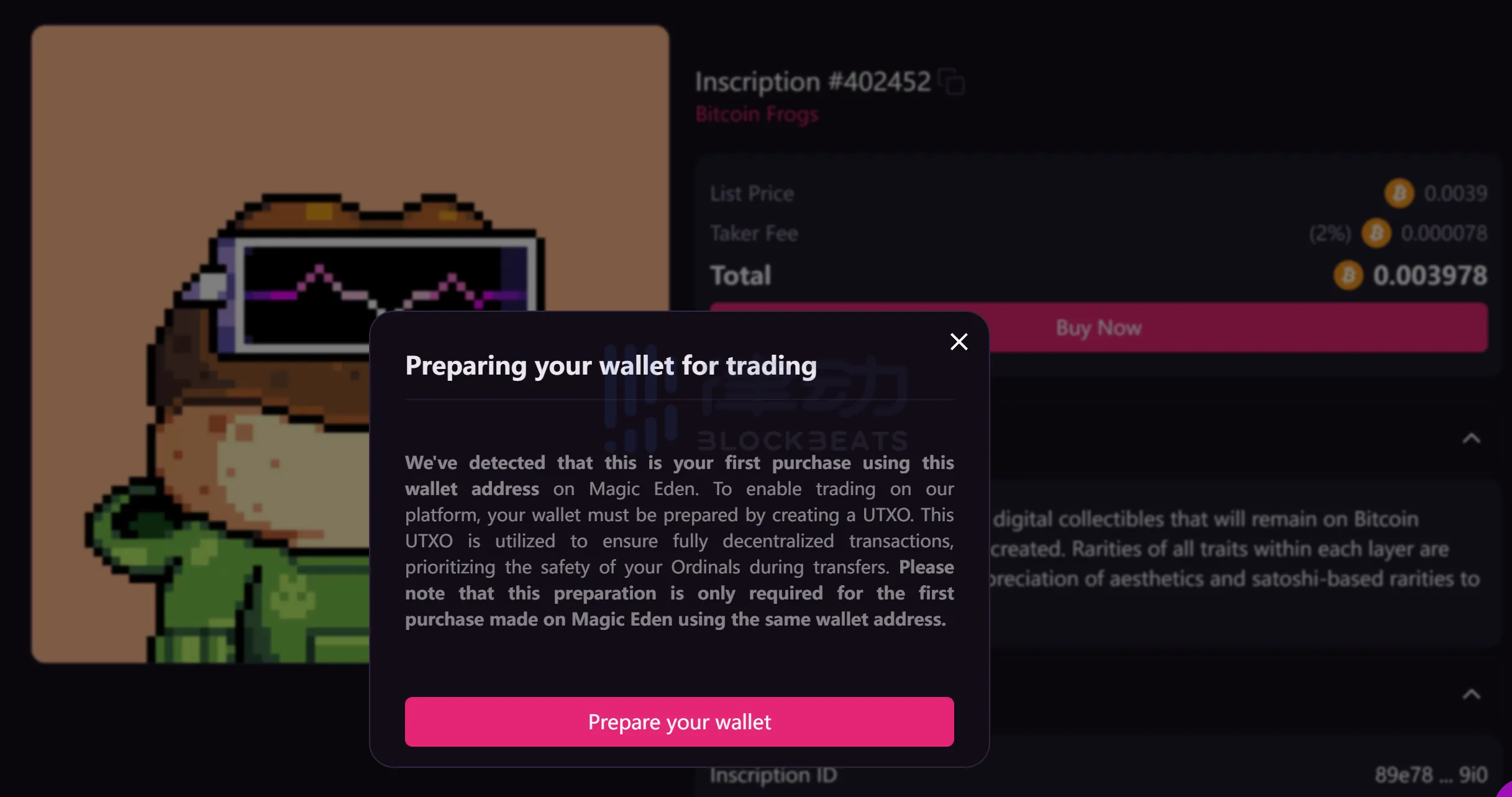
The first time you use Magic Eden to make a purchase, you will be asked to "Prepare your wallet" and create a separate UTXO to ensure that the NFT is not lost during transfer. Simply click the button to proceed.
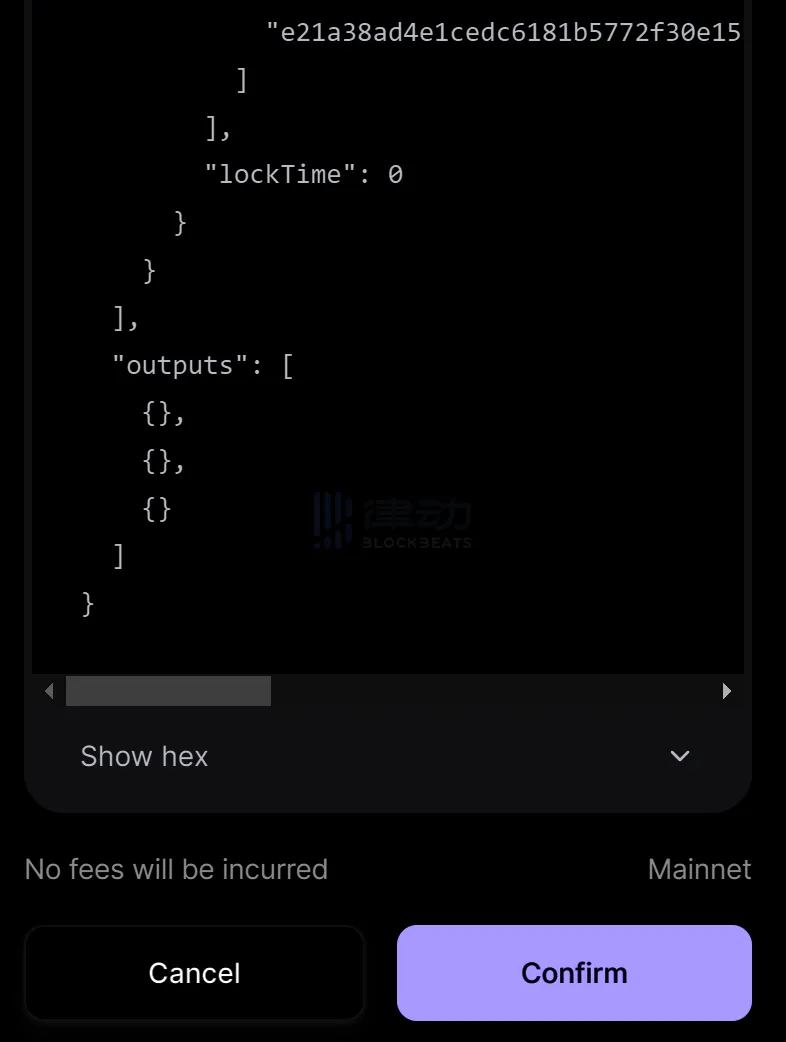
Hiro Wallet will pop up a window asking for signature of a PSBT, scroll down and click "Confirm" at the bottom.
Next, the following prompt will appear. Continue to click:
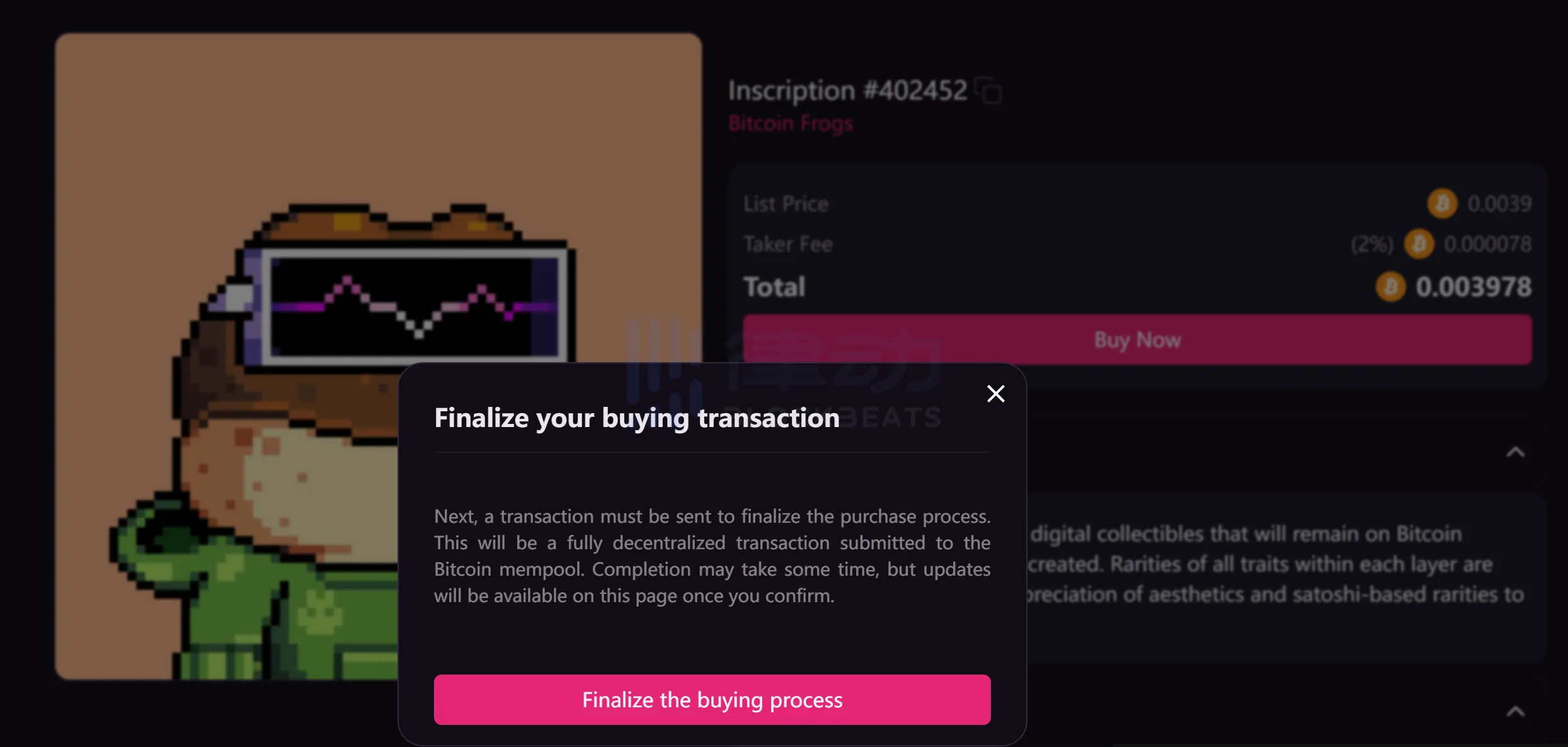
If there is sufficient funds in the wallet, Hiro Wallet will be used to sign the transaction again. If there is insufficient funds (not enough to pay for additional Gas fees), the transaction will not be able to be constructed directly:
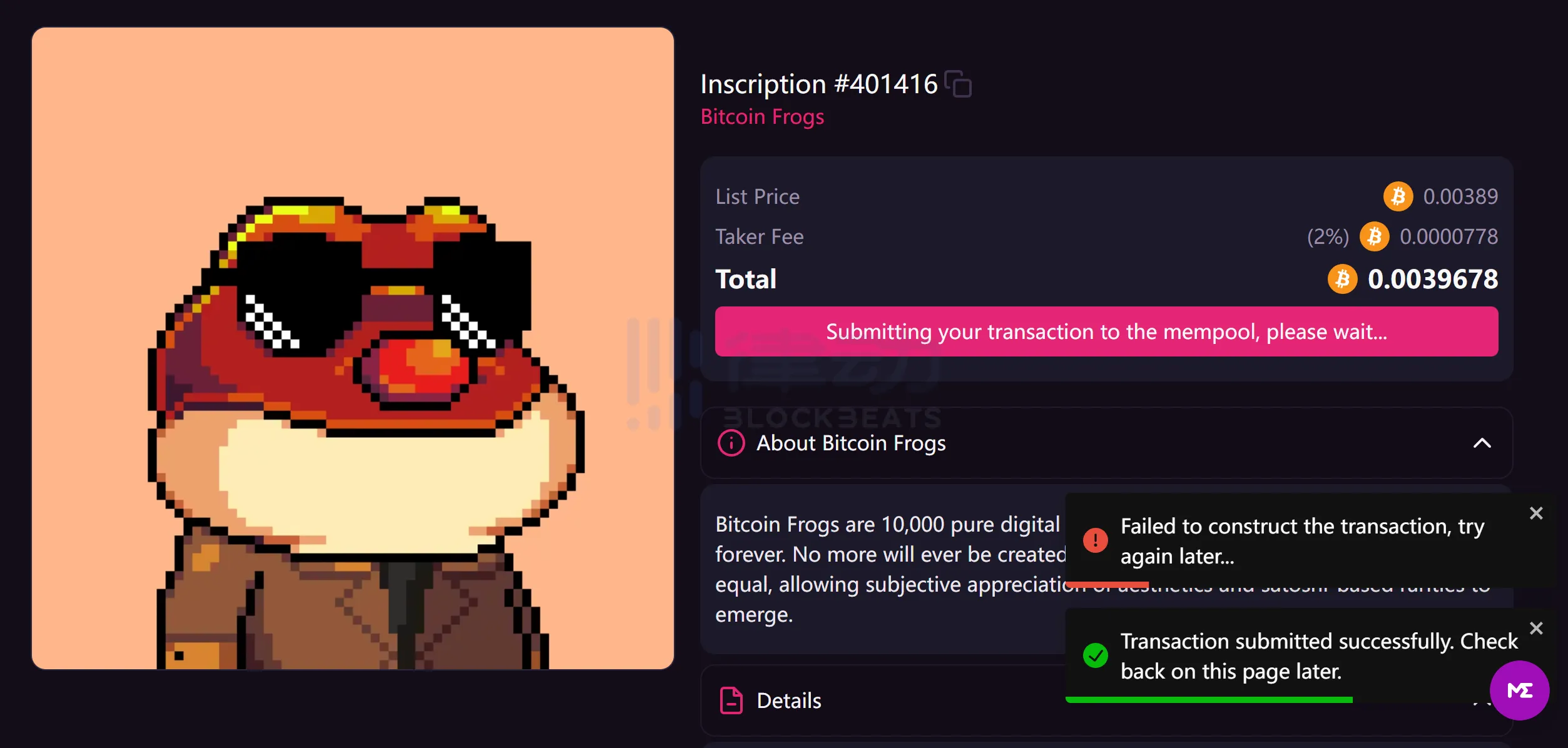
Unable to construct transaction, insufficient balance
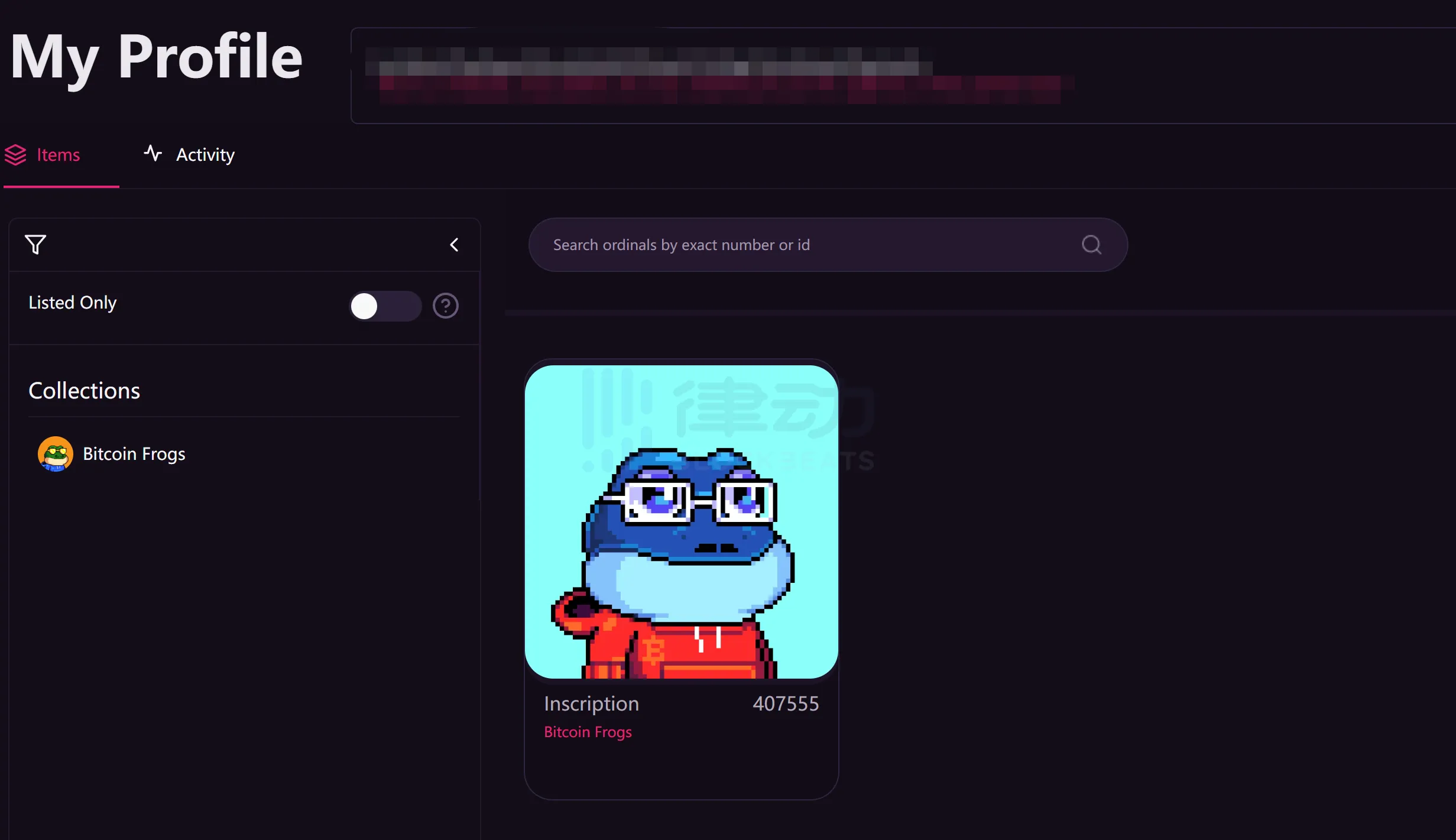
After the transaction is successfully confirmed, you can see your purchased Bitcoin NFT in your Profile.
Conclusion
You can see that the process of buying Bitcoin NFTs is almost identical to buying ETH NFTs on OpenSea in terms of user experience. However, there are still some unresolved issues:
1. Bitcoin does not have smart contracts, and each NFT series is not identified through contracts. They must be manually included by each NFT market. Currently, the Bitcoin NFTs with high trading volume and attention can basically be traded on mainstream markets, but without an aggregator, it is still necessary to select markets with relatively high liquidity. For example, the Bitcoin Frog project used in this article is included on Gamma and Magic Eden, but there are only a few orders on Gamma, while there are many on Magic Eden.
2. If you have been using the "built-in wallet" market before and need to switch to "external wallet" markets such as Gamma/Magic Eden, you will need to import the "built-in wallet" into the "external wallet" or transfer the NFTs from the "built-in wallet" to the "external wallet". In other words, there are still some "barriers" between Bitcoin NFT trading markets, and it will be more convenient to switch to using external wallets such as Xverse/Hiro/UniSat.
3. The data analysis related to each NFT series is still to be improved.
Welcome to join the official BlockBeats community:
Telegram Subscription Group: https://t.me/theblockbeats
Telegram Discussion Group: https://t.me/BlockBeats_App
Official Twitter Account: https://twitter.com/BlockBeatsAsia
 Related Articles