ZKOPRU, the Ethereum Layer 2 privacy expansion solution, announced the launch of the Görli testnet
Original title: "StarkNet ZKOPRU on Testnet "
Original author: ZKOPRU
Original compilation: WAVE
Exciting news! ZKOPRU is now live on Görli testnet, let us show you how to use it.
Introduction
After months of hard work, we are happy to announce that ZKOPRU has been tested in Görli online. We can find the ZKOPRU contract deployed on Görli here, and the wallet UI here. We will walk you through the process of depositing assets from Görli to ZKOPRU, making private transfers on ZKOPU, and withdrawing assets from ZKOPRU to Görli. If you're building a wallet or Rollup, check out the UI research section below to find user acceptance testing results and analysis.
ZKOPRU tl;dr
We'll give a very quick overview here, But if you don’t know what ZKOPRU is or need a hint, we strongly recommend you to read our previous article ZKOPRU Wat Y & Wen before trying the wallet.
ZKOPRU is an Optimistic rollup that uses zero-knowledge proofs to make individual transactions private. Similar to Ethereum's miners or verifiers, Rollups' coordinator** (coordinator)** receives transactions, calculates new states, and submits data to the Ethereum mainnet.
ZKOPRU currently supports deposits, transfers and withdrawals in ETH and ERC-20 tokens (NFTs coming soon). For the most part, these features work similarly to their Tier 1 counterparts, with a few key differences from what you might be used to.
- While the initial deposit to your ZKOPRU wallet will be visible as a transaction on Ethereum, any subsequent transactions will only be visible to you and Recipients are visible.
- Rollups only submit a small amount of data to the main chain, and the coordinator can submit transactions in batches, so the price of each transaction will be greatly reduced.
- ZKOPRU allows you to deposit multiple assets (ETH and another token) at the same time.
- ZKOPRU address is different from Ethereum address. When you need to receive assets into your ZKOPRU account, you will use the ZKOPRU address generated from your connected Ethereum address.
- Rollups have a 7-day delay when withdrawing to the main chain (we are working on an instant withdrawal mechanism so users can bypass this delay).
How to use ZKOPRU
Settings
To start using ZKOPRU, you need the Metamask plugin. Since it's still on testnet, you'll also need some GörliETH, which you can get from Görli Faucet or Paradigm MultiFaucet.
Please note that from now on when we say ETH we mean GörliETH. Don't send mainnet ETH to your ZKOPRU wallet just yet!
Once you get your ETH, make sure MetaMask is connected to the Görli testnet and go to your ZKOPRU wallet.
You need to connect an Ethereum account with MetaMask. Select the account you want to use, then click Next, then Connect. You will see a popup asking for your permission to sync - the ZKOPRU wallet runs a client in the browser and needs to sync with the ZKOPRU network. MetaMask will prompt you to sign in to unlock your ZKOPRU account and start syncing.
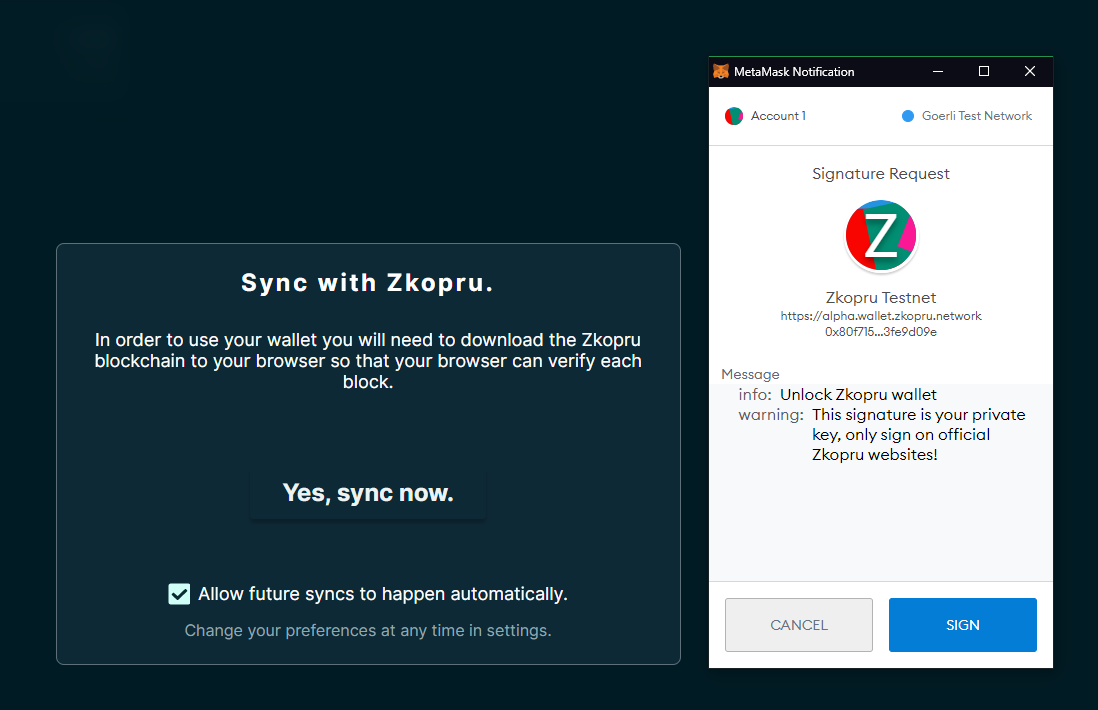
Syncing Zkopru
The synchronization process may take several minutes. Wait until 100% Full Sync is displayed on the bottom left. If the website is blurry, double check that Metamask is connected to Görli. If you are not connected to Görli, you may need to refresh the page for the sync to begin.
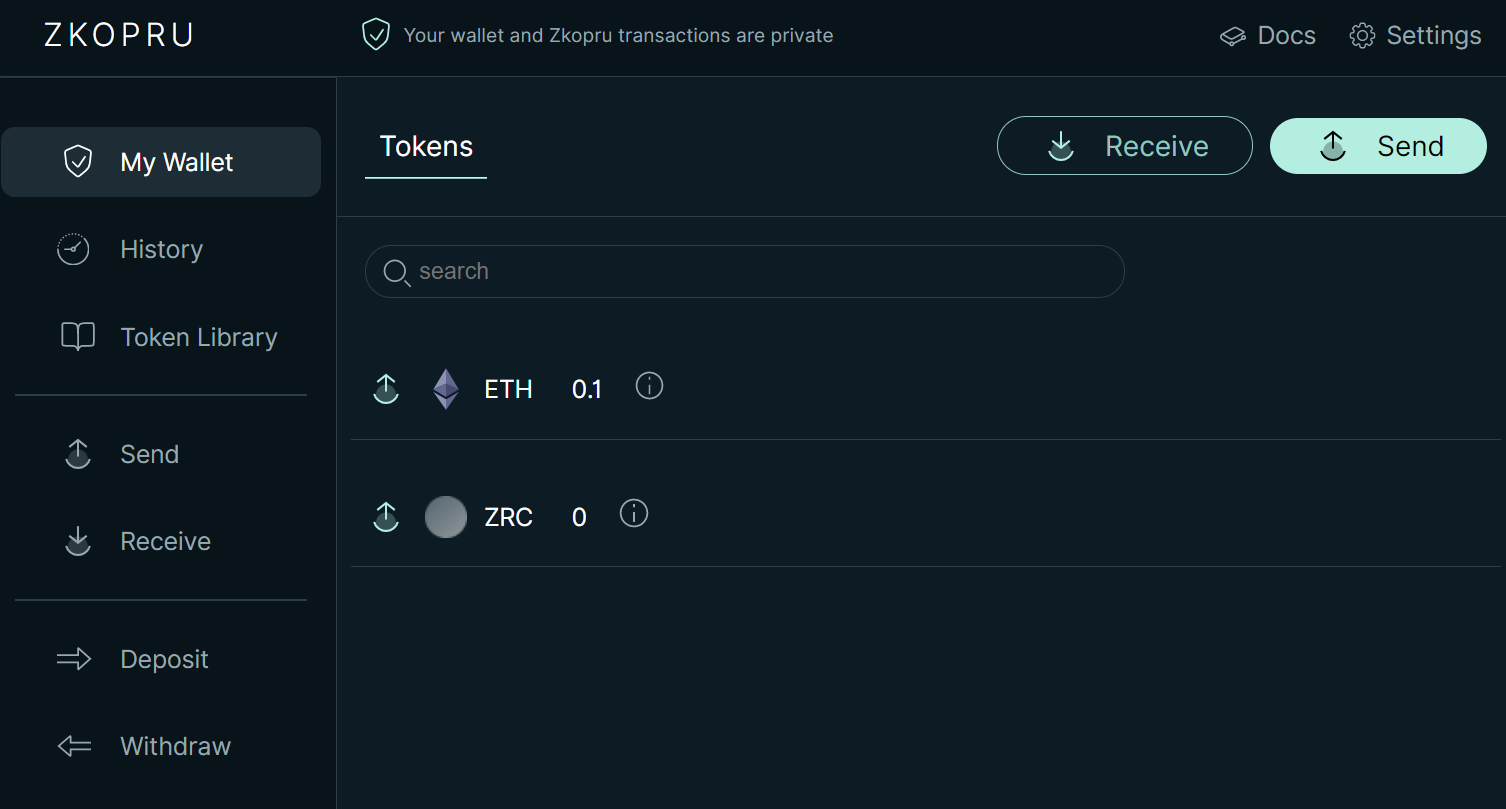
ZKOPRU main page
Deposit
In order to start trading on ZKOPRU, you need to deposit your ETH from Görli to ZKOPRU on the left side of the main page and click Deposit. Also you will see options to deposit ETH, ERC20s or both. The deposit transaction will require some ETH for the L1 transfer and an additional fee for the coordinator. We recommend you deposit at least 0.01ETH - you will also need this to pay the coordinator fee for any ZKOPRU transactions. After confirming your transaction in MetaMask, head to the History tab to check the status of your deposit.
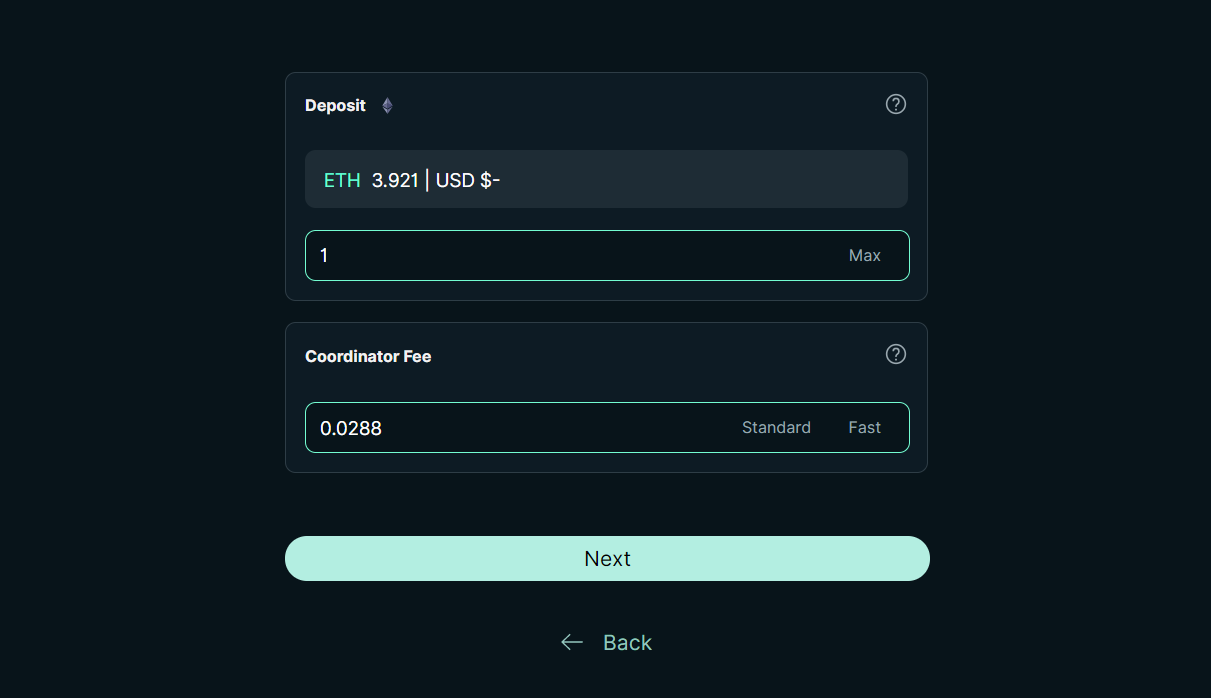
Depositing
Transfer (send and receive)
< /p>
In order to make a private transfer on ZKOPRU, enter Send on the main page, enter the recipient address, select the asset and amount you want to send, and enter the coordinator (coordinator) (fee. Remember, The recipient's ZKOPRU address is different from the Ethereum address - the recipient can generate an address by clicking Receive on the ZKOPRU homepage, then copy and send it to you.
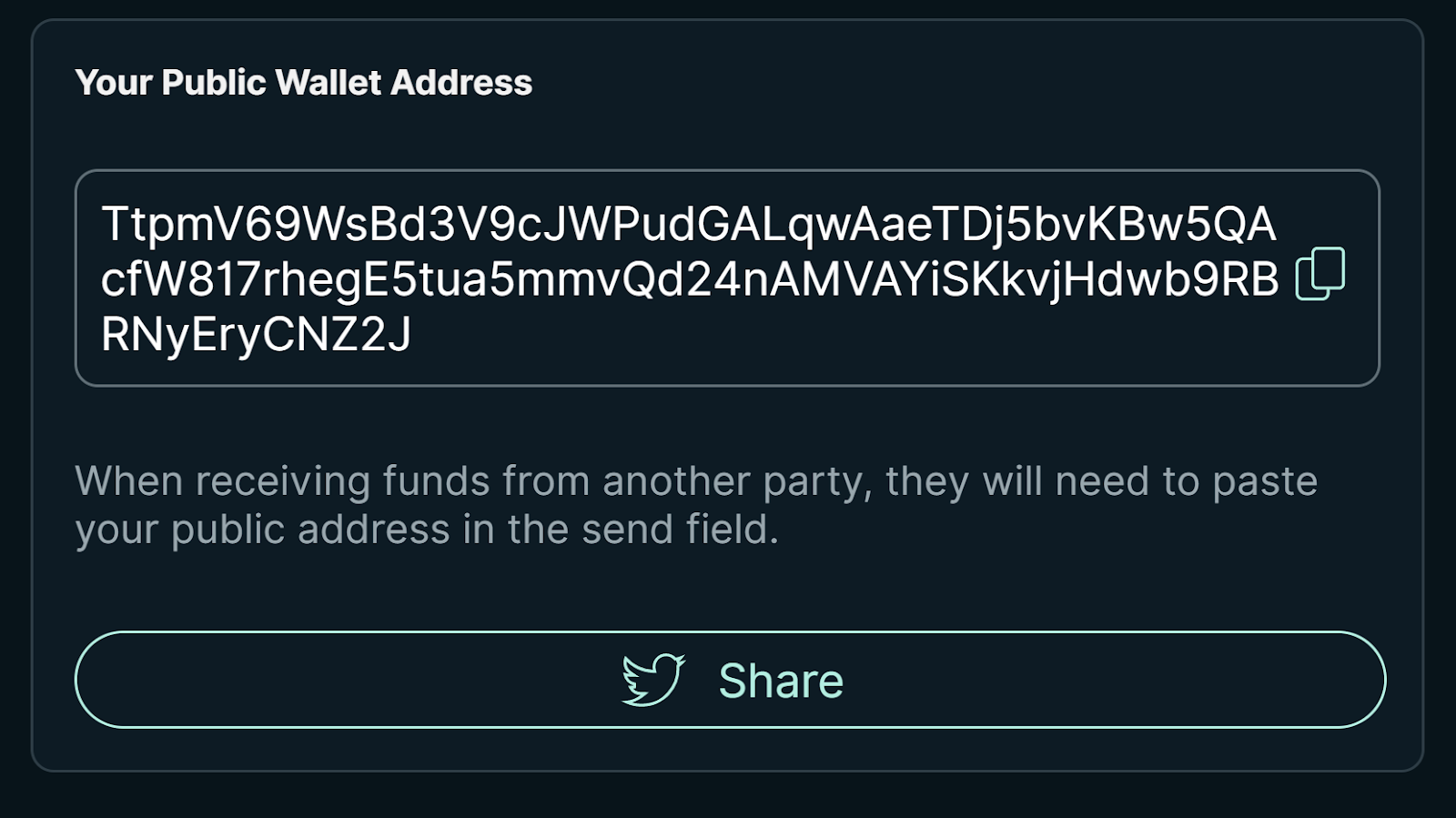
ZKOPRU Address

Transfer
After clicking send , your transaction will be forwarded to the coordinator. If there is not a lot of activity on the network, the actual transfer may take a while, as the coordinator must accumulate enough transactions for the merged fee to cover the commit The cost of a batch of transactions. Since Görli ETH is free, you can splurge and use 2500Gwei transaction fees to help the poor coordinator submit this batch of transactions immediately. We are building an instant finalization mechanism to make it faster in the future.
After the transfer, you will be in "My Wallet" here See something like this.
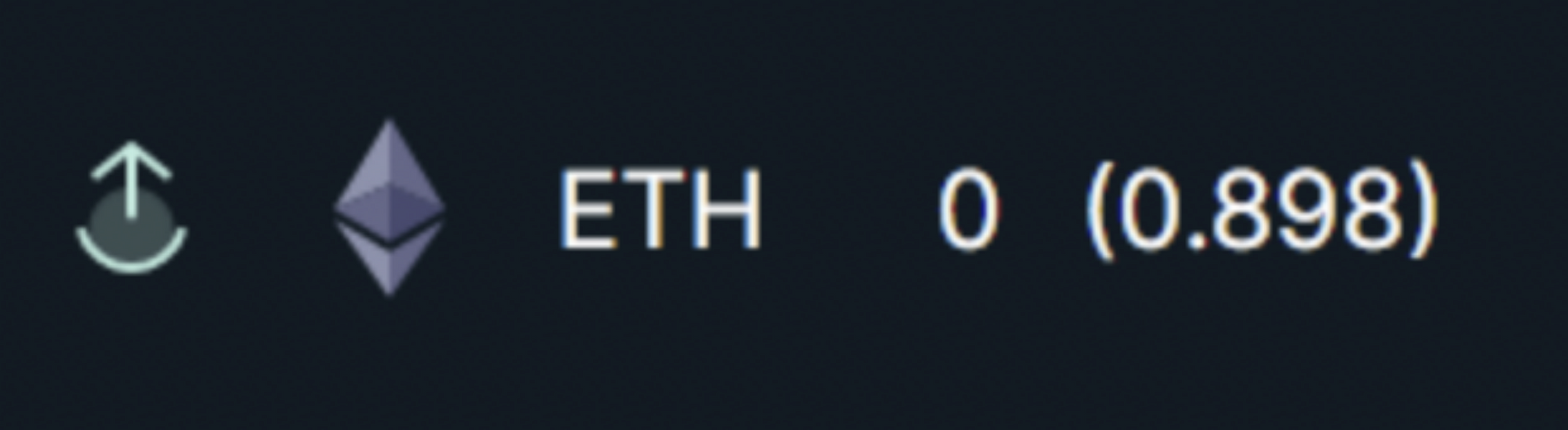
This means that your available balance is currently locked until the transfer is successful. ZKOPRU, like Bitcoin, uses the UTXO model, and you can see your note information by hovering over the "i" next to your balance.
Withdrawal
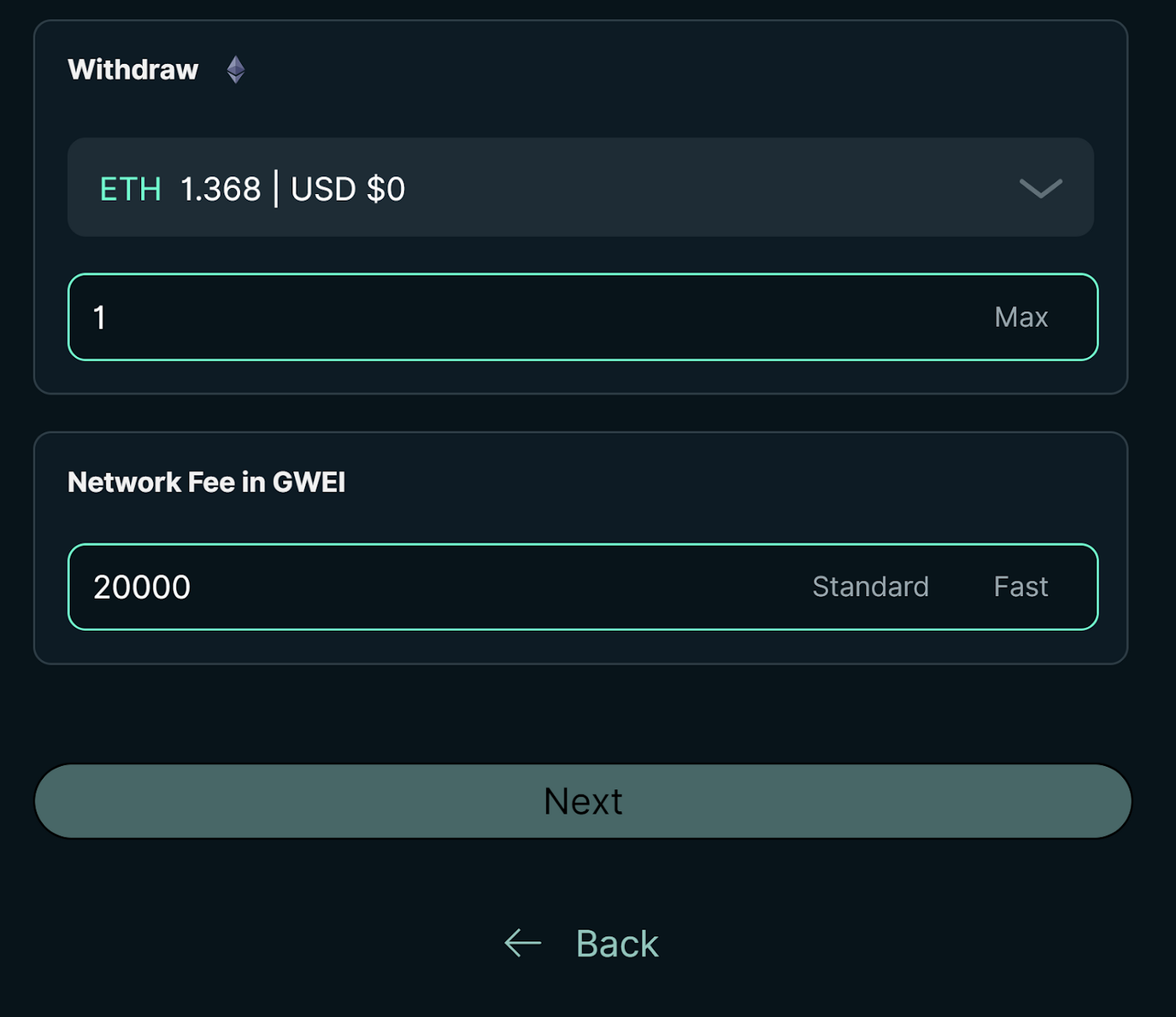
If you want your assets back on Görli, you need Extract them from ZKOPRU. Click Withdraw on the homepage, select the asset you want to withdraw, enter the amount and the fee for the coordinator. Withdrawals will be initiated once the coordinator has enough transactions queued to make committing batches economical (this could be several hours).
Unlike transfers, you will not be able to pass higher transactions Fees to meaningfully speed up withdrawals. ZKOPRU, like other aggressive Rollups, requires a 7-day delay period for withdrawals. So even if you pay enough to incentivize the coordinator to submit batches a few minutes early, you still have to wait 7 days for your asset. This delay serves an important security feature, but it is a user experience annoyance - so we are also working on an instant withdrawal mechanism where you can choose to bypass the withdrawal delay in the future.
UI Research
Rachel, our amazing designer, has done a Users conducted user acceptance testing. We invited users with varying degrees of knowledge about cryptocurrencies to complete tasks such as adding and withdrawing assets and describe their experience and impressions.
It was especially interesting to hear the first reactions of our users excited about our software features, like multi-asset deposits - a good reminder , a new feature is also a new experience for users, and it's our job to get them oriented so they can be as excited about it as we are.
You can find the report here. We hope it will be helpful to others undertaking similar construction warfare challenges.
Conclusion
ZKOPRU has launched the test network! Now go own some private GörliETH. If all goes well on the testnet in the next few weeks, we will have an official release. Stay tuned for our next post where we will explain more details on how to run the coordinator and how to deploy ZKOPRU to mainnet. If you are interested in learning more about ZKOPRU, check out our Twitter, Medium, and documentation. Join our brand new Discord and please report any bugs and issues to us there.
Contributors are welcome -- check out our first batch of good issues on Github.
Original link
Welcome to join the official BlockBeats community:
Telegram Subscription Group: https://t.me/theblockbeats
Telegram Discussion Group: https://t.me/BlockBeats_App
Official Twitter Account: https://twitter.com/BlockBeatsAsia
 Related Articles