Codex Goal-Driven AI Mode Usage Guide: How to Keep AI Advancing Towards a Specific Goal
Original Article Title: A guide to /goal
Original Article Author: @dkundel, OpenAI Developer Advocate Member
Translation: Peggy
Editor's Note: This article is from OpenAI Developer Advocate Member Dominik Kundel, summarizing his experience with Codex's "goal mode / /goal" feature. It discusses not just a regular prompt technique but a shift in the role AI programming tools are undergoing: Codex is no longer just a code helper responding to single-step instructions but is becoming an executive agent that can continuously drive towards a specific goal.
In /goal mode, the key is not to describe the requirements in great detail but to set clear and verifiable exit criteria for Codex. For example, "reduce deployment time by 30%," "achieve 100% test coverage parity," "lower LCP to below 2.5 seconds." These metrics allow Codex to determine task completion and prevent it from endlessly trying in ambiguous objectives. At the same time, users need to provide sufficient guidance, tools, and a real environment for Codex to measure progress, validate results, rather than completing what seems like a feasible solution only in a local or hypothetical scenario.
The article particularly cautions that visual tasks are most likely to bog Codex down in details. Instead of demanding "100% pixel-level fidelity," it is better to break down the visual goal into a functional list, design system specs, and evaluable metrics. For tasks lasting hours or even days, continuous tracking is necessary through commits, draft PRs, progress docs, Slack updates, or side chats to avoid ending up with a bunch of untraceable changes.
The incremental information in this article lies in redefining /goal as a "long-term task management mechanism." When AI can run continuously for dozens or even hundreds of hours, developers' core capability also changes: not just making AI generate code but setting goals for it, establishing a measurement system, configuring the execution environment, and ultimately conducting reviews and retrospectives. In other words, AI programming is transitioning from "writing prompts" to "managing a continuous-task engineering executor."
The following is the original article:
We introduced the goal mode (/goal) to help you continuously drive Codex towards a specific outcome. Once you set a goal, Codex will work until the goal is achieved—whether it takes a few hours or a few days. Someone has already had Codex work continuously for over 120 hours on the same goal.
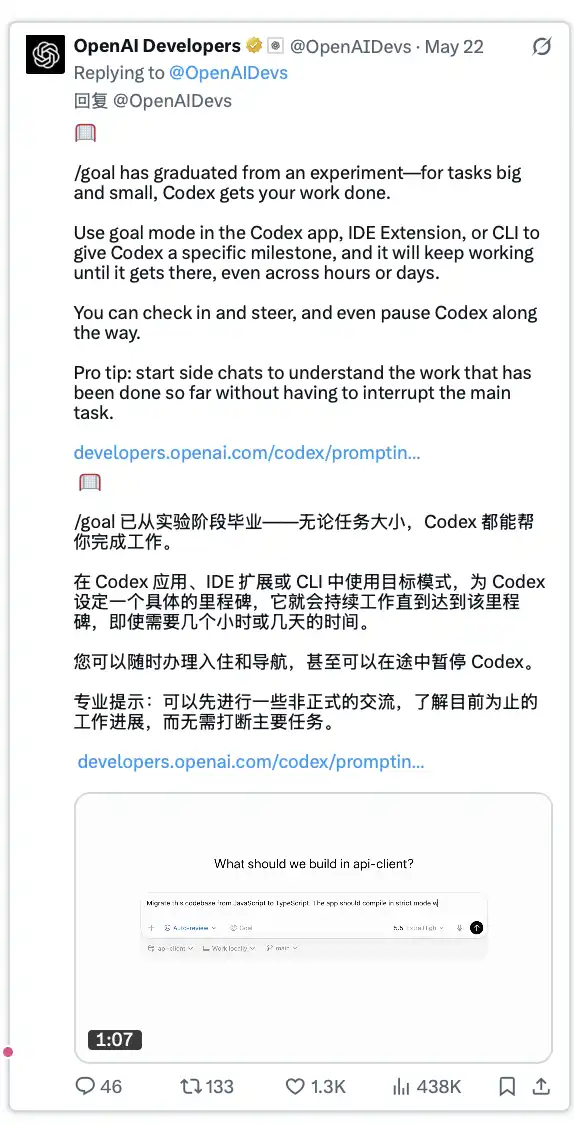
The Goal Mode is very powerful. To maximize its effectiveness, there are 7 things to keep in mind when using /goal.
Set Clear and Verifiable Criteria
The prompt word you enter when activating Goal Mode serves not only as an initial prompt but, more importantly, as the exit criteria for that goal. Codex will check after each work session: has this goal been achieved.
Therefore, your goal prompt should not be overly verbose; instead, it should focus on a clear criterion: under what conditions can this goal be considered accomplished.
In most cases, a good goal should include a specific numerical indicator for the model to judge completion. For example:
“Reduce build and deployment time by 30%.”
“Migrate this feature from TypeScript to Rust and achieve 100% test coverage consistency.”
“Optimize the app scaffold to have the Largest Contentful Paint in production under 2.5 seconds.”
This prompt doesn’t always have to include a number, but generally, numbers make subsequent steps easier to progress through.
If you are unsure how to define a goal or would like to brainstorm the project with Codex first, you don’t have to start the conversation with Goal Mode.
Codex can set goals on its own. You can start a normal conversation first, and when you are ready for Codex to start executing, you can let Codex set a goal based on the previous discussion.
You can also edit goals at any time: click the edit button in the Codex app or use /goal in the CLI again.
Provide Guidance Where Possible
A prompt like “Reduce build and deployment time by 30%” sounds cool and may allow Codex to come up with some creative solutions. However, if you already have a rough idea of where the issue might be, this type of prompt could lead Codex astray.
So, whenever possible, it’s best to tell Codex where to start the investigation, what tools can be used to achieve the goal, or provide other hints to prevent it from going down the wrong path.
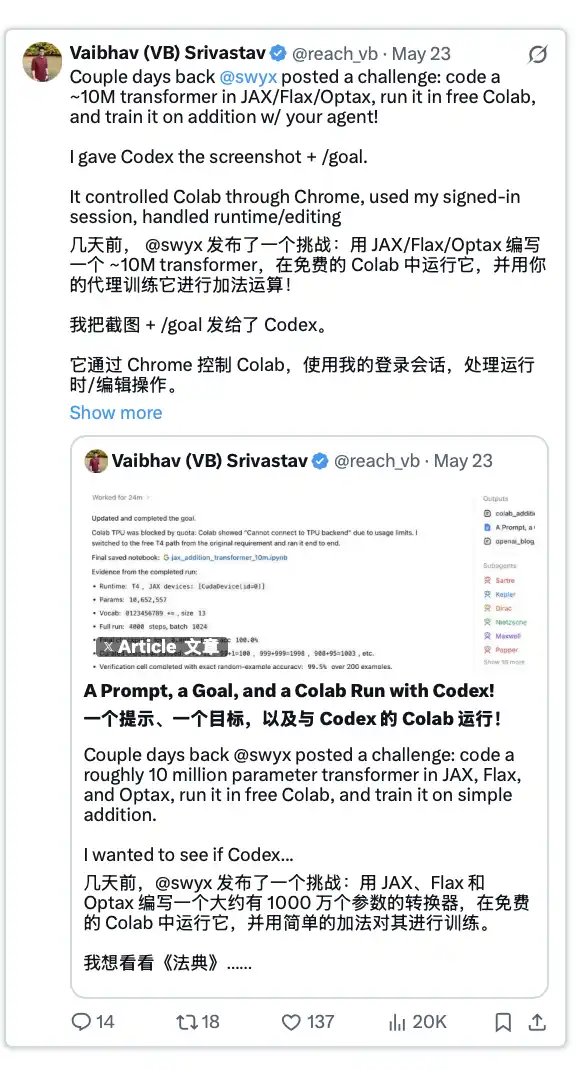
For example, my colleague @reach_vb did this in an experiment: He instructed Codex to use the Chrome browser to access Google Colab and outlined some acceptable constraints, such as allowing Codex to generate its own dataset while training a model.
Likewise, if you aim to reduce build time and already know which stage consumes most of the time, it's best to initially guide Codex to that area in the prompts.
Another approach is to have Codex conduct preliminary research in planning mode and create a plan file to document potential solutions. Subsequently, have your target reference this plan.
Make Progress Measurable
If your goal is ambitious, or Codex has multiple ways to incrementally approach the target, it is crucial to equip Codex with tools to measure progress.
For some tasks, this may be inherent. For example, optimizing build time or enhancing test coverage, as Codex typically has access to relevant tools or naturally develops these tools.
However, for other goals, it is advisable to brainstorm with Codex first: What tools help assess progress? Or provide it with some hints on how to confirm if it's moving closer to the goal. For instance, create a visual diff tool for two screenshots, or establish an evaluation suite for the AI agent you are debugging.
I once had Codex replicate certain components based on a video clip, and Codex created a tool for itself to compare screenshots and check the variances. Later, it continuously improved this tool by incorporating various diffing modes.
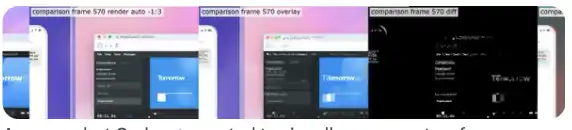
Image: A screenshot generated by Codex used to visually compare two frames.
Depending on the task, you also need to consider whether there are additional criteria that need to be measured or verified. Otherwise, Codex might assume the task is complete when, in your view, it's still incomplete.
For instance, Codex might achieve "pixel-perfect replication" of a UI by directly cropping a design reference and embedding it into the page; or in order to achieve a 100% pass rate in tests, it may reduce the test coverage. These are not the completion methods you truly desire.
Creating a Realistic Environment
If you want Codex to make real progress towards its goal effectively, it needs to operate in a sufficiently realistic environment.
In practice, this means that if you want to optimize deployment time or address latency issues, Codex should have access to deployment and testing environments that closely mimic the production environment. This involves using the same technology stack, similar configuration settings, and a comparable database.
For example, we once debugged the build and deployment times of developers.openai.com. At that time, we were already using deployment previews, so Codex could leverage these preview environments for deployment and check relevant logs. However, the issue was that our preview deployment, compared to the full production environment, had disabled some build paths.
As a result, Codex had to resort to manual deployment to move the code to an environment closer to the production configuration to properly identify the issues.
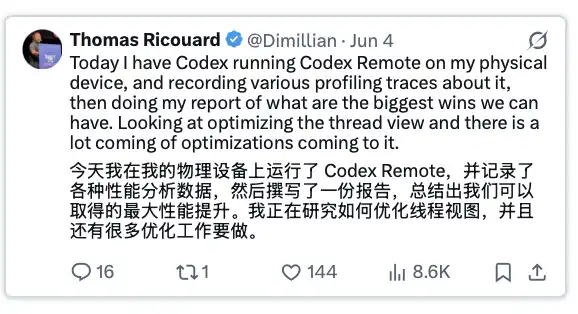
Likewise, you can have Codex use computer vision (the ability for the model to interact with a real application interface) to test real-world applications. To address some performance issues on iOS, @dimillian even used a physical device to obtain the most accurate testing environment.
Setting Visual Objectives Carefully
Giving Codex a visual objective, such as "reproduce this UI 100% pixel-perfect based on this image," is indeed appealing. However, depending on the specific setup, this can also pose challenges.
If you do not provide proper guidance and constraints, Codex may get lost in certain details, losing sight of the overall objective. For instance, if the reference image contains some graphic elements, and you expect Codex to generate these elements—whether SVG icons or images—it may exert a lot of effort on "how to faithfully replicate these assets" rather than correctly breaking down the entire problem.
Furthermore, Codex needs tools for accurate visual comparison. This means more image inputs, higher overall token consumption, but not necessarily an easy way for Codex to identify truly valuable improvement opportunities.
Therefore, images are often more suitable as contextual goals rather than the sole completion criteria. You should explore other avenues for Codex to determine goal achievement, such as a feature checklist, implementation specifications, or adherence to a design system.
Tracking Progress
If Codex ends up working in the background for hours or even days, or even running on another machine, it's easy to forget where it left off and what work has been done.
Depending on the goal, I found the following ways very helpful:
· Have Codex commit code at key checkpoints and push to a draft PR. This is especially useful when working on a website and there is a preview deployment.
· Have Codex update a deliverable for management. It could be an HTML file you can keep open in the in-app browser; a page deployed via Sites for the team to view; a rendered progress chart, or just a plain Markdown file.
Direct Codex to proactively release progress updates. You can also put this into the goal: have Codex send updates to a Slack channel when significant progress is made, or to any other place where you want to track progress.
Ask for status using other chat windows. If you just want a quick check on the current status, you can run /side to start a new sidebar chat and ask there. Since it forks off from the current thread, it holds all the context up to that point but has a short lifespan.
Another alternative within the Codex app is to: Start a regular new chat and have Codex read another goal thread and answer your questions. This can be particularly powerful if you have Codex set up for automated progress checks.
Cleanup and Final Confirmation of Results
Great, the goal is finally completed! Can you now just hand over the deliverables to the team and call it a day?
Usually, especially in optimization-type tasks, I found it helpful to have Codex review and inspect its own work. You can start with running a local code review using /review, but it's also worth letting Codex reflect more deeply: What paths did it try to achieve the goal? Which attempts were successful? Which attempts were not? Then clean up the code based on this.
Since Codex works continuously until the goal is met, it may have tried some less effective or even completely ineffective methods, and these residual changes may still be in the final code.
Set a goal for your next task as well.
The goal of Codex is to provide an extremely powerful tool that can help you tackle some of the most meaningful engineering challenges. However, it can only reach its full potential when you provide the right environment and instructions.
What have you accomplished with /goal?
Welcome to join the official BlockBeats community:
Telegram Subscription Group: https://t.me/theblockbeats
Telegram Discussion Group: https://t.me/BlockBeats_App
Official Twitter Account: https://twitter.com/BlockBeatsAsia
 Related Articles