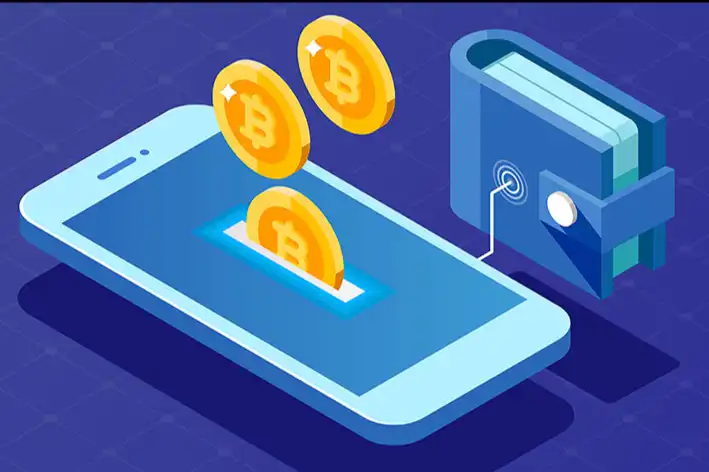
Understand the knowledge of wallets and manage assets safely
Original title: "If you want to keep your assets safely, you must first know the knowledge of the wallet"
Original source: Vernacular Blockchain
Many people still don't understand the wallet for storing blockchain assets, especially the proper nouns such as address, public key, password, private key, mnemonic, and Keystore, which make people confused. However, if these concepts are not clear, it is likely to cause the loss of blockchain assets.
Today, we will explain these concepts that are confusing to people at once.
01 Public key = bank account, address = bank card number
< br>

In order to facilitate understanding, we still use " How secure is Bitcoin? " analogy: "public key" is like your bank account, and "address" is like your bank card number.
Taking the Ethereum wallet as an example, after creating an Ethereum wallet, a string starting with "0x" will be generated, which is the wallet "address ".
The "address" of the wallet is calculated by the "public key", just like the bank first opens an account for you, and then gives you the bank card number.
The main purpose of the wallet "address" is to receive money, and of course it can also be used as a proof of transfer, just like when someone sends you money, you need to tell them the bank card The card number is the same.
02 password = bank card password
When creating a wallet, you need to set a "password" yourself, usually this "password" requires no less than 8 characters. For security, it is better to set the "password" a bit complicated.
There are two purposes of this "password". Second, when using Keystore to import wallets, you must enter this "password".
This "password" can be modified or reset. After entering the original "password", you can directly modify the "password"; but if the original "password" is forgotten, you can use the "private key" or "mnemonic phrase" to import the wallet and set a new "password".
In the real world, a bank card only corresponds to one password. After the password is changed, the original password becomes invalid. But in the blockchain wallet, a wallet can use different "passwords" on different mobile phones, which are independent of each other and do not affect each other.
03 Private key = bank card number + bank card password

After creating a wallet , enter the "Password" to export the "Private Key". This "private key" is a string of 64 characters. Of course, some wallets use different encodings, and the number of characters may be less. A wallet "address" has only one private key and cannot be modified.
As long as you enter the "private key" and set a "password" (no need to enter the original "password"), you can enter the wallet and have control over the wallet, The coins in the wallet can be transferred away.
So, the private key is equivalent to "bank card number + bank card password", which is very important and must be kept properly.
04 Mnemonic = private key = bank card number + bank card password
As mentioned earlier, the "private key" is composed of 64-bit strings, so it is very easy to copy wrongly, so it is A "mnemonic" appeared.
"Mnemonic", as the name suggests, is to help you record and remember. The "mnemonic" consists of 12 words, with a space between each word. Like the "private key", a wallet has only one set of "mnemonic" and cannot be modified.
The "mnemonic" and "private key" have the same function: just enter the "mnemonic" and set a "password" (no need to enter the original " Password"), you can enter the wallet and have control over the wallet, and you can transfer the coins in the wallet.
The "mnemonic phrase" can only be backed up once, after it is backed up, it will no longer be displayed in the wallet. Therefore, be sure to transcribe it when backing up.
05 Keystore+password=private key

There is a backup "Keystore" function in the wallet, select backup "Keystore", enter "password", a large code will appear, this is "Keystore".
When importing the wallet, just enter the "Keystore" and "Password" to enter the wallet. This is different from using a "private key" or "mnemonic" to import a wallet. The latter two do not need to know the original "password", but directly reset the "password".
"Keystore" can be understood as an encrypted "private key", which is related to the "password" of the wallet. After the "password" of the wallet is modified, the "Keystore" corresponding changes.
It is important to note that when using "Keystore" to import a wallet, you need to enter a "password". This "password" is the wallet when backing up the "Keystore" The "password" has nothing to do with whether the "password" has been modified later.
06 Conclusion

In the real world, if you lose your bank card or forget your password, you can go to the bank to find it for you, and your money is still yours The money can't be lost, which is the advantage of centralization.
But in the blockchain world, if the wallet information is lost, no one can help you get it back. Therefore, as long as you protect the wallet information, the property in the wallet belongs only to you, and no one can take it away. This is the advantage of decentralization.
Original link
Welcome to join the official BlockBeats community:
Telegram Subscription Group: https://t.me/theblockbeats
Telegram Discussion Group: https://t.me/BlockBeats_App
Official Twitter Account: https://twitter.com/BlockBeatsAsia
 Related Articles