
Hands-On Guide to Participating in CZ-Supported predict.fun

Original Title: "Step-by-Step Guide to Participate in CZ-supported predict.fun"
Original Author: Asher, Odaily Planet Daily
On December 17th, dingaling, the founder of the prediction market platform predict.fun, announced in a post on Platform X that the platform has officially launched. It has airdropped initial points to Meme traders on the BNB Chain, Aster participants, and active users in various prediction markets.
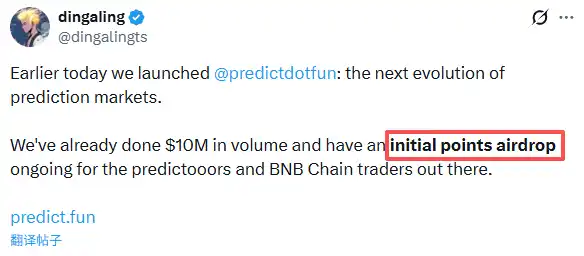
Unlike traditional prediction markets such as Polymarket and Kalshi, predict.fun has achieved a key innovation: funds participating in predictions are no longer idle but can generate additional revenue during the prediction period.
It is worth mentioning that on December 4th, Binance founder CZ stated in a post on Platform X that the founder of predict.fun had previously worked at Binance several years ago, and the project was incubated by YZi Labs and involved in "investment".
Next, Odaily Planet Daily will guide everyone step by step through the interactive experience of predict.fun.
Step-by-Step Participation Tutorial
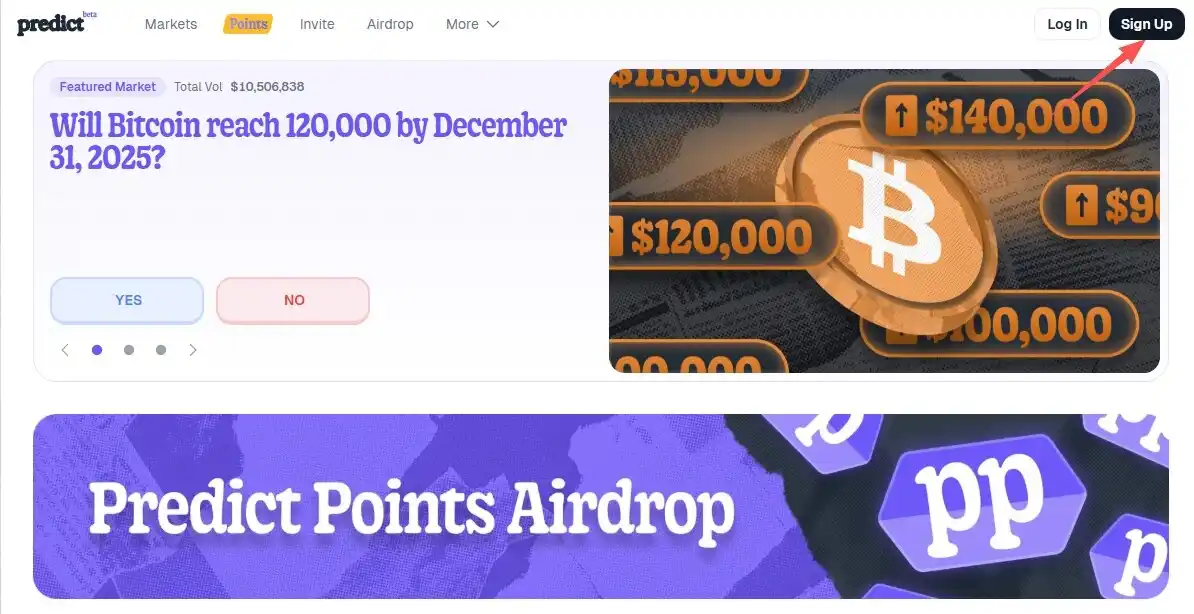
STEP 1. After logging into the project's official website (link: https://predict.fun/), click on "Sign Up" on the first visit to register an account and log in.
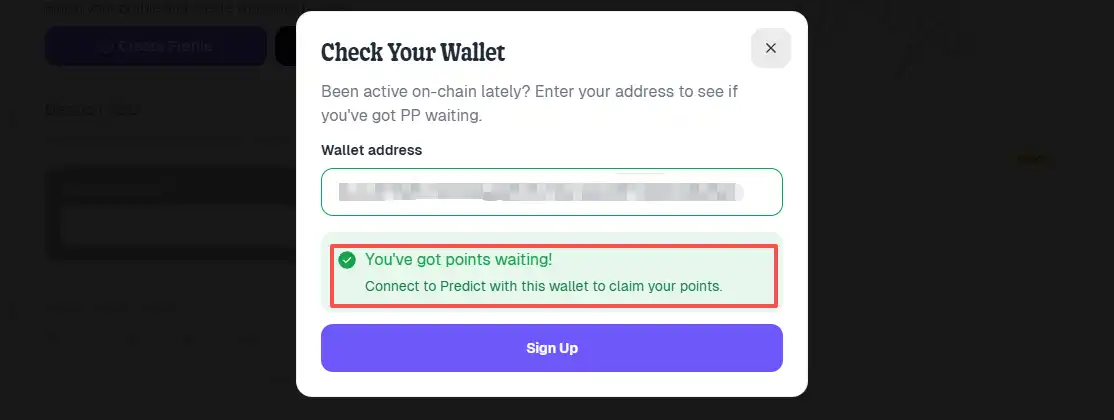
STEP 2. Click on "Airdrop" at the top to check for airdrop eligibility: after entering the interface, click on "Check Wallet Eligibility" and enter your personal wallet address to check eligibility (as shown in the image below indicating eligibility).
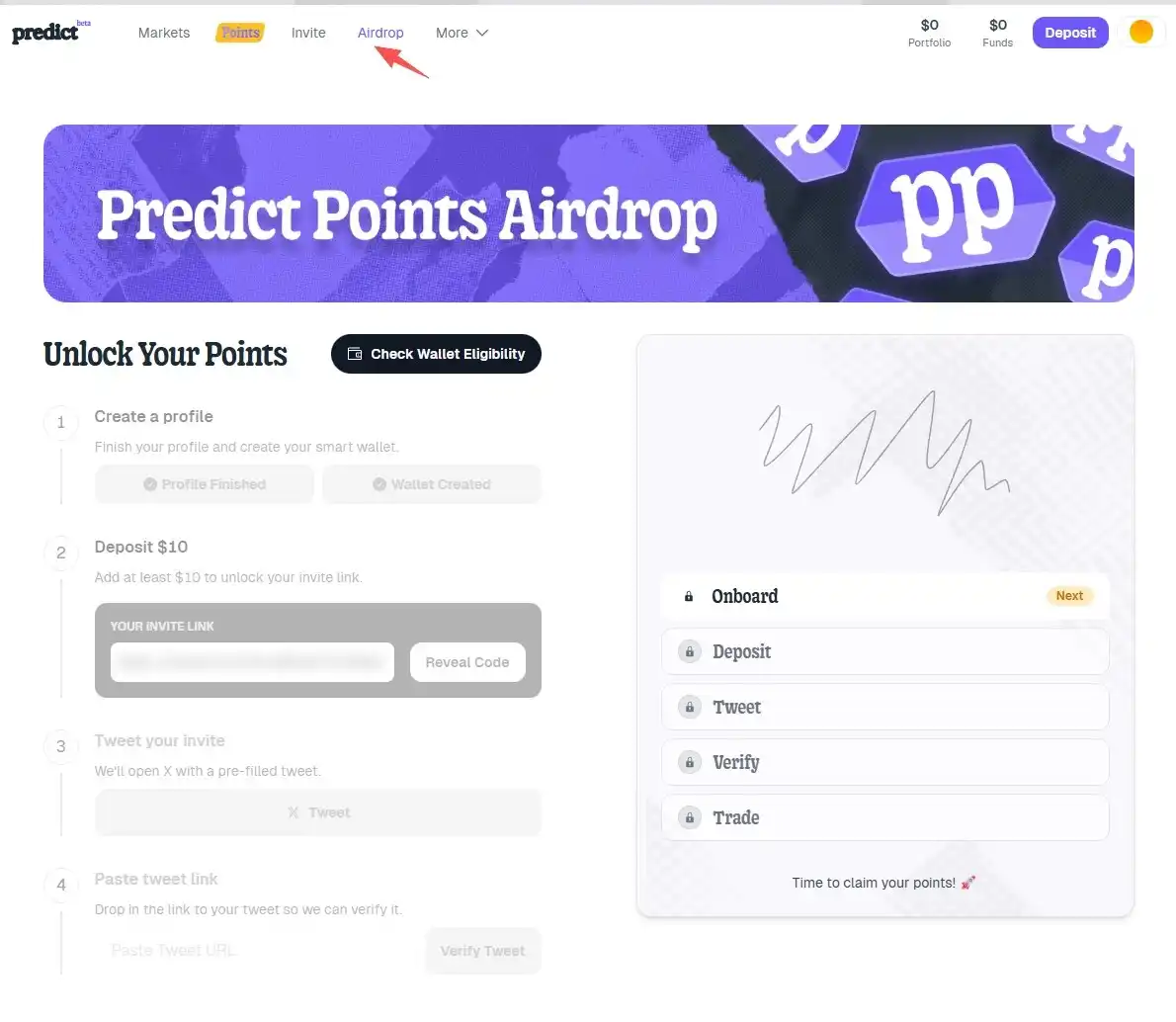
STEP 3. Once eligible, click on "Deposit" at the top to deposit at least $10 into the platform and unlock your personal referral link.
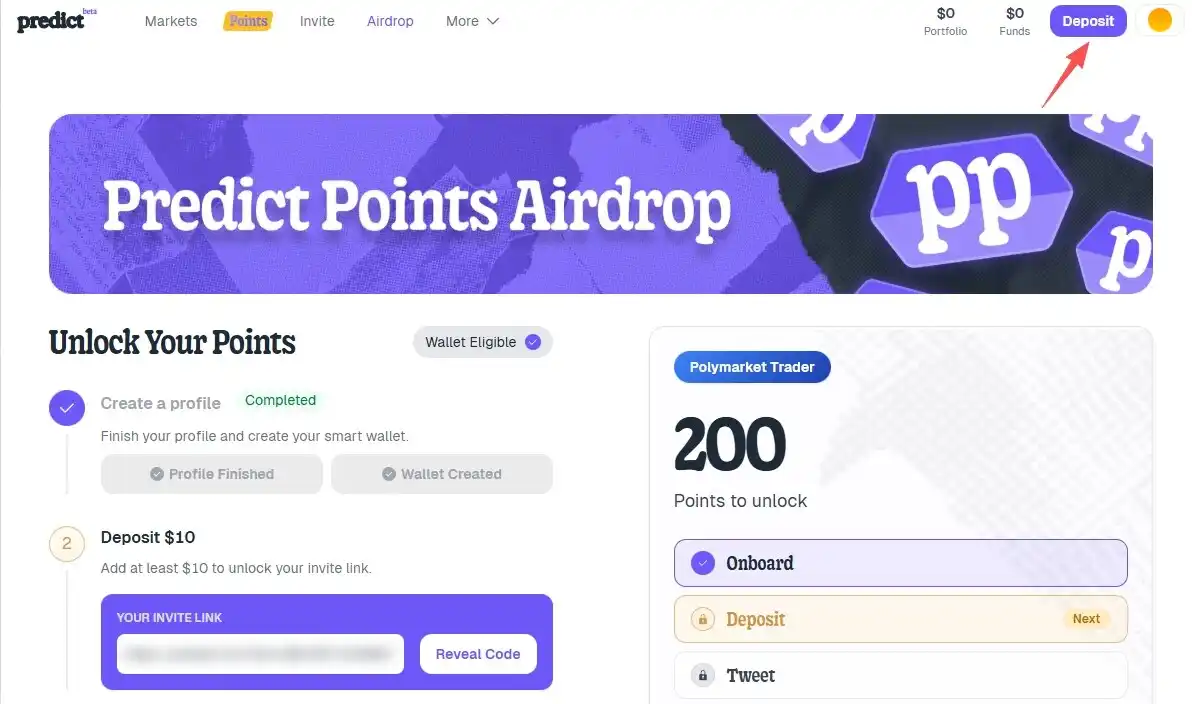
STEP 4. Click on the "Tweet" in Step 3 to retweet the invitation tweet. The system will automatically generate a personal invitation tweet, which can also be edited manually.
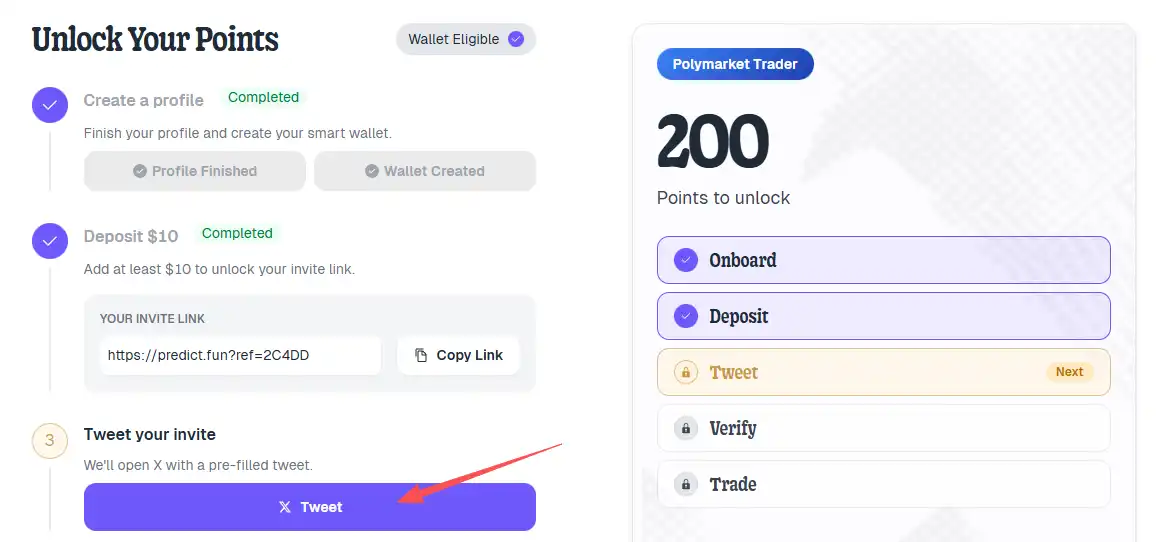
STEP 5. Fill in the link to the sent invitation tweet and click on "Verify Tweet" to complete the verification.

STEP 6. Unlock personal points by trading on the platform, as shown in the figure demonstrating that an account needs to complete a $500 trading volume to unlock 200 points. It is important to note that only participating in event bets counts as a valid transaction.
Welcome to join the official BlockBeats community:
Telegram Subscription Group: https://t.me/theblockbeats
Telegram Discussion Group: https://t.me/BlockBeats_App
Official Twitter Account: https://twitter.com/BlockBeatsAsia