Lightning Network is hot again, do you know how to use lightning network payment?
This article is written by 0x711, BlockBeats
Recently, with the release of Damus, Nostr's first client, the built-in Bitcoin Lightning network feature has also attracted a lot of attention. The Bitcoin Lightning network, which had seemed out of sight, appears to be enjoying a major opportunity for mass adoption. So how do you use the Bitcoin Lightning network and its wallet? This article summarizes the tutorial for using Blue Wallet with Lightning Network support.
1. After downloading BlueWallet through the App Store and other platforms, open the App. The default value is English. You can set the system Language to Chinese in the upper right corner.
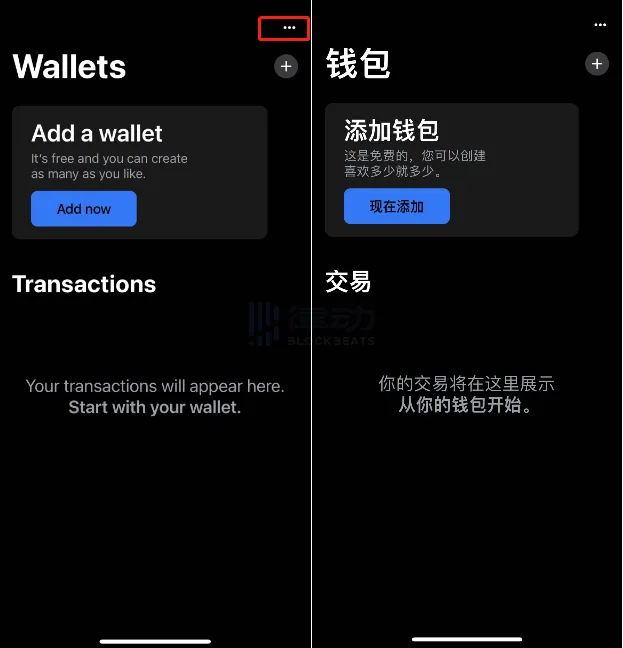
2. Click Add Wallet, set the name of the wallet, and select the type of wallet you want to create. The App offers three types: regular Bitcoin wallets, Bitcoin Lightning online wallets, and Vaults for large amounts of money. This article only introduces the lightning network wallet.
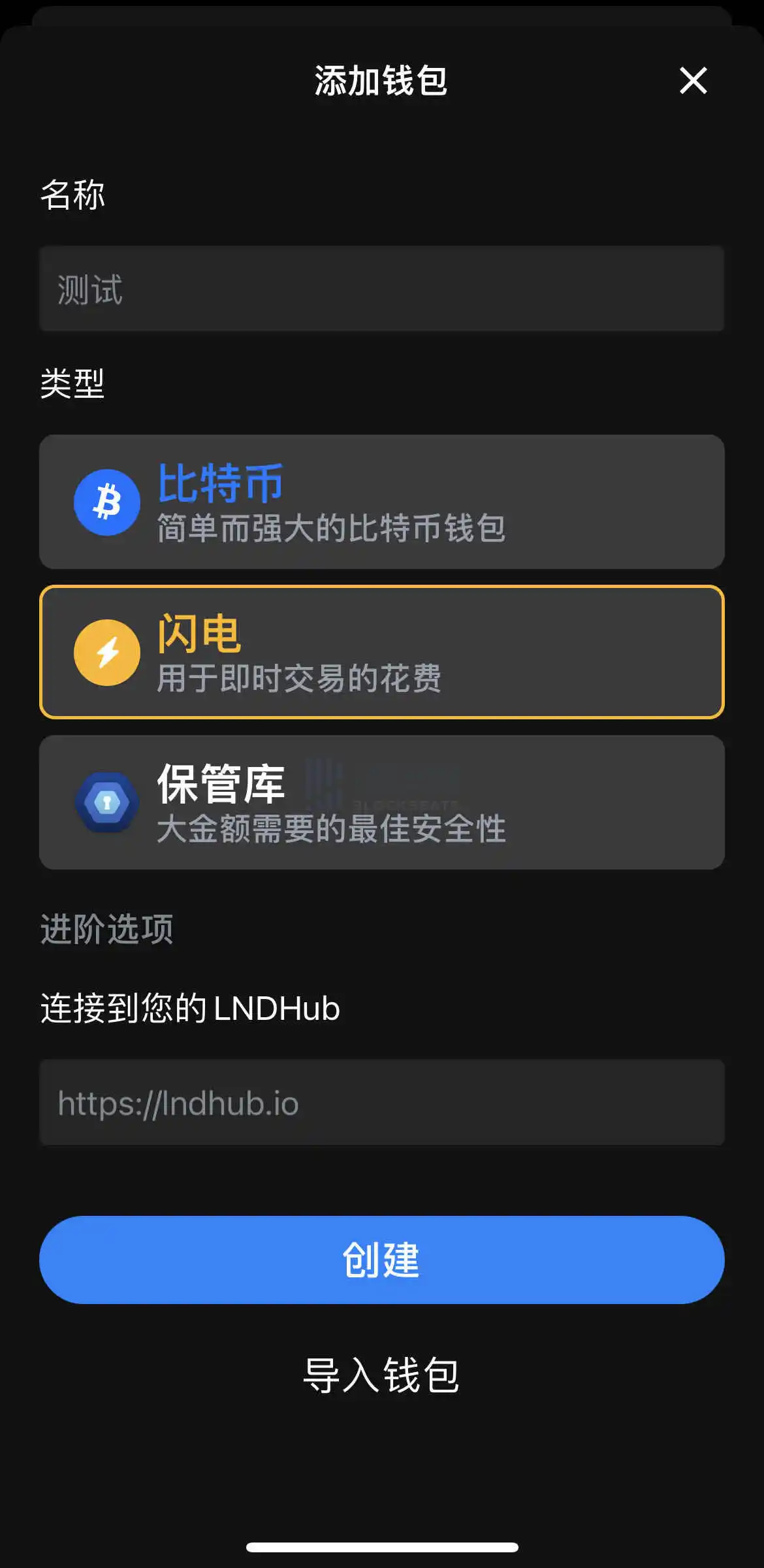
3. After setting the wallet name and determining the wallet type, the wallet is created. In addition, BlueWallet also supports wallet import through mnemonics, public keys, WIF, and more. This article will not go into details.
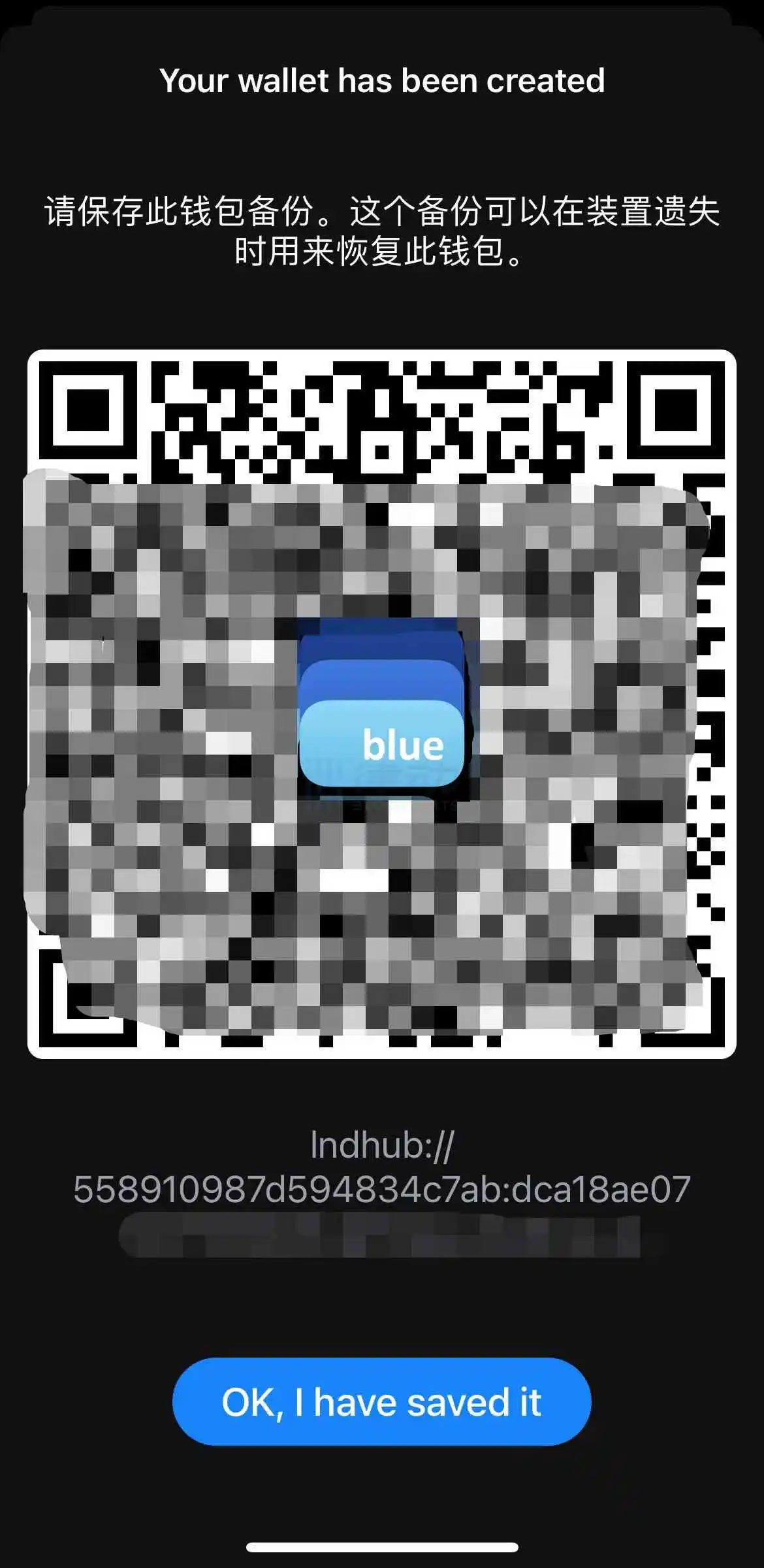
4. After creation, BlueWallet generates a code that functions like a private key and generates a QR code. You must store the QR code and private key properly to avoid disclosure. Anyone who has this information can recover the wallet through the wallet client and operate on it.
5. Save the information in the picture above and click OK to enter the wallet interface.
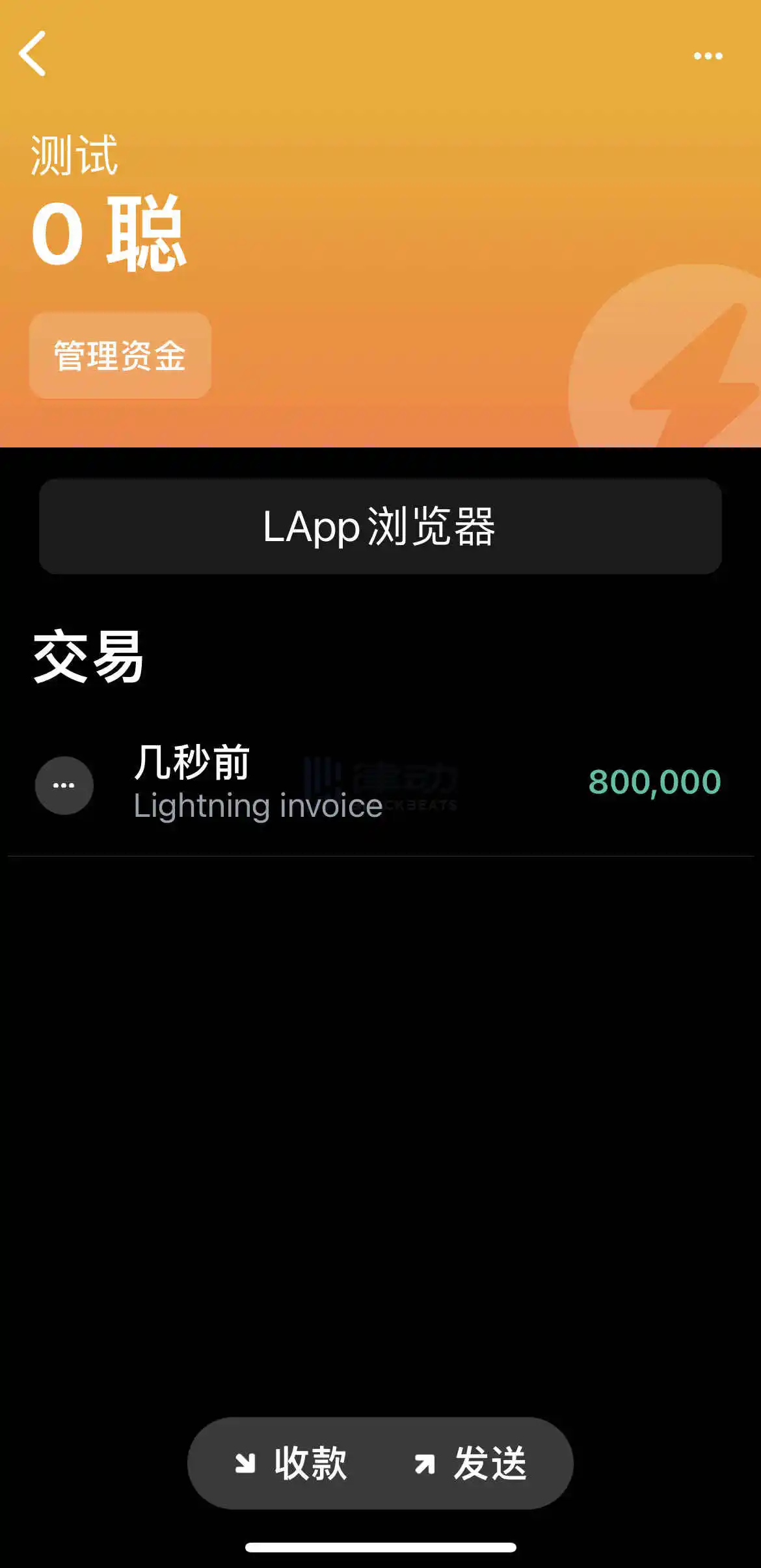
6. Use the receiving and payment function of Lightning Wallet, which is actually very similar to the receiving and payment function of wechat. After clicking collect/Send and setting the amount to be collected/sent, you can create the receive/payment link and corresponding Invoice QR code. In the previous activity initiated by Damus to randomly issue bitcoins in response to payment information under the post, users filled in the address code of the Invoice generated during this process.
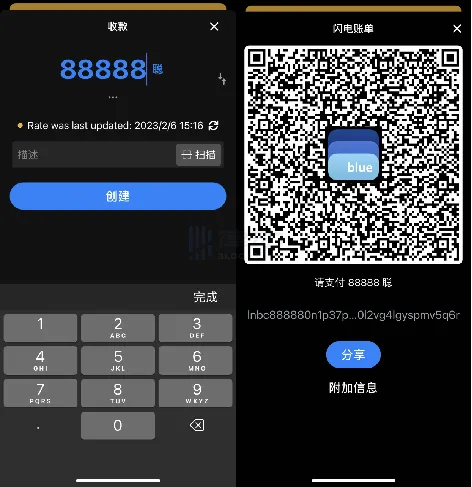
Click the Share button in the image above, then copy the code and paste it into the Damus post reply bar or the payment information bar of any other Bitcoin Lightning wallet to generate the transfer link. Of course, users can also scan the QR code to achieve a more concise payment operation.
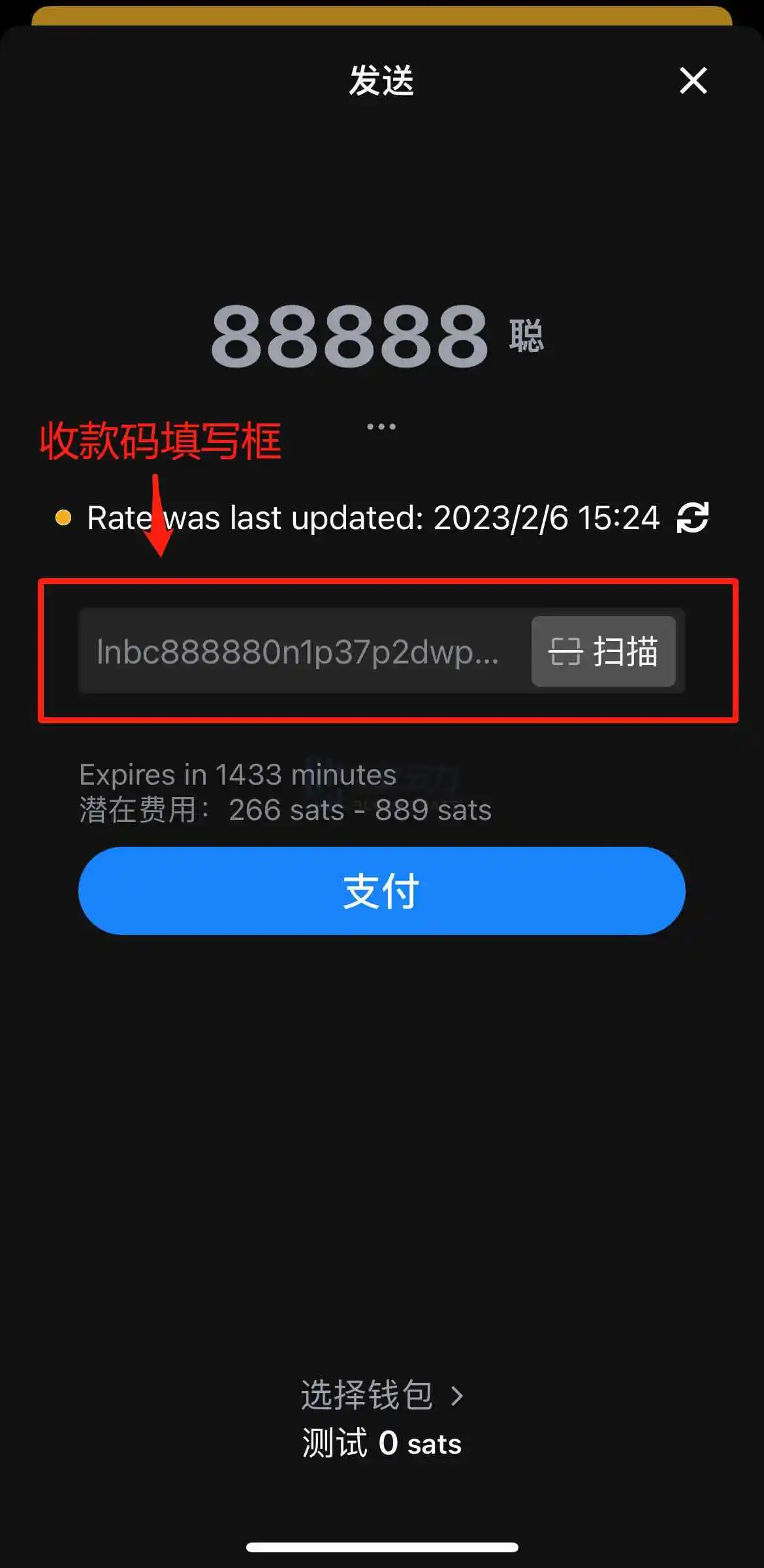
Note that unlike wechat's code, Bitcoin Lightning's code has a 24-hour validity period, as shown in the image above.
At the moment when Layer2 narrative is recognized by more and more practitioners, Bitcoin Lightning network seems to be the ancestor of peer-to-peer electronic payment system, which has been developing quietly. With the channel capacity breaking a new high, the publication of nostr and damus may make Lightning network ecology shine again.
Welcome to join the official BlockBeats community:
Telegram Subscription Group: https://t.me/theblockbeats
Telegram Discussion Group: https://t.me/BlockBeats_App
Official Twitter Account: https://twitter.com/BlockBeatsAsia

 Related Articles